What's New
The release introduces the following new functionality.
Note
Some of these changes might not apply to your organization's use of ProLinkAIM. Please contact us if you have questions about whether and how a particular change affects your organization.
General Updates
This section describes general updates across the application.
Expanded Analytics and Reporting with New ProLinkAIM Dashboards
ProLinkAIM includes a BI (Business Intelligence) Dashboards link in the Main Menu, which provides access to new analytics and reporting.
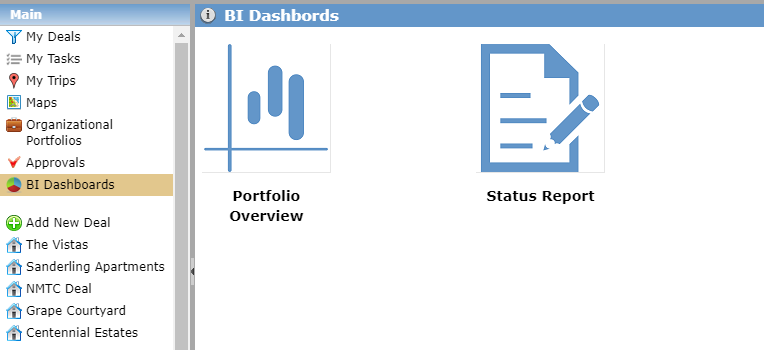
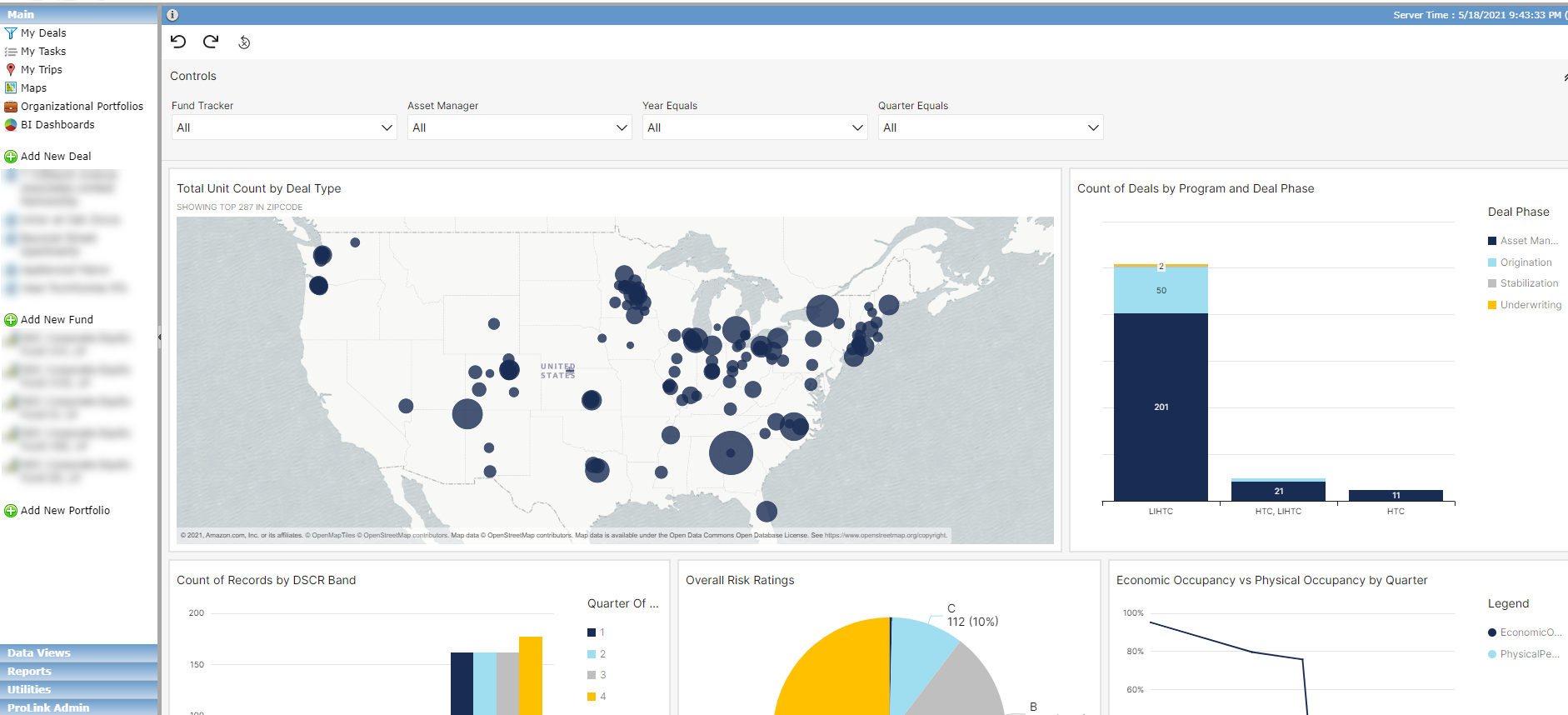
The Portfolio Overview dashboard displays overall Portfolio-level information. This report can be filtered by Fund, Asset Manager, and Time Periods. The information displayed is intended to give management an overall impression of how their portfolio is performing on a quarterly basis.
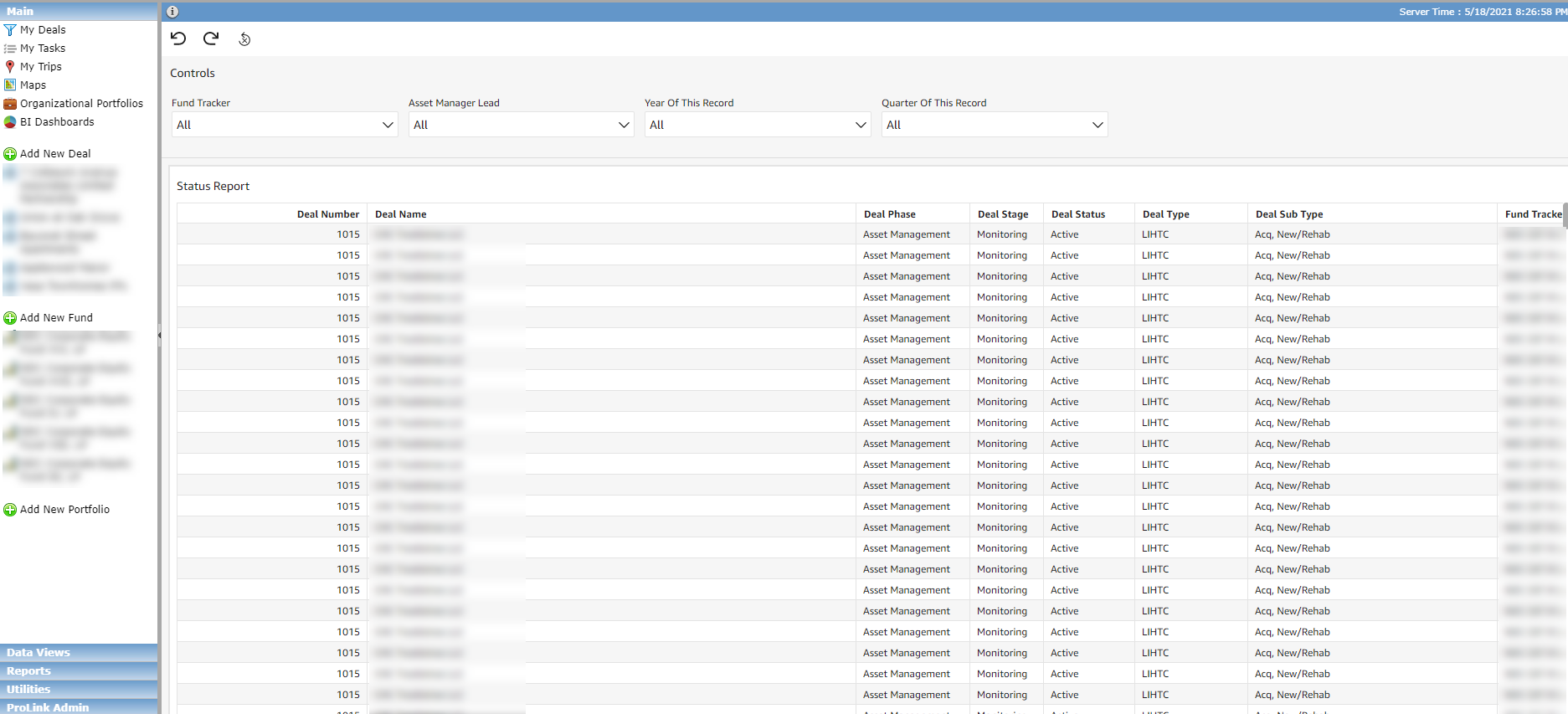
The Status Report dashboard displays data points across multiple data views. You can filter the report by Fund, Asset Manager, and Time Periods to access a detailed view into your portfolio. Export the report to CSV or Microsoft Excel to remove any extraneous columns and slice and dice the data as needed.
Improved Document Sort
The Document tabs, as well as the Document hubs, within deals and funds have been updated so that documents are sorted by the Uploaded Date, with the most recent date at the top.
Deal Updates
This section describes updates related to deal-level functionality.
More Control over Ownership Schedules
With the appropriate security privilege (Deal - Ownership Schedule - Unfinalize - Modify), you are now able to un-finalize deal-level ownership schedules. You can only un-finalize a Finalized schedule, not a Prior schedule. So if you need to un-finalize an earlier schedule, you'll need to un-finalize any more recent schedules first, in cascading fashion.
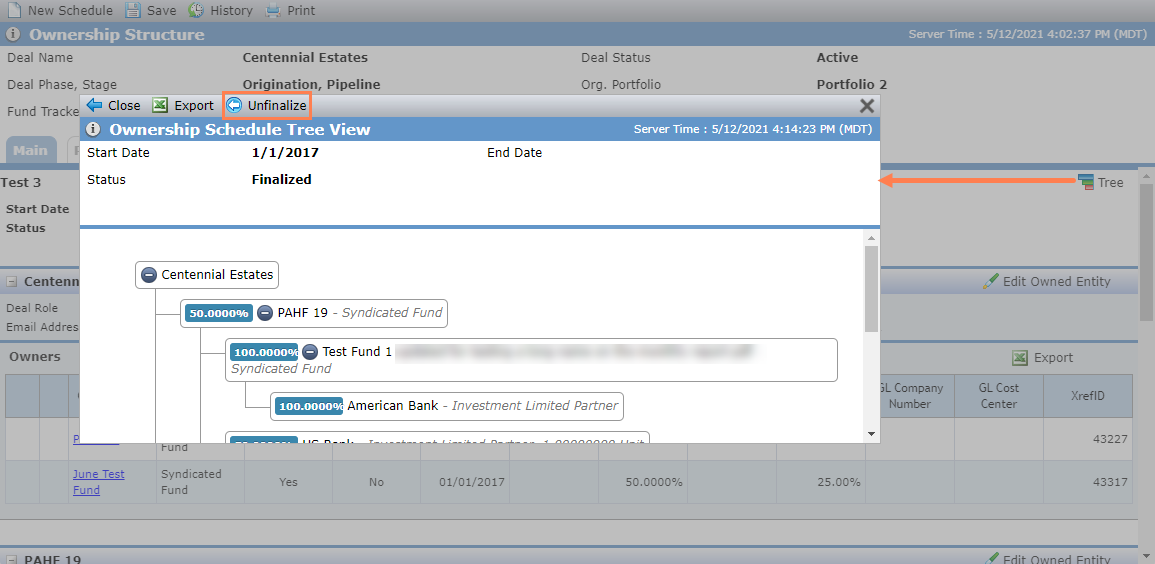
When you un-finalize an ownership schedule, the schedule moves to a status of Proposed. The most recent schedule with a status of Prior changes to Finalized.
You cannot un-finalize a schedule if any owned entities or owner entities on the deal:
Is selected as the owner on a Capital Contribution record
To un-finalize a schedule with this scenario, navigate to the record and remove the entity.
Is selected as the To or From party on a Debt record
To un-finalize a schedule with this scenario, navigate to the record and remove the entity.
Is associated to a QEI
To un-finalize a schedule with this scenario, navigate to the record and remove the entity.
Has an existing Impairment record
To un-finalize a schedule with this scenario, navigate to the record:
If the Impairment record lists multiple owners, be sure to clear the Impairment Schedule checkbox for any owners you will be removing rom the schedule. This ensures the Impairment Schedule continues to reflect only the correct entities.
If the owner you are removing from the ownership schedule is the only owner on the Impairment record, the Impairment record will be deleted when the owner is removed from the ownership schedule.
Has an owner-level LT Actual populated
To un-finalize a schedule with this scenario, navigate to the record and remove the amount for the populated years.
Added Risk to the New Year Process
We added a Risk Review section to the OPA tab on Deal Details so that you can define requirements and periodicity to be used by the New Year Process to create Risk Review records.
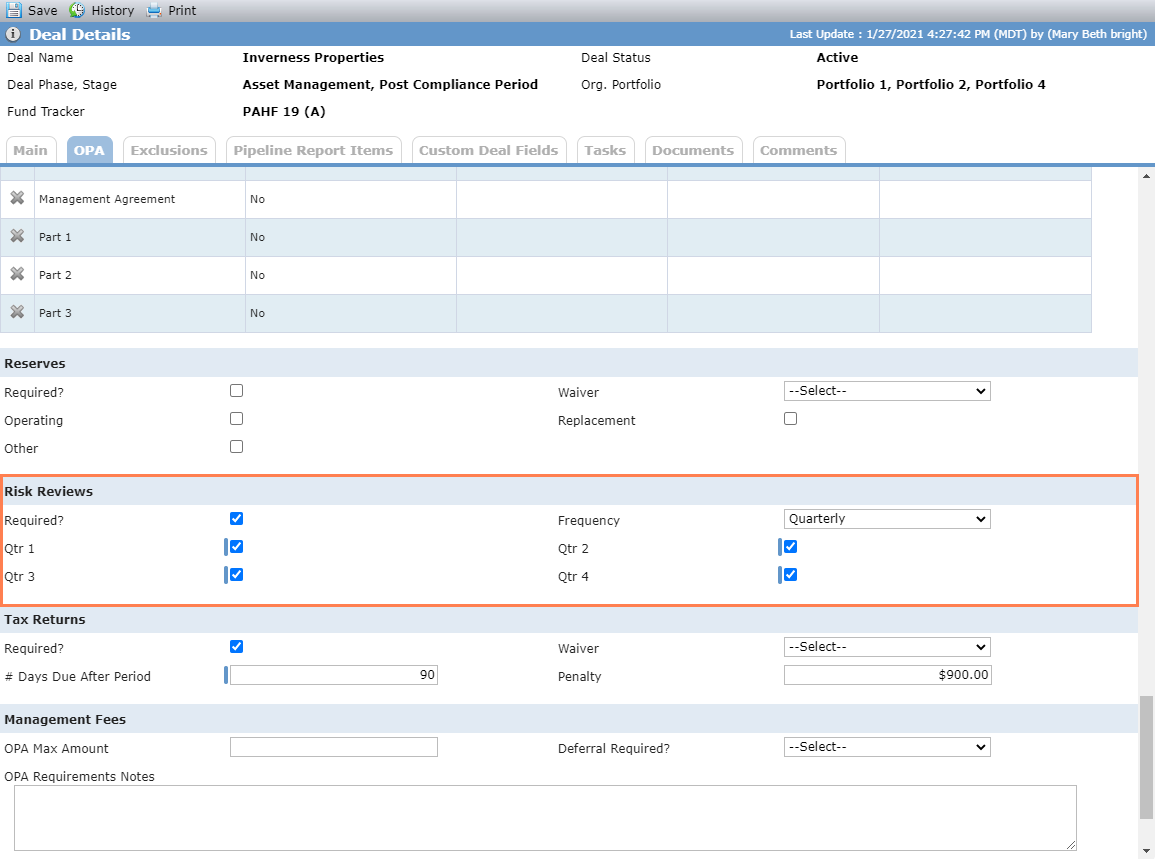
If you select Required, then you must select at least one quarter.
These fields have also been added to the Deal OPA data view and to SmartDox.
Note
All OPA records default to Quarterly, but you can update this selection as needed.
To include risk in the New Year Process, you can select the new Risk Review checkbox in the utility.
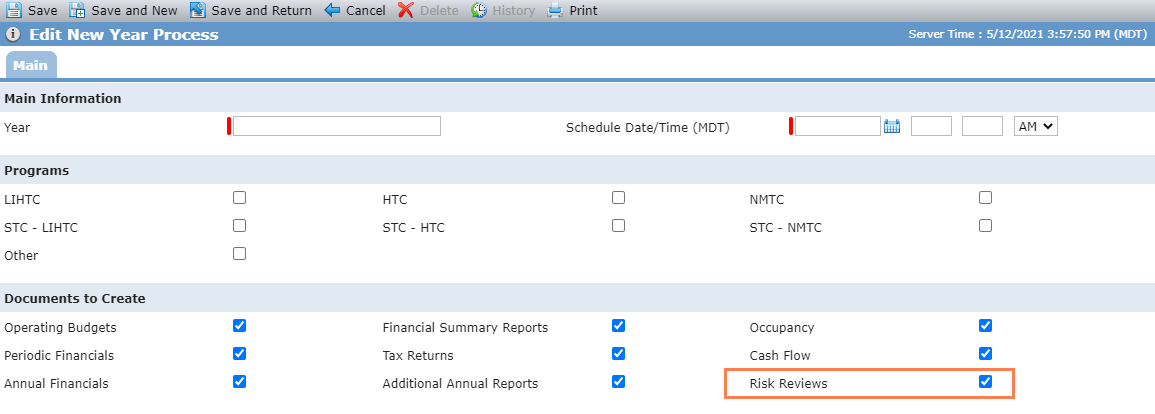
When risk is included, the system creates Risk Review record(s) for the specified year for all deals that meet the New Year Process criteria (as defined in the OPA requirements).
The review period is based on the periodicity and quarters selected.
If Quarterly, then Q1, Q2, Q3, and Q4 records are created.
If a periodicity other than Quarterly, then records are created for the quarter(s) selected on the OPA tab.
The status of the record is set to the status of the previous record. If no previous records exist, then the status is set to Pre-Construction.
New Deal Entity Contacts Data View
The existing Deal Entity data view is a helpful view for researching and reporting on deal entities. However, the view lists only one contact for each entity. ProLinkAIM now includes a new data view, called Deal Entity Contacts, which includes a row for each entity on the deal flagged as a Deal Contact, which is helpful when you want to view data related to the contacts on deals in the application.
Added Economic Occupancy to the Occupancy Data View
The Occupancy data view now includes a column for Economic Occupancy. The data view shows the value from the matching month and year financial record.
Added Physical Occupancy to the Financials Data Views
The Periodic Financials data view and Annual Financials data view now include a column for Physical Occupancy. For the Periodic Financials data view, the value comes from the matching month and year Occupancy record. For the Annual Financials data view, the value comes from the matching year Occupancy record.
Admin Updates
The Workflow functionality in the ProLink Admin panel has been updated to support use of user defined fields (UDFs).
Help Updates
The Help Center includes new content:
About ProLinkAIM reports, located in the Reports section of the help
About the Benefits Mass Update utility
About the New Year Process