Edit an Entity - Financials Tab
The Financials tab on the Edit Entity screen shows the entity's financial summary, annual financial statements, and periodic financial statements.
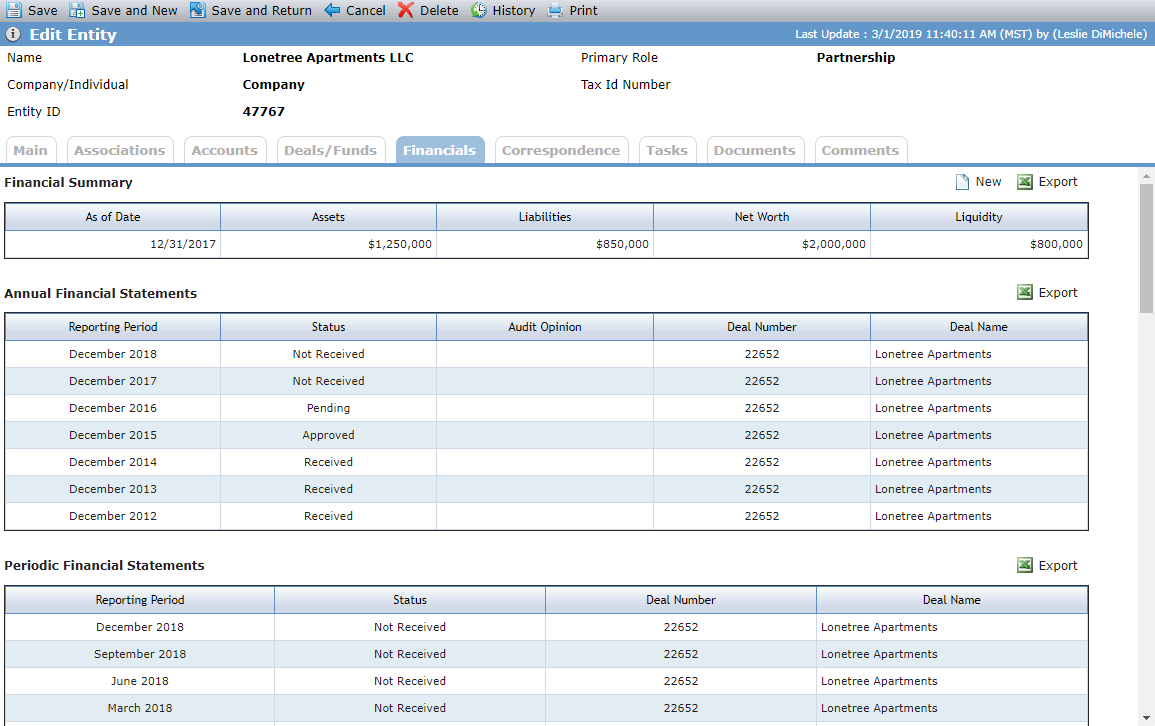
The Financial Summary grid lists all the Financial Summary records created for the entity, sorted by As Of Date. The Financial Summary tracks the asset and liability value for the entity.
You can create a new record by clicking New above the grid. Click a row to open the corresponding record.
Add or Edit a Financial Summary Record for an Entity
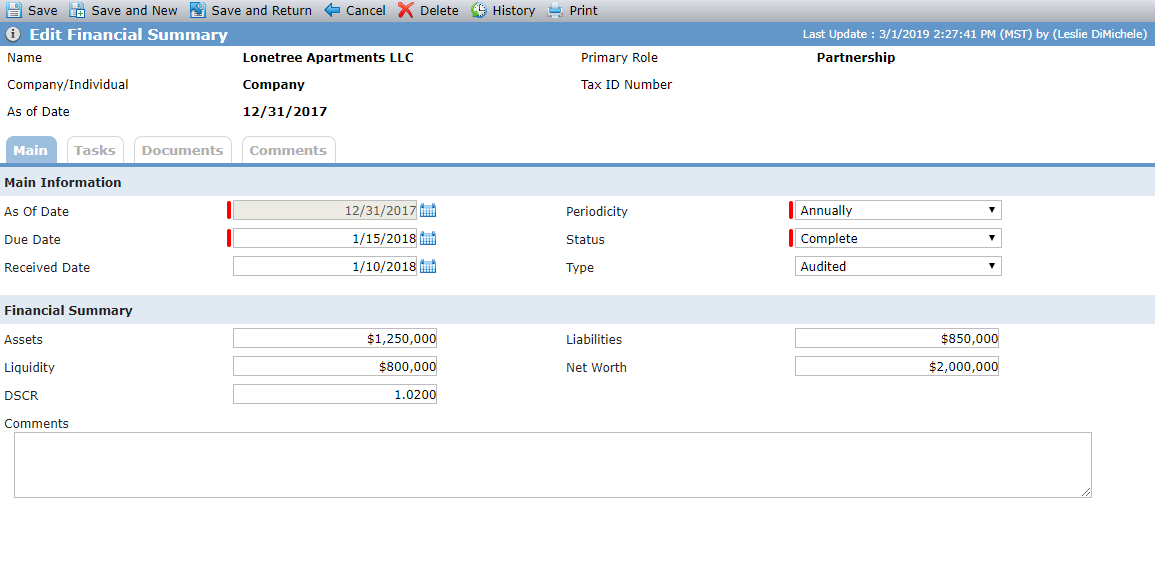
When you click New above the Financial Summary grid on the Financials tab of the Edit Entity screen, or when you click the row of an existing record, the Edit Financial Summary screen opens.
The As Of Date and Periodicity must be unique for the entity. You can have multiple records with the same As Of Date, as long as the Periodicity is different. If the Periodicity is Annual, then only one record for that year can exist.
The Annual Financial Statements grid lists all the Annual Financial Summary records that have been created where the entity is the Reporting Entity on the statement.
You can create new records only through the Financials menu option in the Selected Deal left navigation panel. Click a row to open the corresponding record.
The Periodic Financial Statements grid lists all the Periodic Financial Summary records that have been created where the entity is the Reporting Entity on the statement.
You can create new records only through the Financials menu option in the Selected Deal left navigation panel. Click a row to open the corresponding record.