List Screens
The List screens provide a listing of related records, for example, construction budgets or inspections. The data is read-only and you can sort and filter the data to display the information differently in the list. If you click a specific row in the List screen grid, the Edit screen opens with additional information. The information that is editable on the Edit screen is dependent on the screen and the user security privileges.
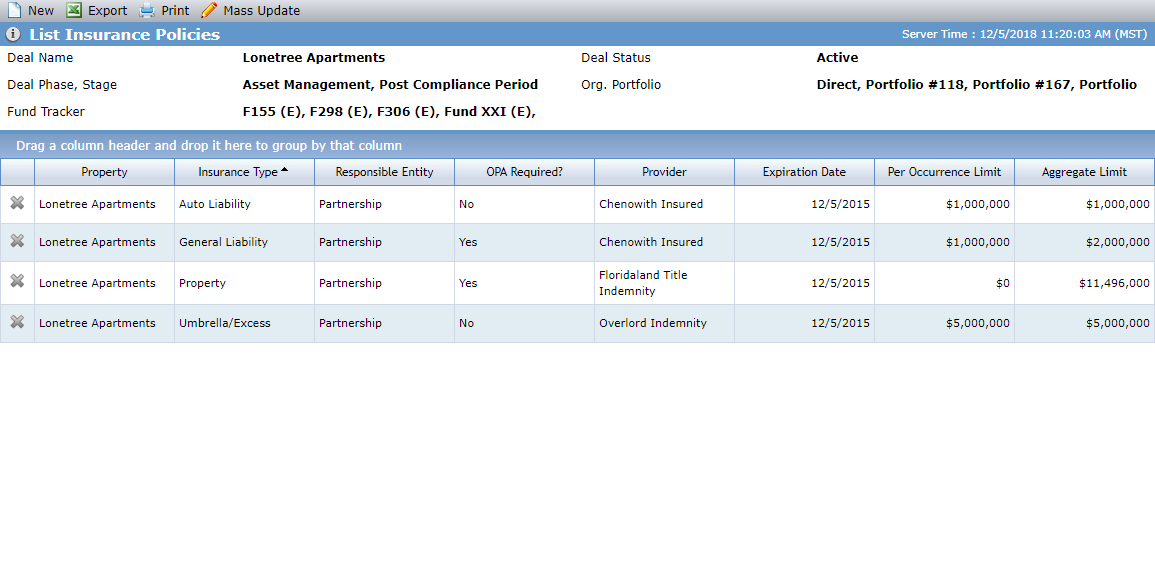
Examples of List screens include Buildings and Property Taxes at the deal level, and Investor Reports at the fund level.
List screens display consistent menu options:
New—Opens the corresponding Edit screen where all the fields on the screen are empty, allowing you to populate the data to create a new record.
Export—Creates an Excel file with the data from the currently displayed grid. The export includes the column titles and row data only. Your internet browser allows you to save or open the file.
Print—Opens a printer-friendly version of the current screen (and current tabs, if any) without the page header, navigation menu, or tabs.