Simple Mass Mapper
As an alternative to the standard mass mapper, the SmartDox mapping tool includes a simple mass mapper. The simple mass mapper copies the mapping of an already mapped cell vertically or horizontally for a specified number of additional cells. The simple mass mapper can be a good alternative to the standard mass mapper for performance reasons in extremely large templates where you need to repeat the mapping of a cell across hundreds of rows or columns.
Determine which data points need to be mapped multiple times, the positions where the mapped fields should reside, and how many times each field should be repeated.
Click Map Fields in the ProLink menu, enter the appropriate username and password, if prompted, and choose the desired Schema, if prompted.
Within the Schema section of the Map for ProLink SmartDox window, select a Schema Group to be added to the template and click Add Group.
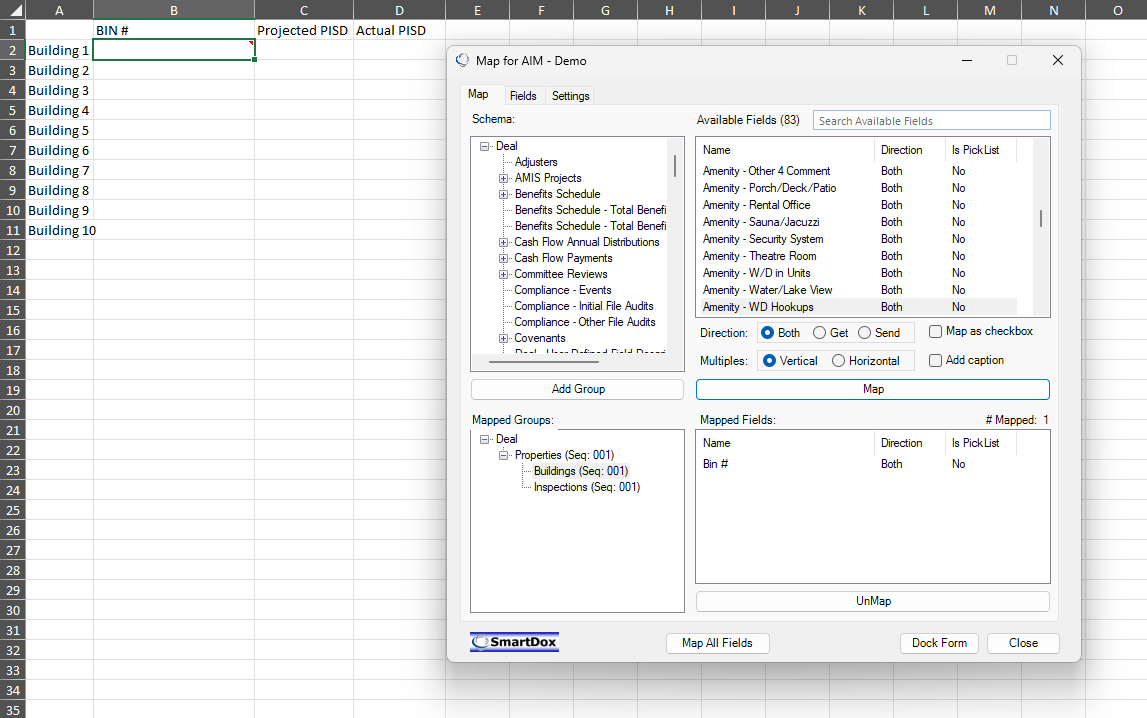
With the cursor positioned in the first cell of the sequence to be mapped, select the field from the Available Fields section.
Choose the direction of the mapped field, whether the field should be mapped as a checkbox, and whether a caption should be added to the mapped field.
Click Map.
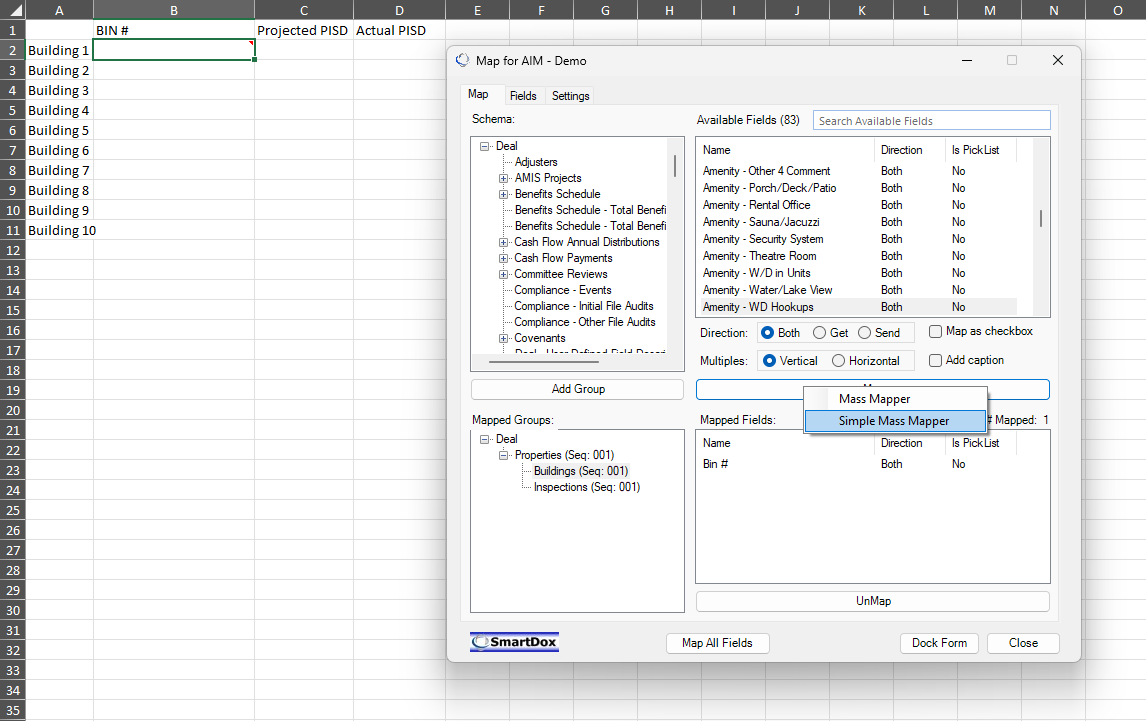
With the cursor still positioned in the mapped cell (or first iteration of the mapping), right-click the Map button and then click Simple Mass Mapper.
Complete the Simple Sequence Mapper popup.
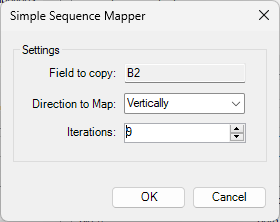
Confirm the field location to copy is correct.
Select "Vertically" or "Horizontally" to indicate the Direction to Map the sequence.
Enter the number of Iterations (cells) to update with the copied mapping.
Click OK.
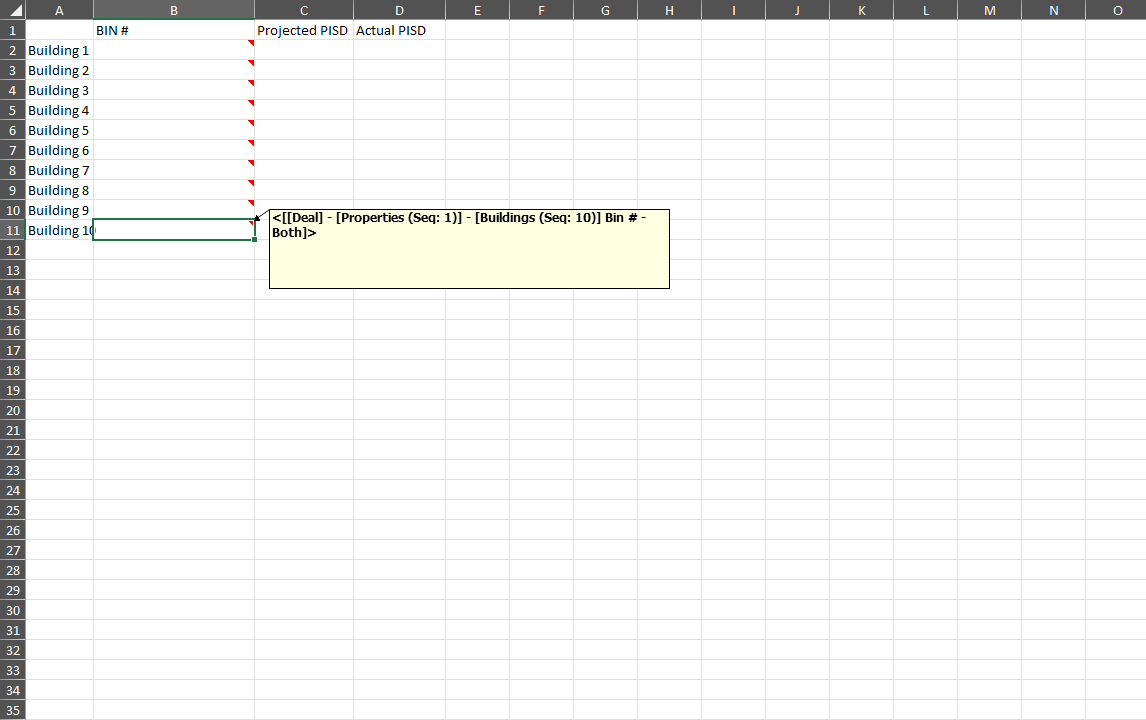
Save the template.
Note
If you next need to map a different data point, you will need to select the schema group in the Mapped Groups section, even if the field is in the same group as the field you just mass-mapped.