Edit the Benefits Schedule - LIHTC
Note
For most organizations, UT Actual Credits and UT Actual Losses will be hidden on deals because you can view income/loss at the fund-level.
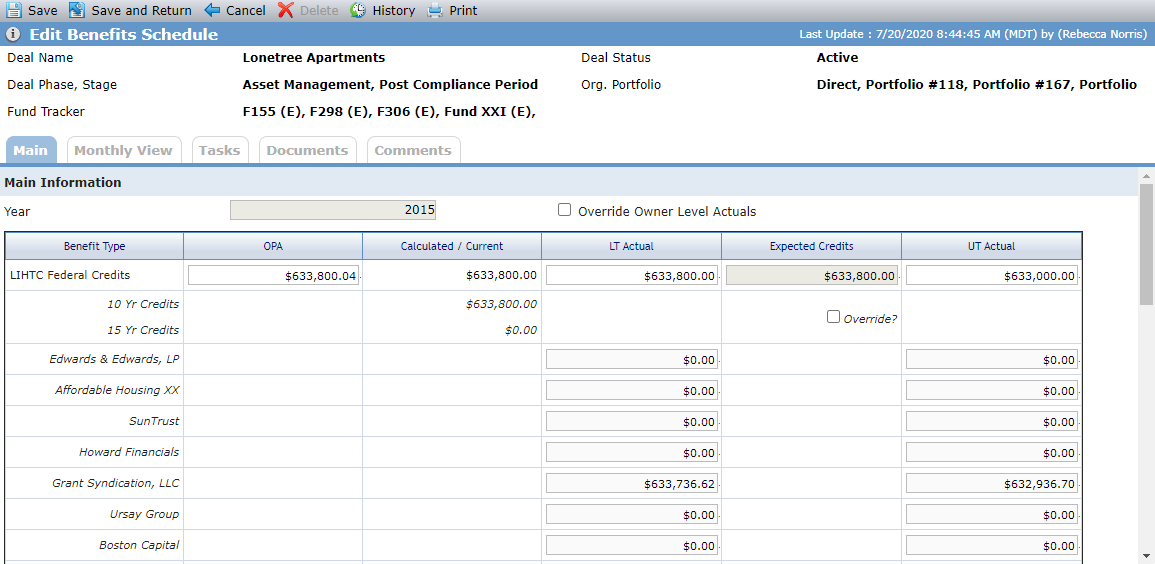
The Edit Benefit screen is where you can manually enter benefit values (for values that are not calculated). A number of calculated fields can be overridden on the screen.
Tip
ProLink includes data views to help report on benefits across the portfolio:
Deal Benefit Schedules
Deal Benefit Schedules - Owners—Displays a row for each deal owner benefit year, allowing you to report on benefit schedules by owner entity per deal. You can click a row to navigate to the applicable Deal Edit Benefits Schedule screen. You can quick search on Deal Name or Name.
Override Calculated Values
Important
You need the Benefits Schedule - Override Owner Level Actuals security privilege to override calculated values.
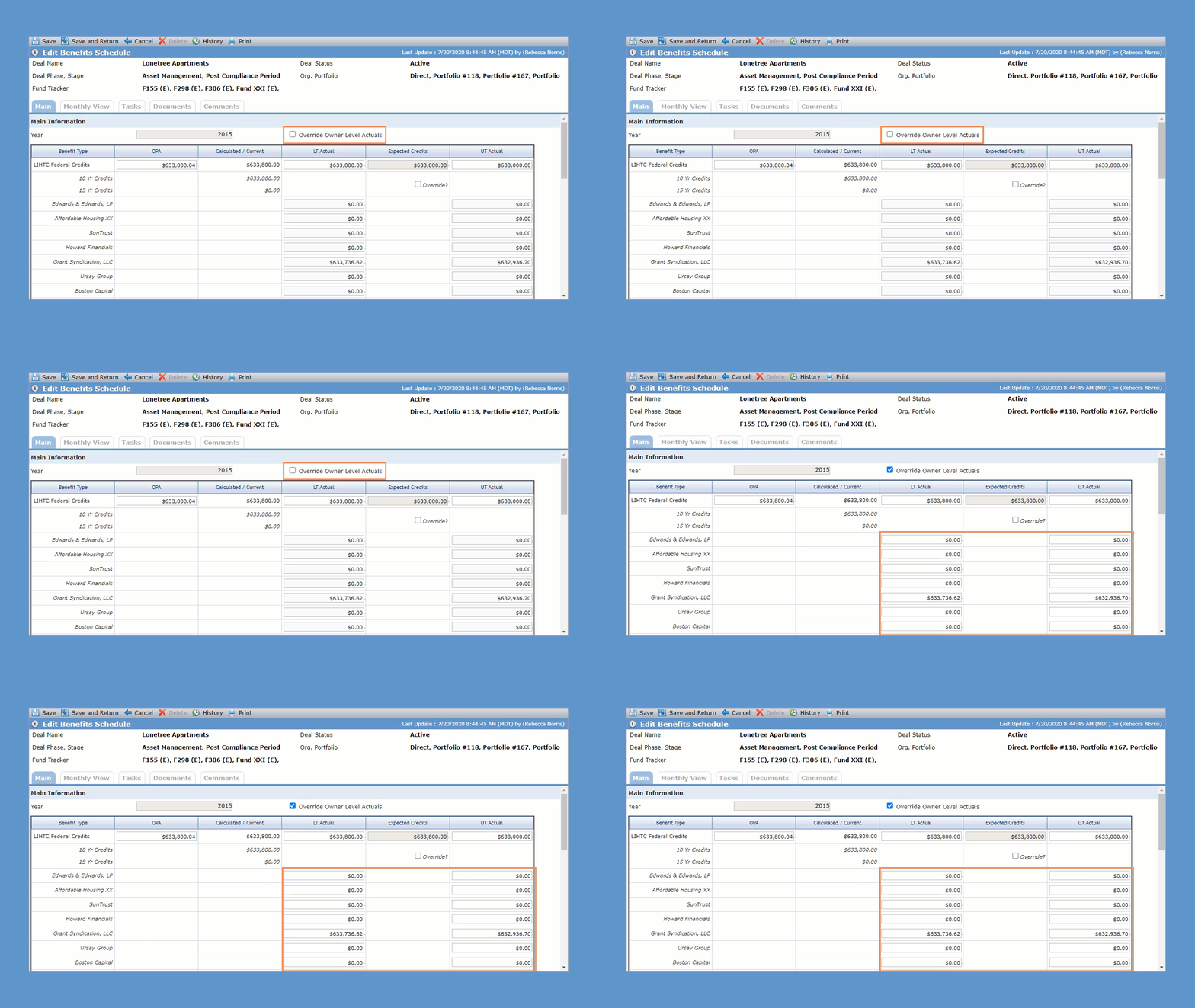
You can override the OPA, LT Actual, and UT Actual amounts at the deal level and Income/(Loss) level.
Select the Override Owner Level Actuals checkbox to change the owner-level LT Actual and UT Actual amounts to editable fields. You can override one or multiple owners' LT Actuals and UT Actuals.
Note
The system does not sum overridden owner-level actual amounts nor update the deal-level actual amount, even when the deal-level amount is not populated.
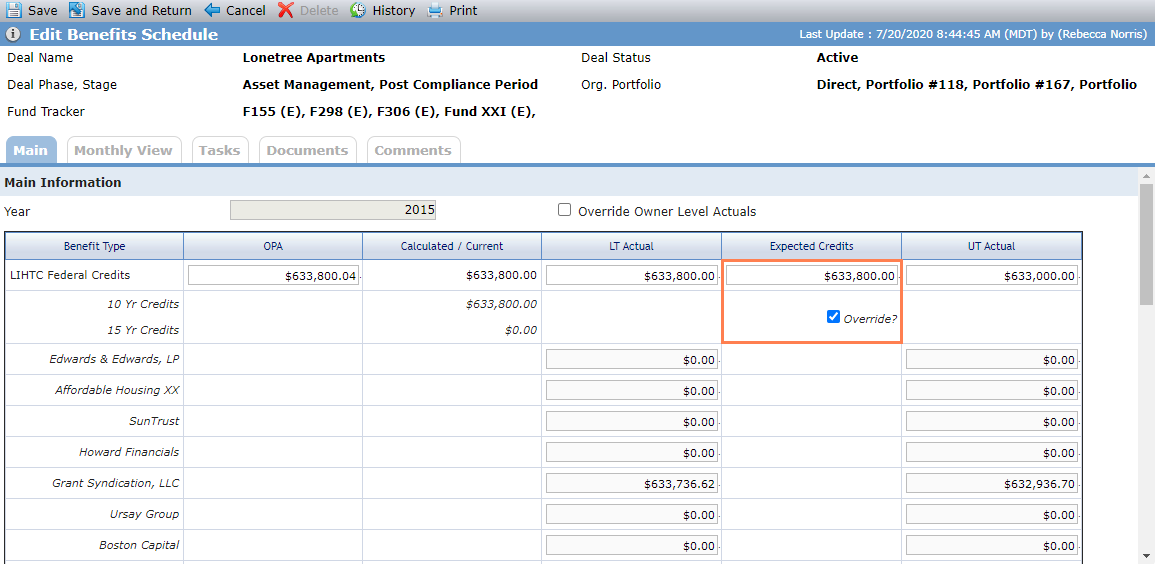
Select the Override checkbox in the Expected Credits column to override Expected Credits values at the deal level.
Main Tab
Main Information
This section displays:
Calculated/Current values for 10 Yr and 15 Yr credits.
LT Actual and UT Actual values at the owner level.
Only those owners of the Partnership in a Finalized Ownership Schedule.
When deal-level LT Actual values are populated, owner-level values are calculated based on the owner's ownership percentage (Ownership Schedule).
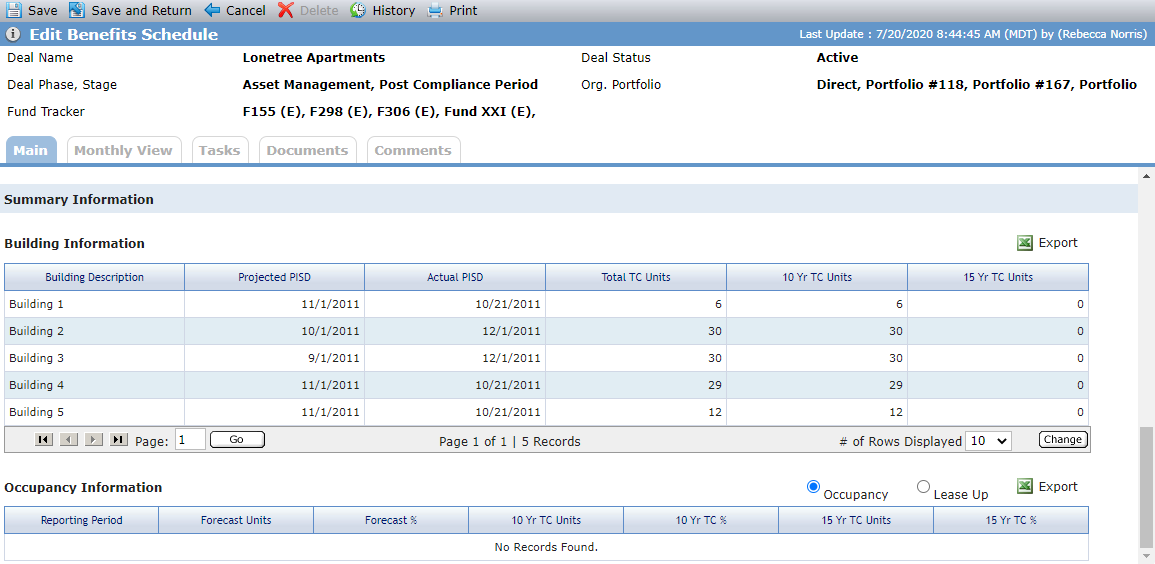
Summary Information
This section displays:
Building Information—All buildings for the property with Placed in Service Dates and Tax Credit Unit information.
Occupancy Information—You can select to view Occupancy or Lease Up records for the Reporting Periods for the corresponding year.
Monthly View Tab
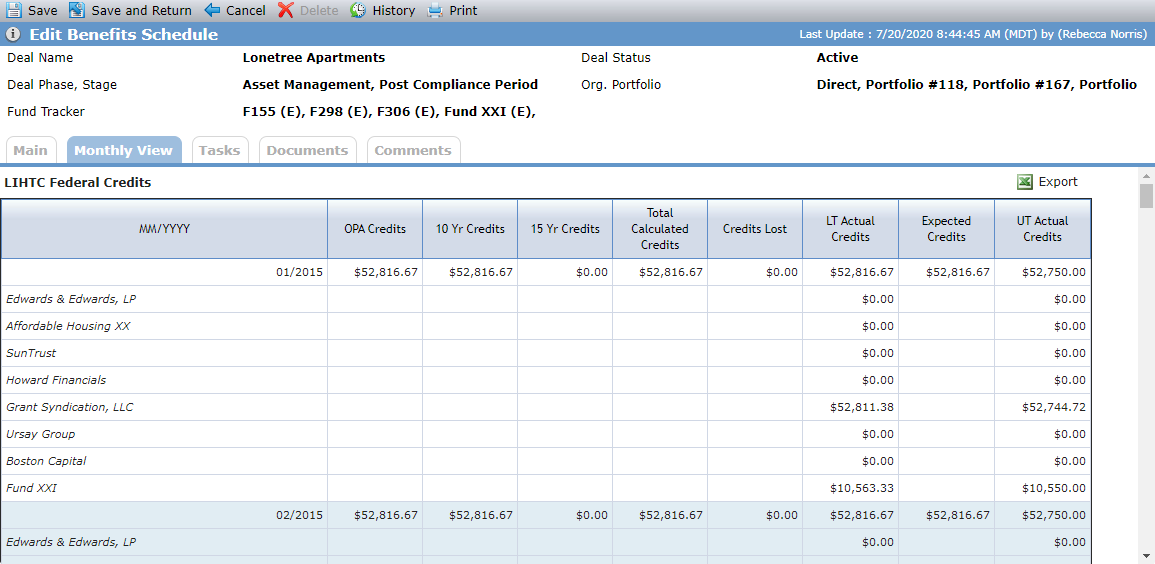
The screen displays a row for deal-level benefits and owners of the Partnership that are in a Finalized Ownership Schedule. The fields are read-only and calculated based on the annual values.