Manage Deal Details - AMIS Tab
The AMIS tab is displayed only for those deals that have a Federal NMTC or State NMTC program selected. The application automatically creates rows in the grid for each entity on the deal that has a deal role of QALICB or Sub-CDE.
Tip
For more information about the Awards Management Information System (AMIS), see https://amis.cdfifund.gov/AMISHome.
Tip
Make sure a record is completed for any entity with a Deal Role of QALICB or Sub-CDE that is the recipient of the deal's Qualified Low-Income Community Investment (QLICI). This information is reported on the Allocatee TLR Report that is issued to the CDFI annually.
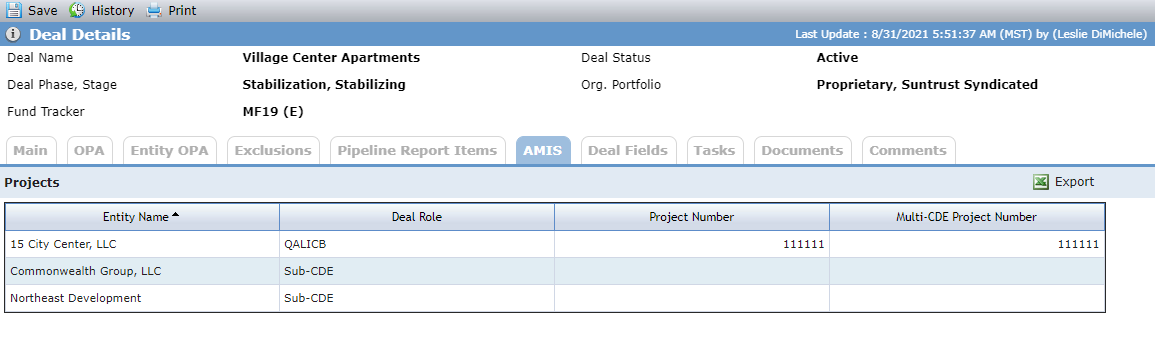
When you click into a row on the AMIS tab, the Edit Project AMIS screen opens. This screen captures project-level detail such as Jobs, Housing, Square Footage Capacity, and Census Tract information for Allocatee TLR Reporting.
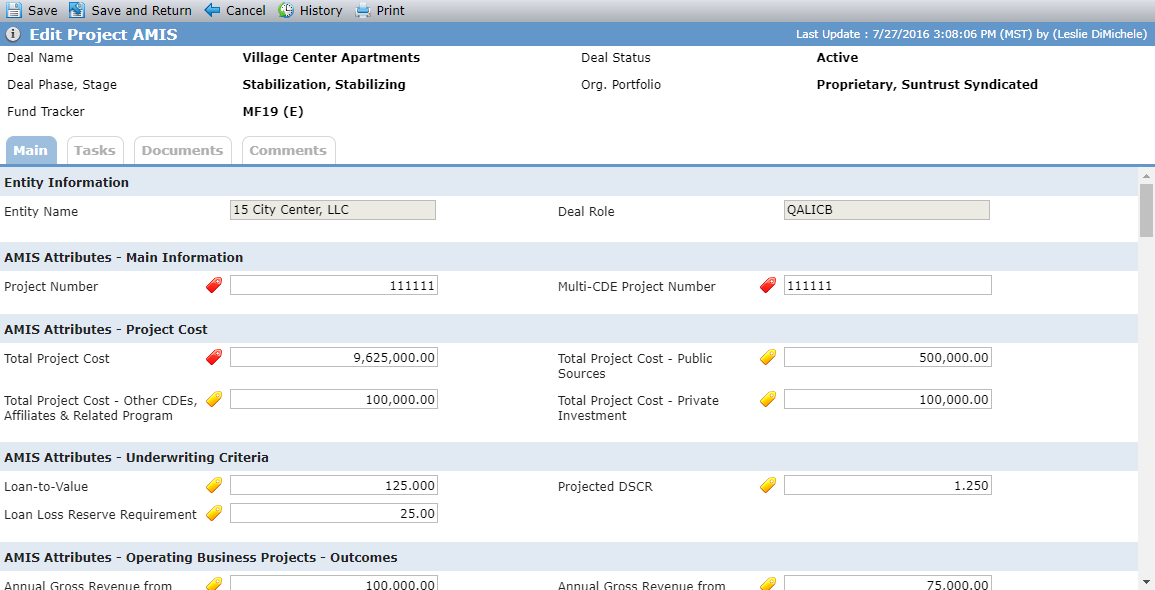
The red colored icons associated to the fields indicate the field is a AMIS required field, while the yellow icons indicate the field is a AMIS conditionally required field. No icon indicates that the field is just informational.
When a field has a corresponding optional ("Opt") field, you can populate only the field or the corresponding Opt field.
The XML Validator, which should be run before the TLR Report is issued, includes validation for the AMIS required fields, but not the conditionally required fields.