Create a Fund
The Add New Fund screen allows you to capture the minimum information necessary to establish a fund in ProLinkAIM. After the fund is created, you can use the Fund Details screen to add additional information, including comments, tasks, documents, guarantees, and CRA information.
Caution
You cannot delete a fund after it has been added.
Click Add New Fund in the Main Menu of the left navigation panel.
The Add New Fund screen opens.
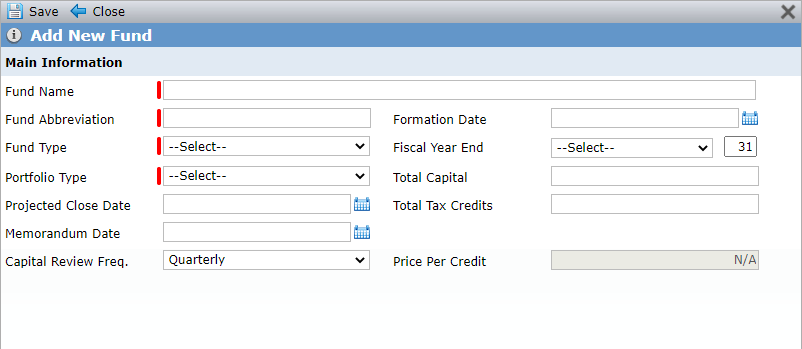
Enter the minimum required fields (identified by red line).
Fund Name—Must be unique
Fund Abbreviation—Must be unique
Fund Type—Your system administrator can configure the options in the list
Portfolio Type—Your system administrator can configure the options in the list
Enter any additional, optional information.
Click Save.
The Fund Overview screen opens.
When the fund is created, the system creates a Fund Entity with the Primary Role of Syndicated Fund, Company or Individual of Company, Entity Status of Pending, and Entity Name that is the same as the Fund Name. This Syndicated Fund entity is the entity that will be linked to the lower tier deals.