Tasks in ProLinkAIM
Most of the Edit screens throughout ProLinkAIM include a Tasks tab. This tab allows you to create and manage tasks associated to a specific item or area of the application. The Tasks grid displays a list of all tasks that have been added to the specific Edit screen.
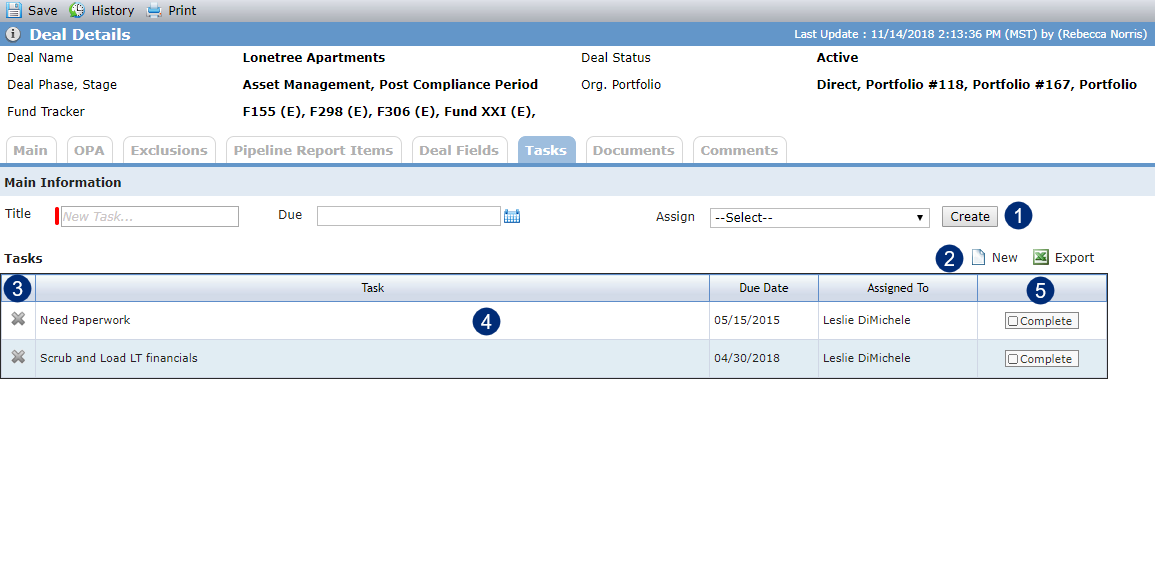
On the Tasks tab you can:
Complete the fields at the top of the tab to create a new task quickly.
Create a new task, with the ability to edit the details, such as adding a description.
Delete a task.
Select the row to edit a task.
Mark a task as complete.
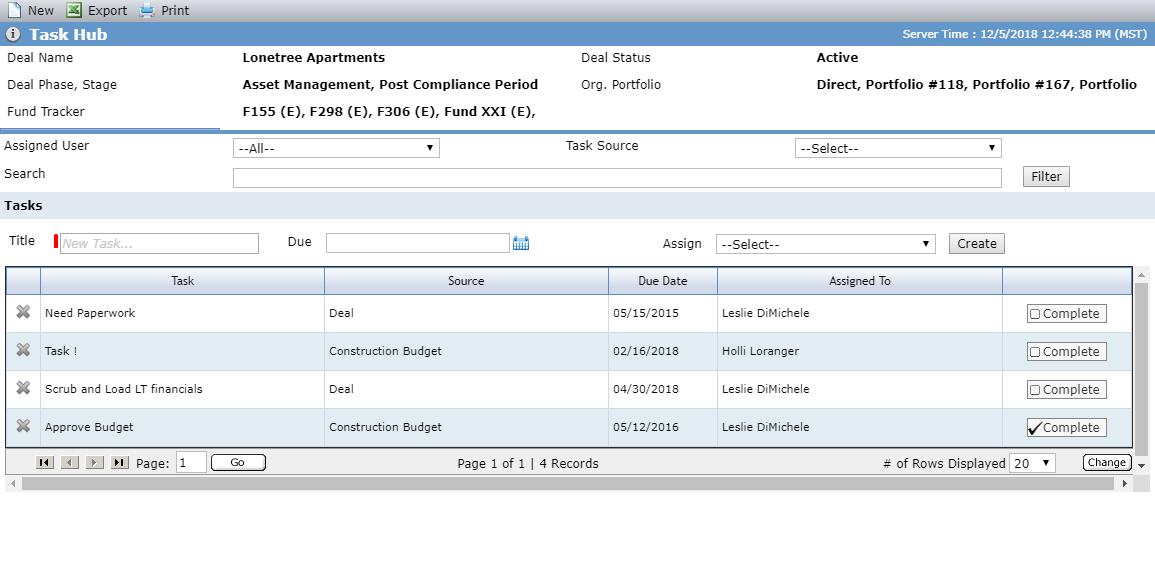
Tasks are also located within the Task Hub and grouped based on where the task was added. Here you can search for a task and filter all of the tasks associated with the deal or fund. To access the Task Hub screen, navigate to the Selected Deal or Fund from the left navigation panel and select the Tasks Hub option.