Deal Checklists
A checklist allows you to track activities within a deal. The checklists are automatically created when the deal is created and when each Phase and Stage is entered. The administrator configures templates and template checklists in ProLink Admin.
The Checklists screen allows you to view the checklist items for all checklists, grouped by checklist name. The default sort for the groupings is by Deal Phase and Stage.
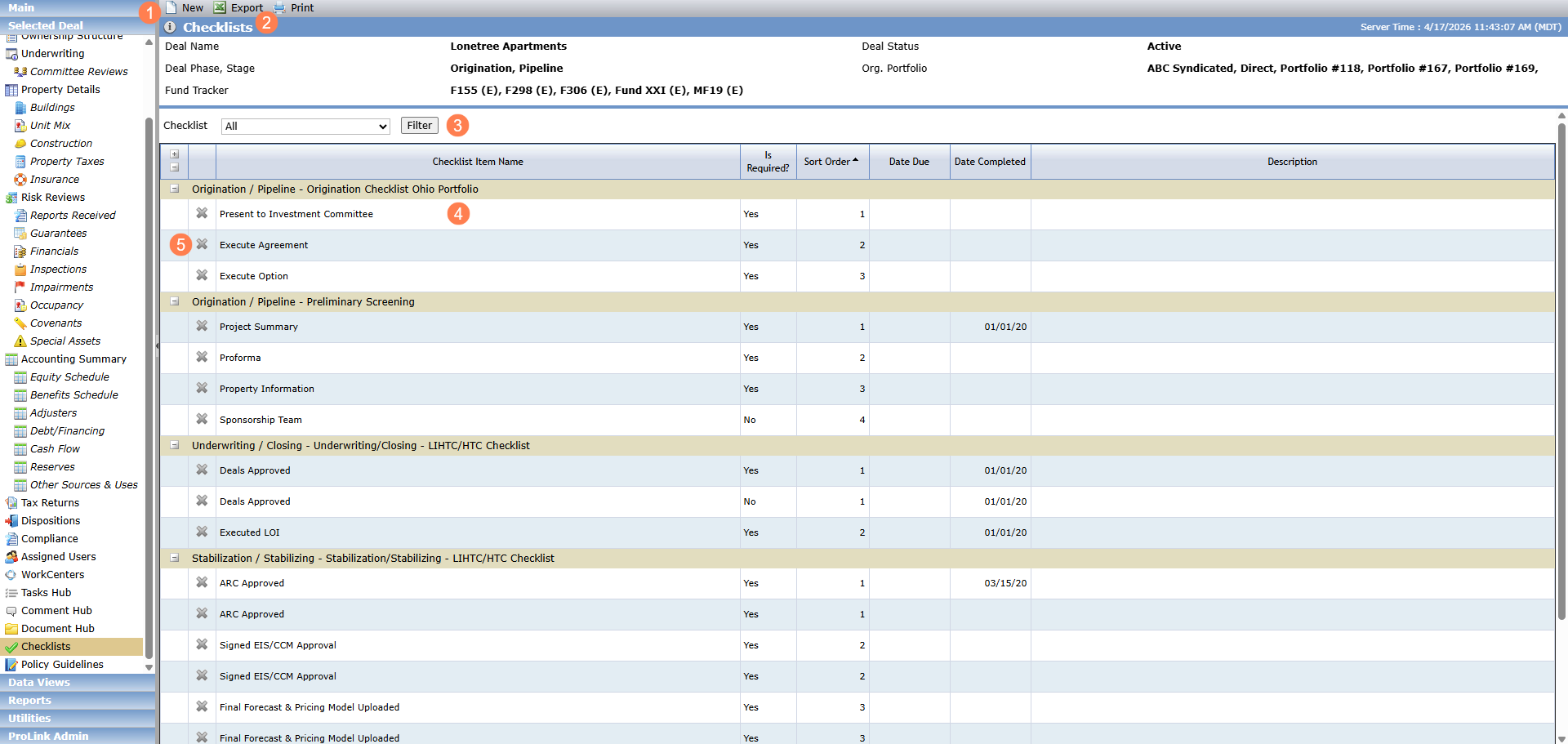
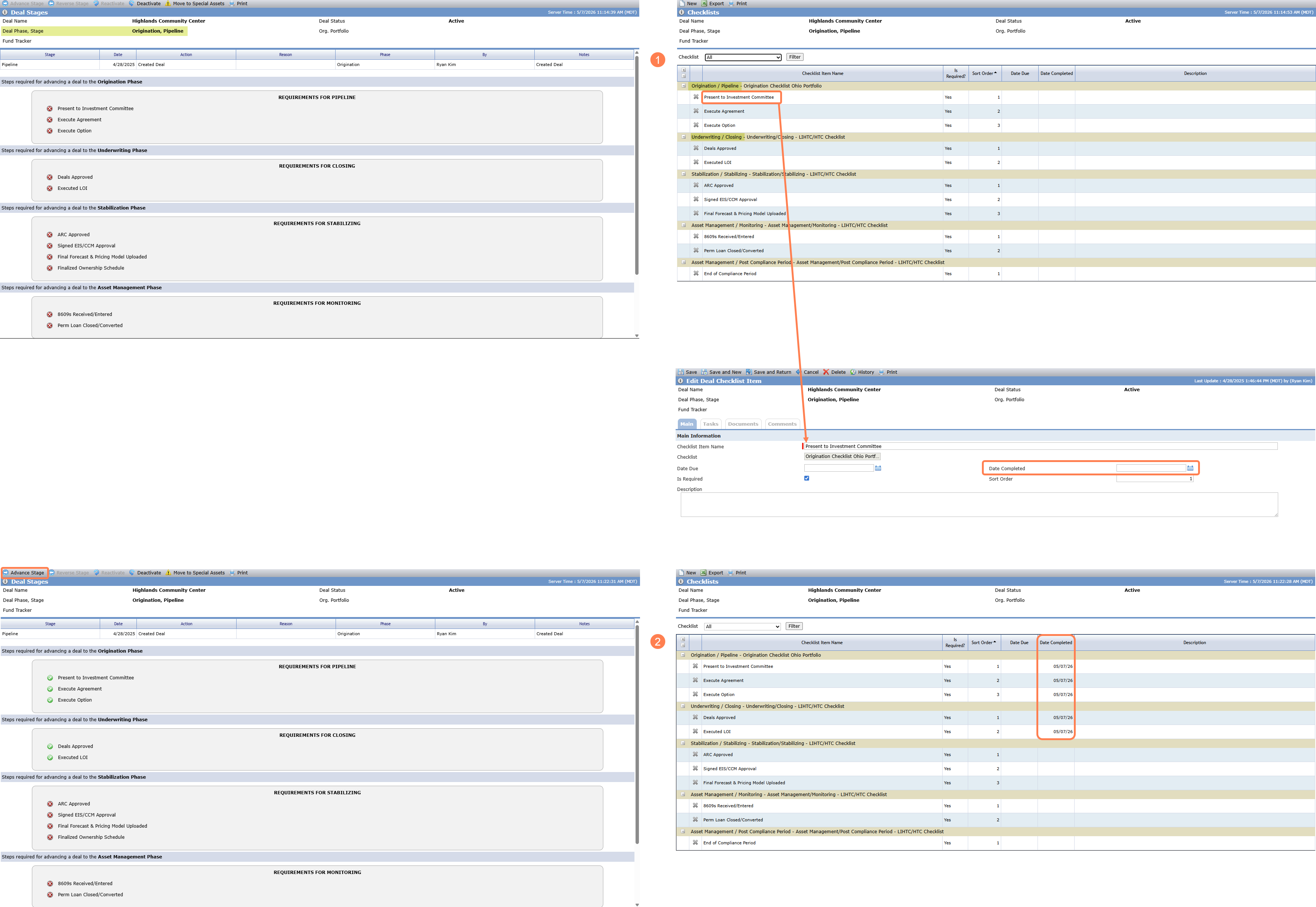
A checklist creates a list of milestones, or required items, that need to be met before you can advance the deal to the next stage.
As you complete the required items, enter the Date Completed field for each item on the checklist. When all required items are completed to advance to the next stage, the Advance Stage button becomes active on the Deal Stages screen.
For more information about deal stages, see Deal Phase/Stage/Status.
From the deal's Checklists screen, you can:
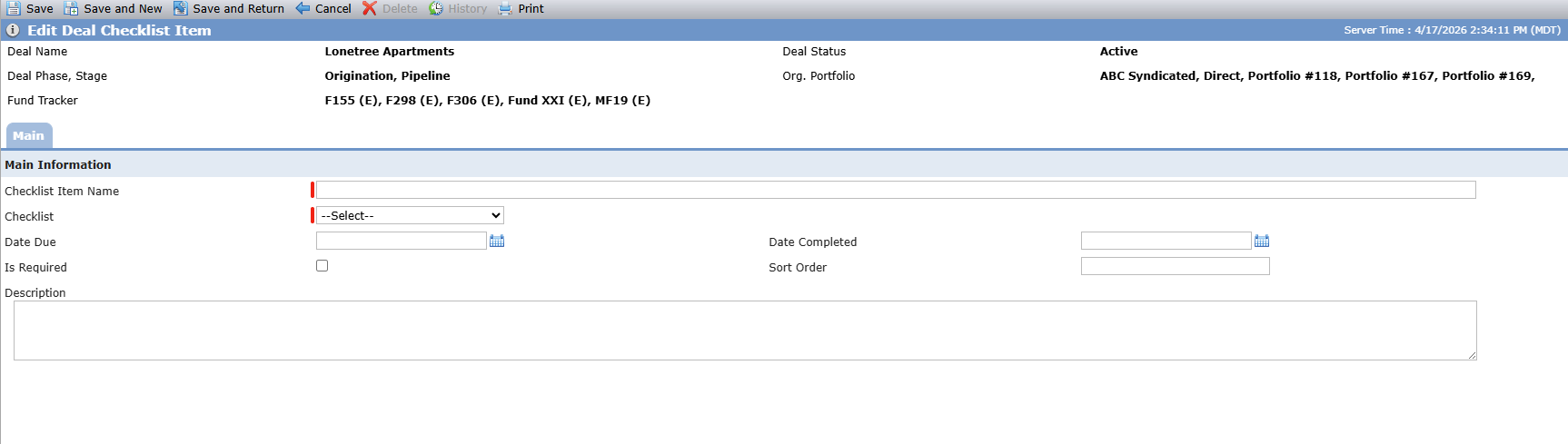
Create a new checklist item specific to the deal (select a template checklist for the item).
Export or print the checklists.
Filter the screen to a specific checklist.
Row-click to open and edit a checklist item.
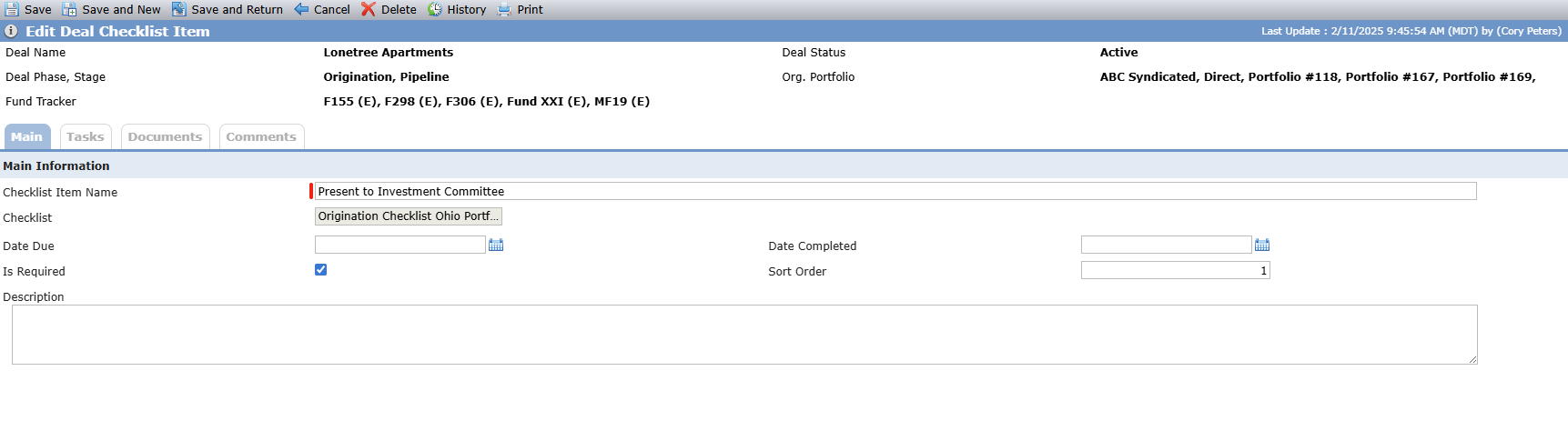
Delete a checklist item.
When you access the Checklists screen, the system adds any checklists or checklist items that have been added to Template Checklists for deals that match the template's program(s), deal type, and structure type, and updates any that have changed from the matching template as long as they have not been edited on the deal. The system deletes any checklists or checklist items removed from the template as long as they have not been edited on the deal. The system will not remove or replace any checklist items that have been added at the deal level.