Introduction to the ProLinkAIM Fund Manager
The Fund Manager provides the ability to see which pending items are outstanding to ensure required due dates are in compliance. After a document is sent to investors, the record no longer appears on this screen.
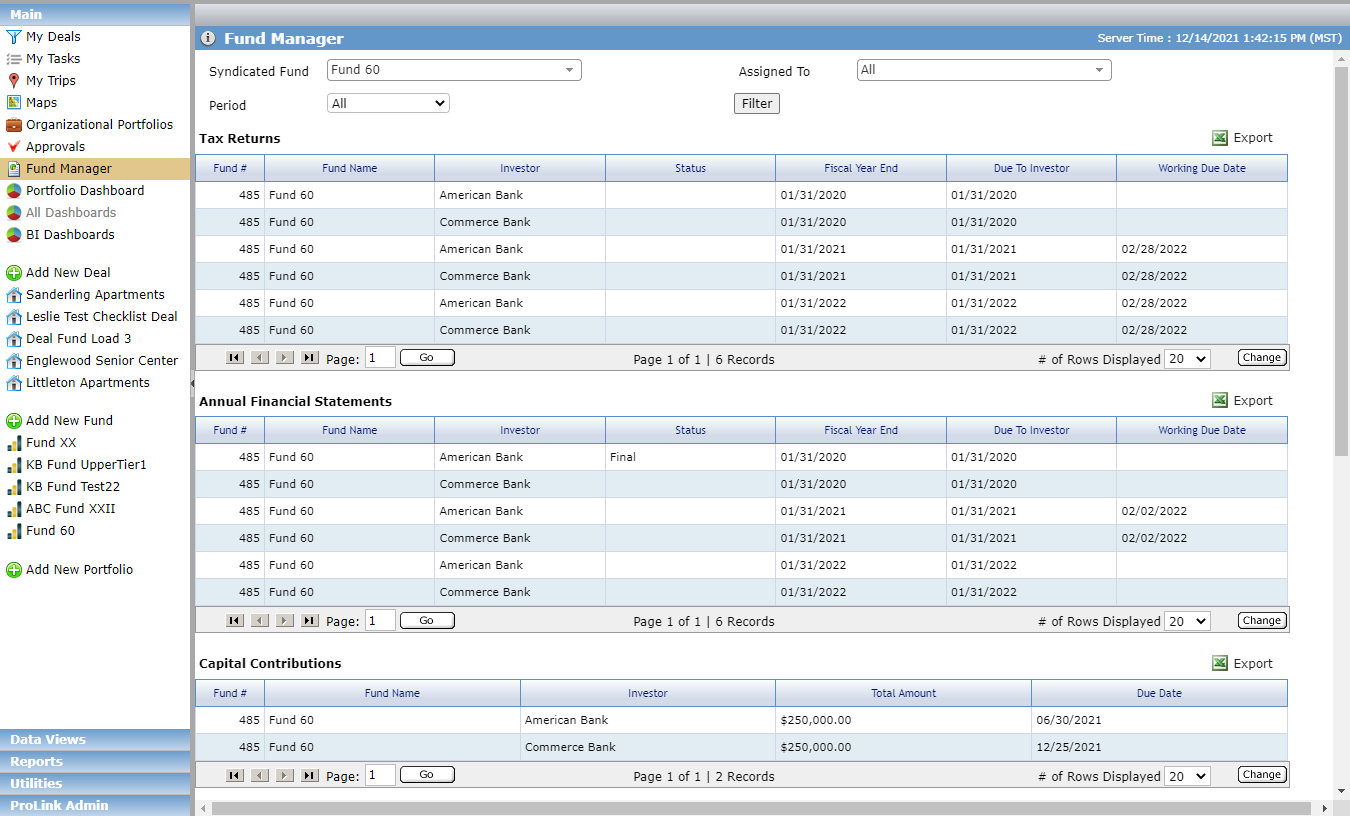
You can filter the results on the screen:
Syndicated Fund—Filter the results to one, many, or all funds.
Period—Filter the results by a specific period of time, past or future.
Assigned To—Filter the results by one or more users assigned to the fund. The user can be assigned in any role; they do not have to be the Fund Manager.
The Fund Manager, accessible from the Main panel, provides the following information about the organization's funds:
Tax Returns—Displays a row for each investor on the Syndicated Fund where the Tax Return’s Due to Investor date falls within the Period filter and the investor’s Date Sent is not populated.
Annual Financial Statements—Displays a row for each investor on the Syndicated Fund where the Annual Financials' Due to Investor date falls within the Period filter and the investor’s Date Sent is not populated.
Capital Contributions—Displays a row for each Investor where the Investor’s Due Date on their Accounting Transaction falls within the Period filter and the Date Paid is not populated.
Investor Reports—Displays a row for each investor on the Syndicated Fund where the report due date falls within the Period filter and the investor's Date Sent is not populated.