CRA Targets Import Utility
Important
You will need the "Utilities - Panel - View" and "CRA Targets Import" security privileges to add or modify CRA targets through the import utility. If you have access to the Utilities panel, but not the "CRA Targets Import" security privilege, then you can view the utility but not download or import the template.
The CRA Targets Import utility is used to import CRA targets, or goals, for each assessment area for an exam period in bulk.
For more information about Bank CRA, see Intro to Bank CRA.
Navigate to the Utilities panel, and then select the CRA Targets Import menu option.
The CRA Targets Import screen opens.
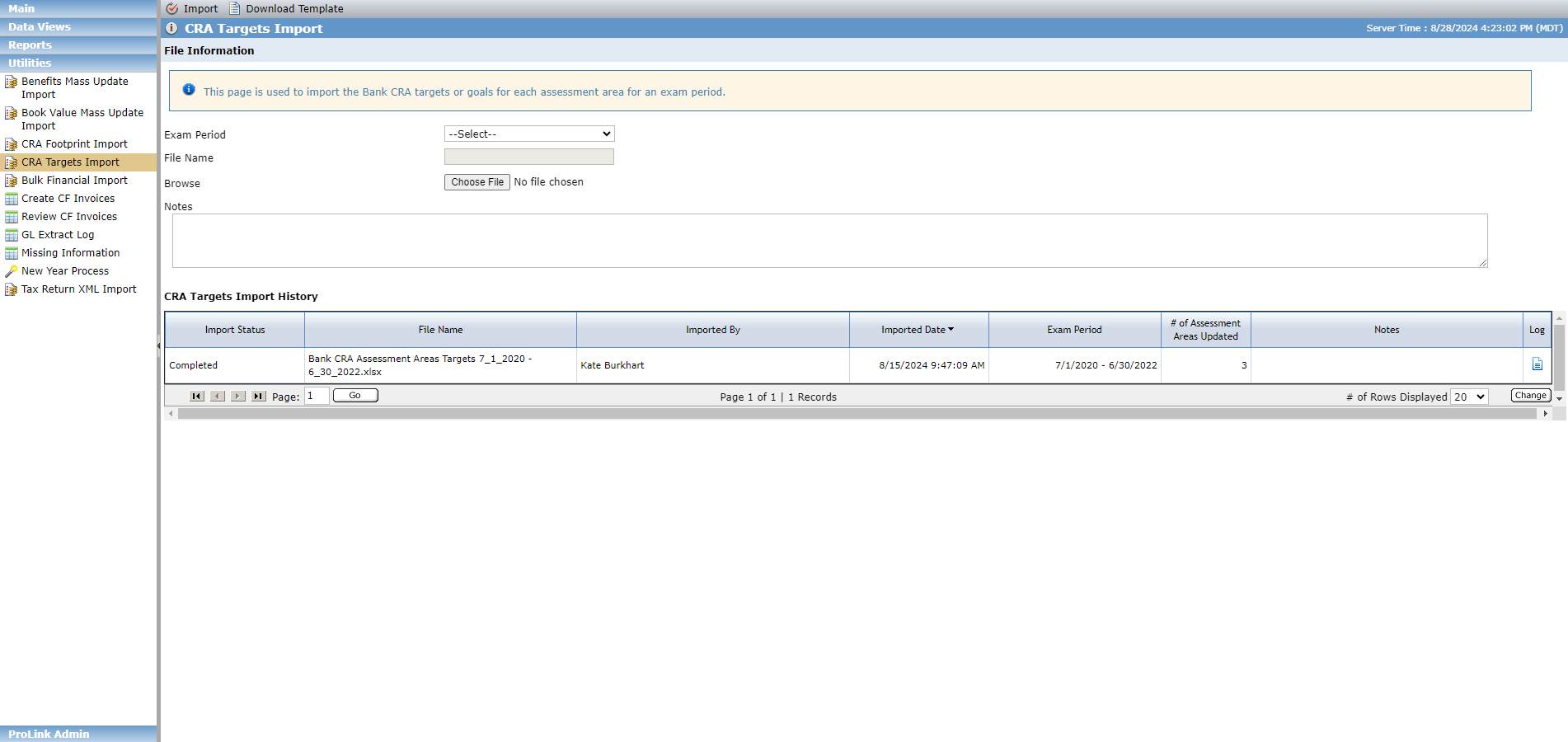
Select the Exam Period.
Click Download Template.
The system exports a Microsoft Excel template populated with a list of all assessment areas ordered by ranking. If target values exist for the assessment areas for the selected bank exam period, the system populates the fields in the template.
If no bank CRA assessment areas exist, the system presents an error and cannot export the template.
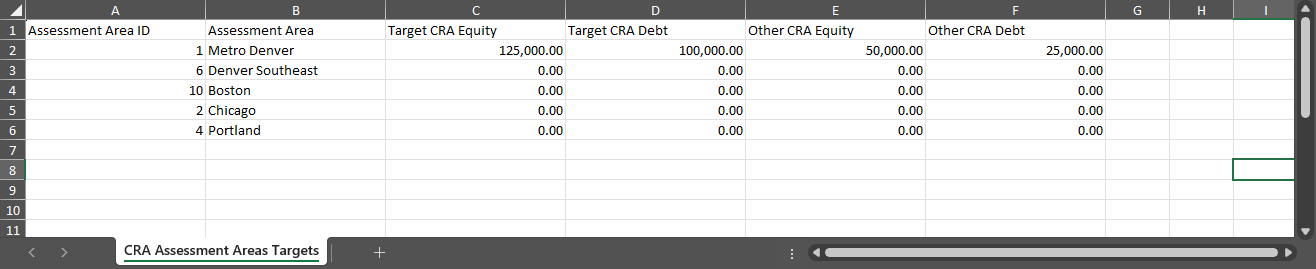
Complete the template.
Make sure the rows are consecutive; a blank row indicates the end of the file.
Optionally, enter any Notes you want associated with the import.
Click Choose File and select the template you updated. The file must have an extension of XLSX.
Click Import.
The system schedules the import process. The import is completed successfully or completed with errors. For each matched assessment area for the bank exam period, the system updates the Target CRA Equity, Target CRA Debt, Other CRA Equity, and Other CRA Debt fields based on the values in the file.
You cannot import a CRA Targets file while the system is processing another file.
You can see details about previous imports in the Import History grid, as well as access the log files. The Import Status will be one of the following:
Processing
Completed
Completed with Errors
Log File
The system creates a log file every time the import process is run. If no errors occurred, the log file includes information about when the process began and ended.

The log file includes an error when:
The file is invalid.
The header is missing.
One or more required columns is missing.
The Assessment Area ID is an invalid value. It must be an integer.
The Assessment Area ID and Assessment Area Name are not found.
The value for Target CRA Equity, Target CRA Debt, Other CRA Equity, or Other CRA Debt is not a valid amount. It must be a number (0.00, no dollar sign).