My Tasks
The My Tasks dashboard displays a list of all tasks within ProLinkAIM associated with a particular user. You can select filtering options to limit results presented, and the selected filter criteria are stored so that the next time you log in, the dashboard is displayed as you last had set the filter criteria. Tasks are grouped by deal; you can expand and collapse the tasks listed for each deal.
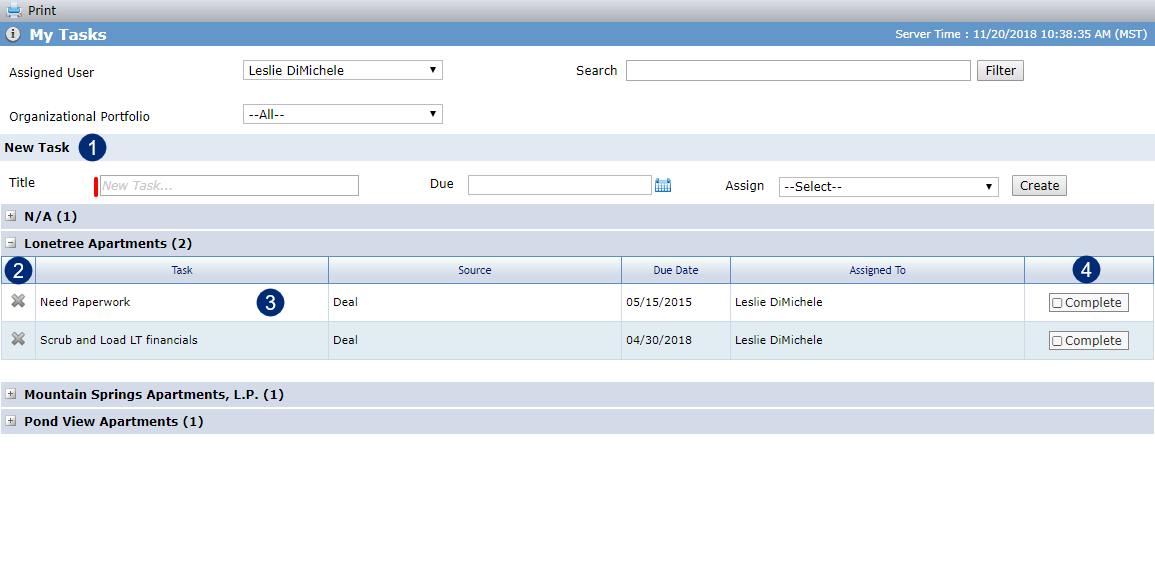
From the dashboard, you can:
Add a new task. When you add a new task from the My Tasks screen, the task is not associated with a particular deal or fund and thus appears in the "N/A" category. The assigned user for the task receives an email about the task.
Delete a task.
Click a row in the grid to navigate to the Edit Task screen for the selected task.
Mark a task complete.