Edit an Entity - Deals/Funds
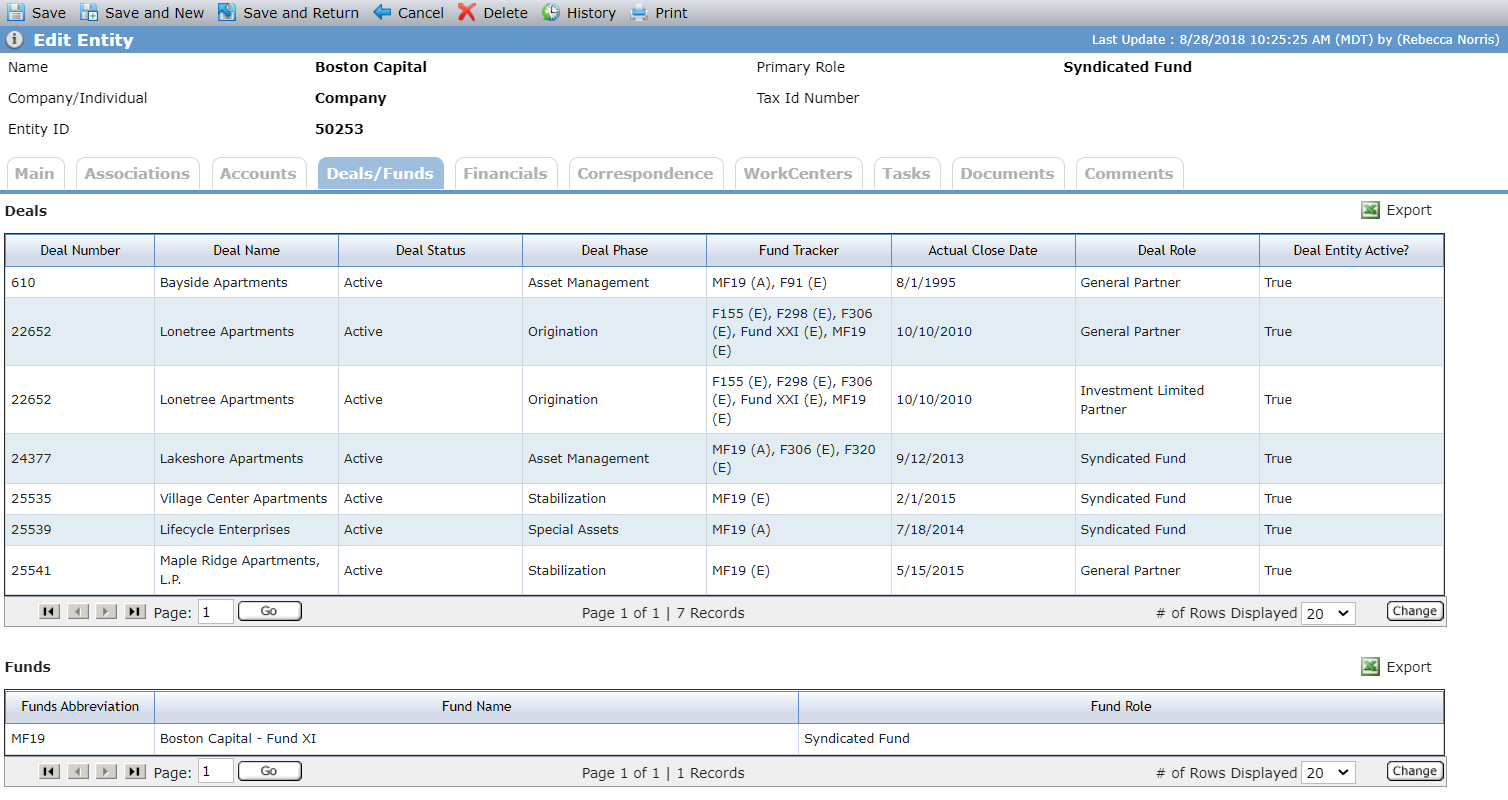
The Deals/Funds tab on the Edit Entity screen lists the deals and funds that the entity is associated to and the role the entity plays on the deal or fund.
Tip
Visit the Deal Entities and Fund Entities data views to see all the entities that have been associated to the deal or fund as well as the role they play.
The Deals grid lists all deals where the entity is:
A deal entity
An associated company
A deal contact for a deal entity
A deal contact for an associated company
Column | Description |
|---|---|
Deal Number | The number of the deal in ProLinkAIM |
Deal Name | The name of the deal |
Deal Status | The status of the deal |
Deal Phase | The phase the deal is in currently |
Fund Tracker | The fund tracker for the funds that own the deal |
Actual Close Date | The actual close date of the deal |
Deal Role | The role the entity plays on the deal |
Deal Entity Active | Identifies whether the entity is active on the deal If the entity is an associated company on the deal, the status is based on the deal entity through which the associated company is associated Shows "false" when the deal entity is inactive or when the deal entity associated company is inactive |
The Funds grid lists all funds where the entity is:
A fund entity
An associated company
A fund contact for the deal entity
A fund contact for an associated company
If an entity is on a particular deal or fund in multiple roles, the deal/fund is displayed multiple times, once for each role held.