Fund Quarterly Benefits Report
If your organization has fund benefits reporting requirements, the Fund Quarterly Benefits Report is available in the Reports section of the Reports panel.
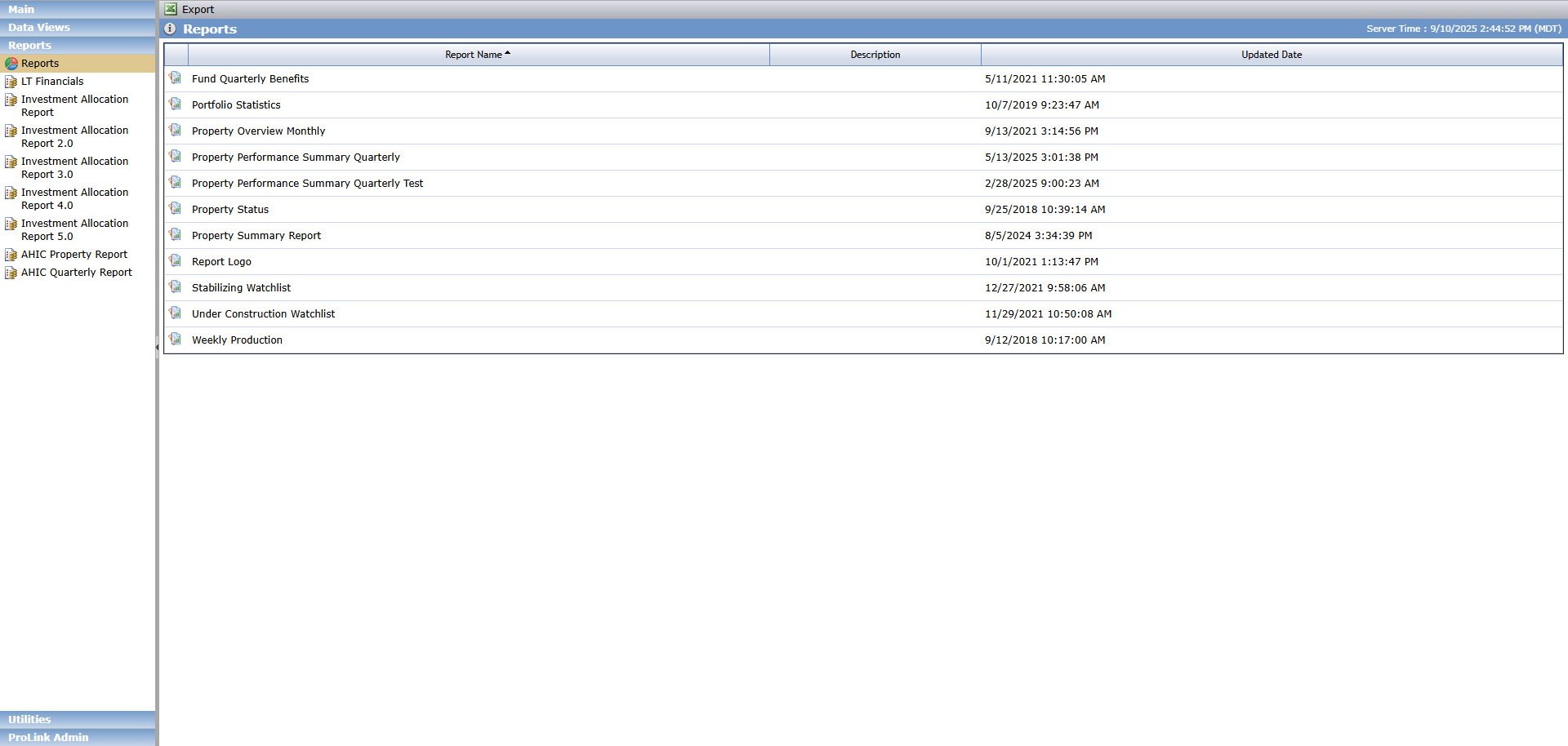
When you run the Fund Quarterly Benefits Report, it displays the current annual benefits schedule information for a selected fund.
Tip
You can view and perform ad-hoc reporting on fund benefits schedule information across all of the funds using the Fund Benefits Schedule - Annual and Fund Benefits Schedule - Quarterly data views.
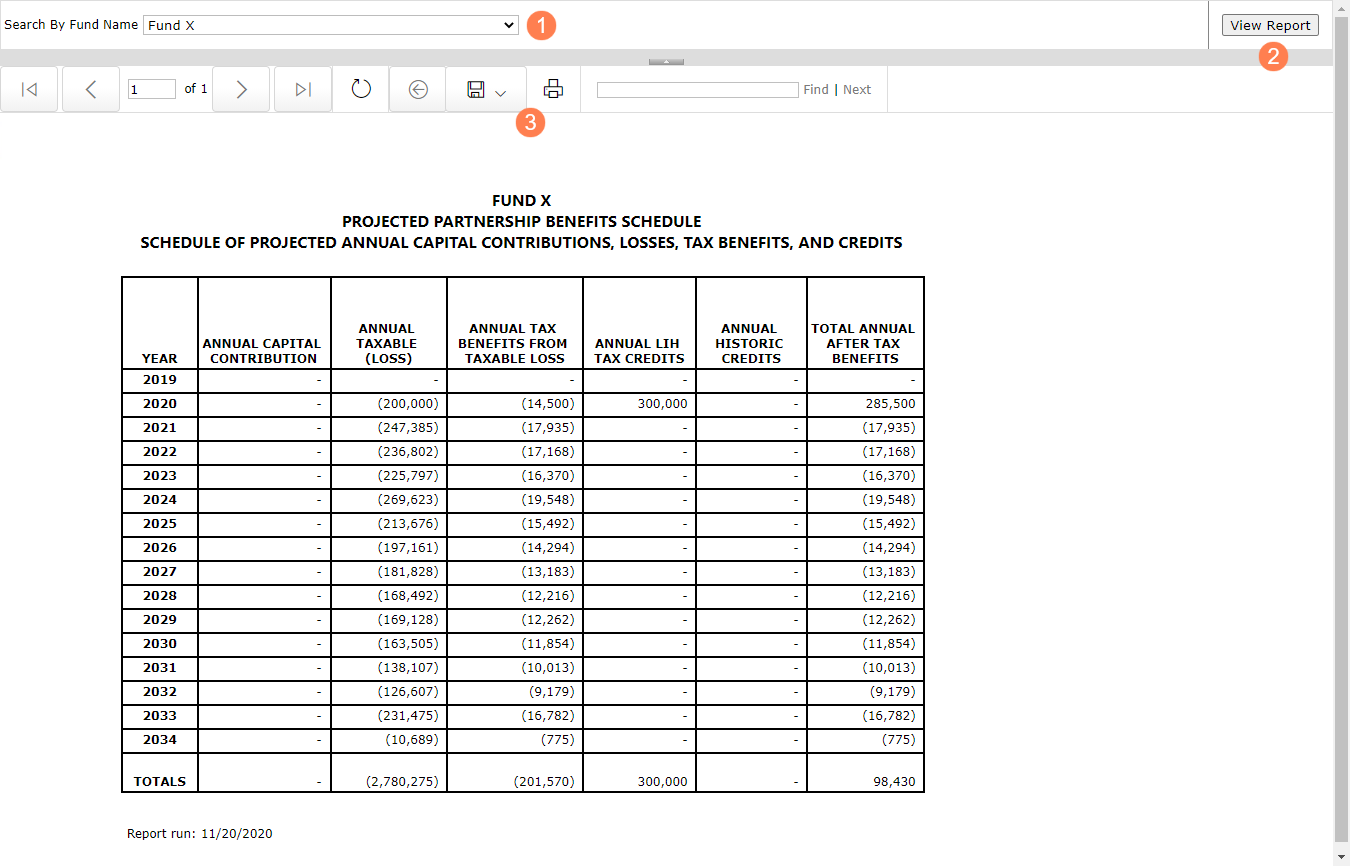
To generate the report:
Select a fund to report on.
Click View Report.
Save or print the report.
Field | Definition |
|---|---|
Year | Displays all years in the benefits schedule for the selected fund |
Annual Capital Contribution | Sum Principal Amount from Fund Accounting Transactions for the year based on the Date Paid |
Annual Taxable (Loss) | Current Losses |
Annual Tax Benefits from Taxable Loss | Current Losses * Fund Federal Tax Rate based on the effective date |
Annual LIH Tax Credits | Fund LT Actual Credits from LIHTC grid |
Annual Historic Credits | Fund LT Actual Credits from HTC grid |
Total Annual After Tax Benefits | Sum of Annual Tax Benefits from Taxable Loss + Fund Annual Low Income Housing Tax Credits + Fund Annual Historic Credits |
The report uses the latest applicable effective Fund Federal Tax Rate if one exists for the fund; otherwise, the report uses the Federal Tax Rate. | |