Un-Map Fields
This information is for system administrators or super users who are responsible for setting up the SmartDox templates.
Occasionally mapped fields will need to be removed from a SmartDox template. To un-map fields:
Click Map Fields in the ProLink menu.
Enter the appropriate username and password, if prompted.
If prompted to save the file, save with the existing or a new filename.
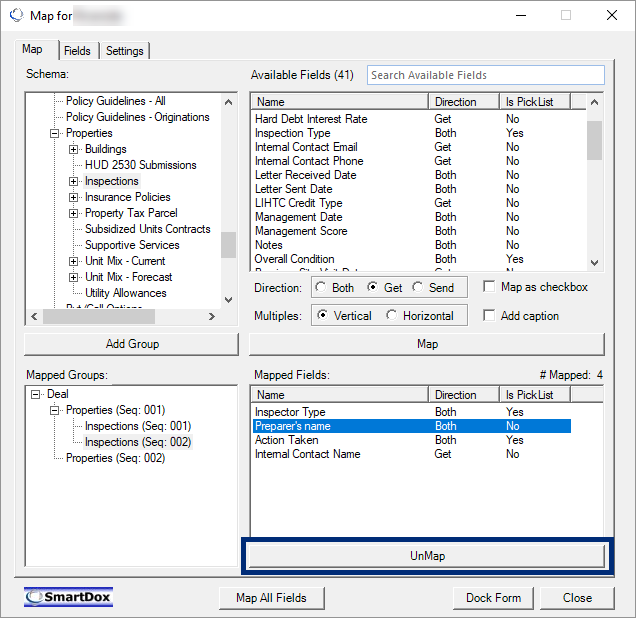
Locate the mapped field to be removed in the Mapped Fields section of the Map for ProLink SmartDox window, and click the mapped field.
Note
If the mapped field that is to be unmapped is located within a merged cell, unmerge the cells first. The mapped field must be in a single cell before it can be unmapped.
Click UnMap.