Data View Screens
Data views provide the ability to view and access data across the entire ProLink application. You can customize each data view with new column, filter, and sorting options for powerful ad-hoc reporting.
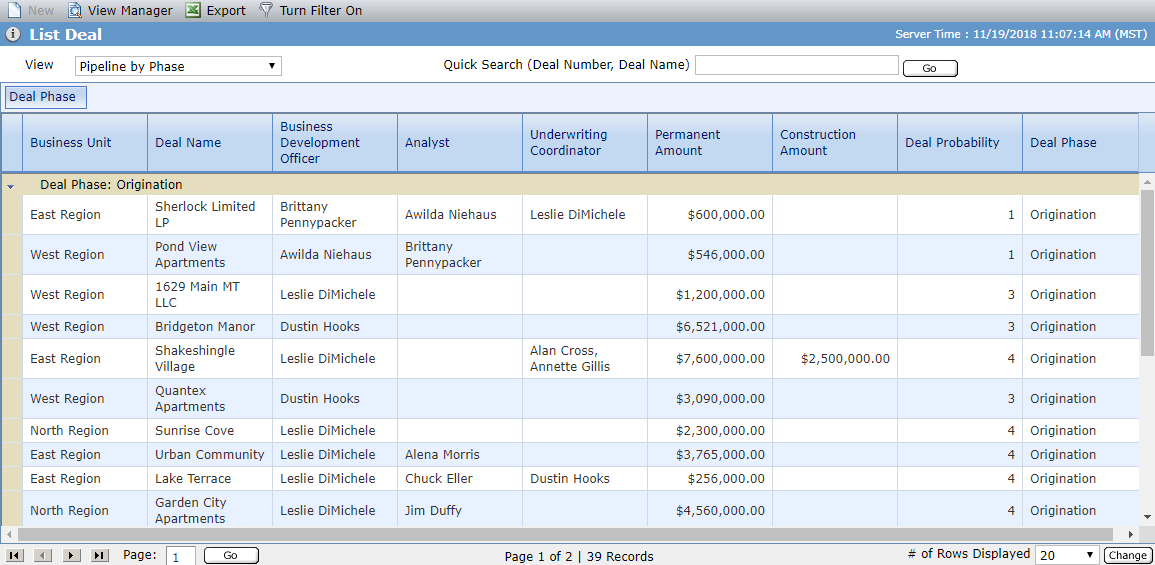
The Data View screens display the following top menu bar options:
New—Grayed out and unavailable on these screens.
View Manager—Opens a new window for viewing the list of existing data views or to create a new view.
Export—Creates an Excel file with the data from the currently displayed grid. The export includes the column titles and row data only. Your internet browser allows you to save or open the file.
Turn Filter In Grid On—Activates the filters that can be used to customize the data to display in the data view.
Turn Filters In Grid Off—Deactivates the filters on the view.