Property Performance Summary Quarterly Report
The Property Performance Summary Quarterly report summarizes key quarterly performance metrics for the selected quarter and three preceding quarters at the individual deal level.
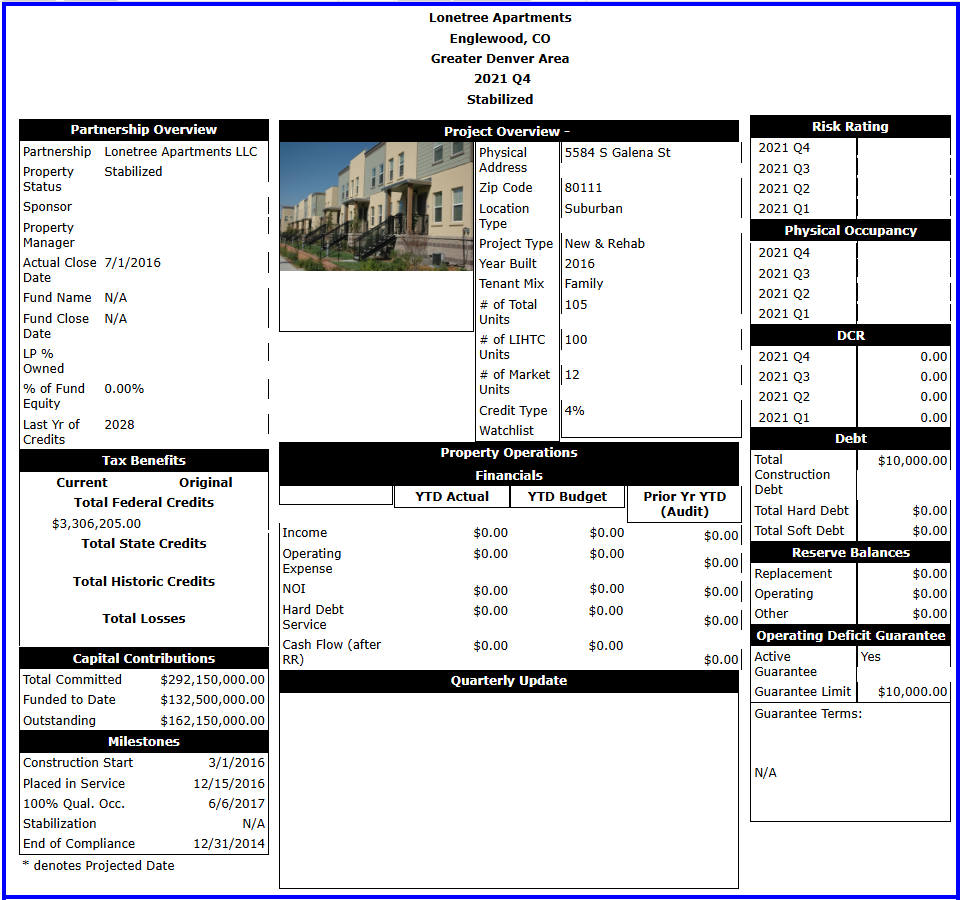
The report is available in the Reports panel.
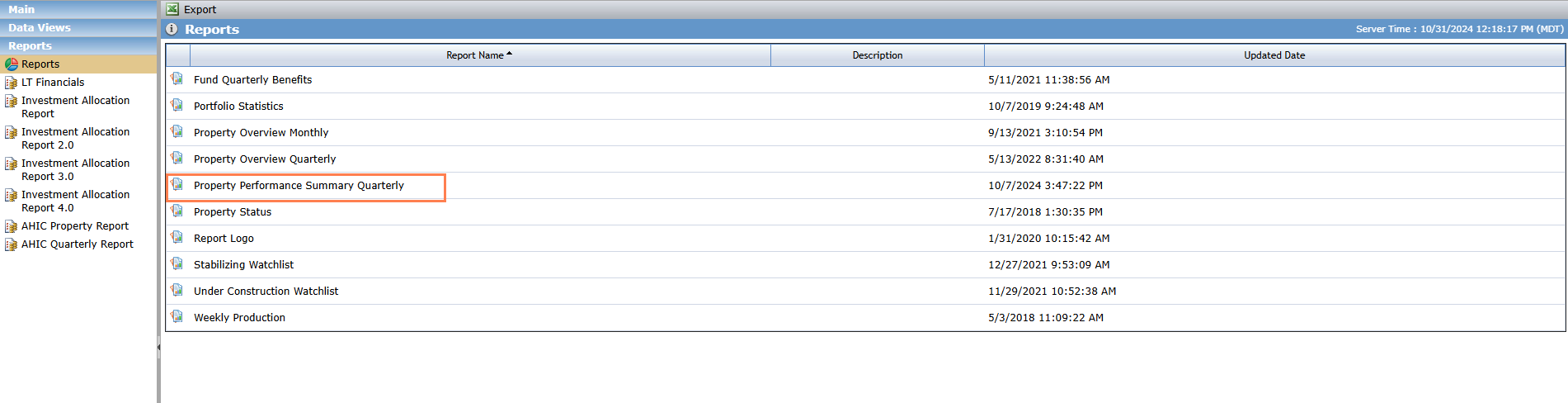
To generate the report:
Navigate to the Reports panel in the left navigation menu.
Click the Reports menu option.
Select the Property Performance Summary Quarterly report.
The report viewer opens in a new tab.
Select the Property.
Enter the Year.
Select the Quarter.
Click View Report.
Save or print the report.
Field | Description |
|---|---|
Partnership Overview Section | |
Partnership | Entity with Partnership assigned as Deal Role |
Property Status | Status field on the Deal’s Property Details page under Main tab |
Sponsor | Entity with Sponsor assigned as Deal Role |
Property Manager | Entity with Property Manager assigned as Deal Role |
Actual Close Date | Actual Closing Effective Date in Status History grid on the Deal’s Deal Details page under Main tab |
Fund Name | Entity with Syndicated Fund or Limited Partner assigned as Owner Role In the selected Deal's ownership schedule, the report finds the current Entity that is assigned "Limited Partner" or "Syndicated Fund" as Owner Role. If multiple Entities are found that meet the conditions, then the report selects the Entity that was added to the Ownership Schedule first. In other words, the report chooses the Entity that is in a higher position in the Owners grid on Ownership Structure page. |
Fund Close Date | The selected Fund Entity’s Admission Date in the Ownership Schedule |
LP % Owned | The selected fund Entity’s Ownership Interest Percentage in the Ownership Schedule |
% of Fund Equity | If the selected Fund Entity has "Limited Partner" Owner Role, then this field will be blank. If the selected Fund Entity has "Syndicated Fund" Owner Role, then the report follows the steps below:
|
Tax Benefits Section | |
Capital Contributions Section | |
Milestones Section | |
Project Overview Section | |
Property Operations Financials Section | |
Quarterly Update Section | |
Quarterly Update | Occupancy field under Investor Notes tab on Edit Risk Review page. |
Risk Rating Section | |
Physical Occupancy Section | |
DCR Section | |
Debt Section | |
Reserve Balances Section | |
Operating Deficit Guarantee Section | |
Trending KPIs Section | |
Replacement Reserve | Replacement Reserves line item in Balance Sheet from Financials for the selected reporting period |
Operating Reserve | Operating Reserves line item in Balance Sheet from Financials for the selected reporting period |
Other Reserves | Other Reserves line item in Balance Sheet from Financials for the selected reporting period |
Risk Review Section (Issues, Action Plan, Risk Rating and Justification) | |
Issues | Issues field under Investor Notes tab on Edit Risk Review pageIssues field under Investor Notes tab on Edit Risk Review page |
Action Plan | Actions field under Investor Notes tab on Edit Risk Review page |
Risk Rating and Justification | Recommendation and Justification field under Investor Notes tab on Edit Risk Review pageRecommendation and Justification field under Investor Notes tab on Edit Risk Review page |