Manage Deal Details - Entity OPA Tab
The Entity OPA tab enables the capture of reporting requirements specific to a particular entity or entities on the deal. The tab is displayed only for deals that include the NMTC program or STC program with NMTC sub-type. The application will first use the entity-level OPA information, if it exists, before using the OPA information populated at the deal level to determine OPA requirements.
Only one entity OPA record can exist for each entity on the deal.
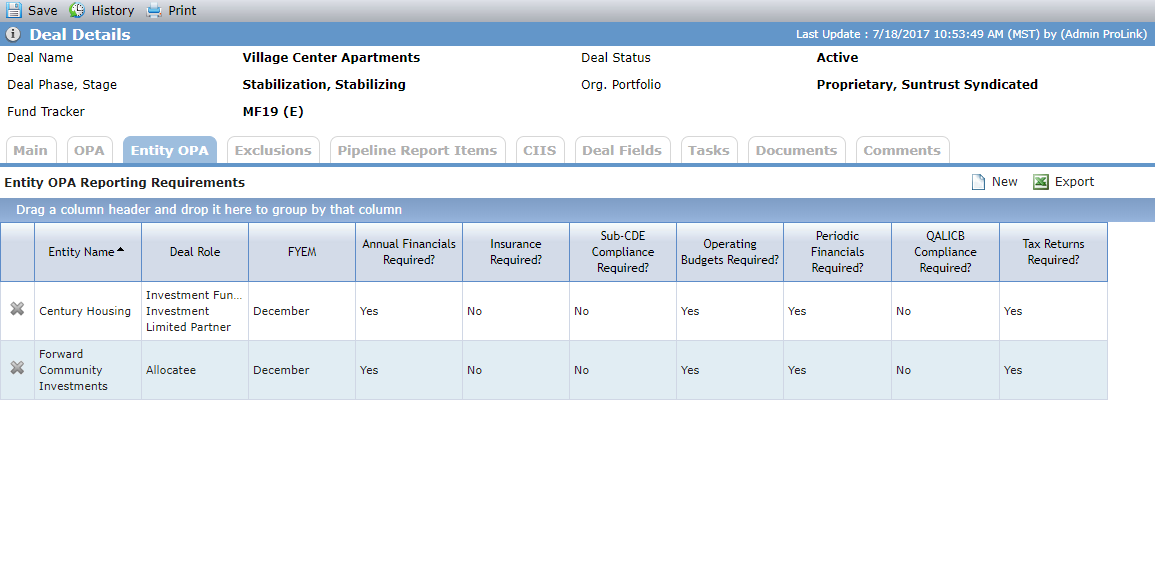
Click the row of an entity OPA record to open the Edit Entity OPA Reporting Requirements screen. Or, click New above the grid to add a new entity OPA record (upon saving the record, all applicable sections become available).
The Substantially-All Tests Redemption Tests, LIC Accountability, and Sub-CDE Certification sections are displayed only when the Deal Role of the selected entity is Sub-CDE.
The QALICB Compliance and QALICB Questionnaire sections are displayed only when the Deal Role of the selected entity is QALICB.
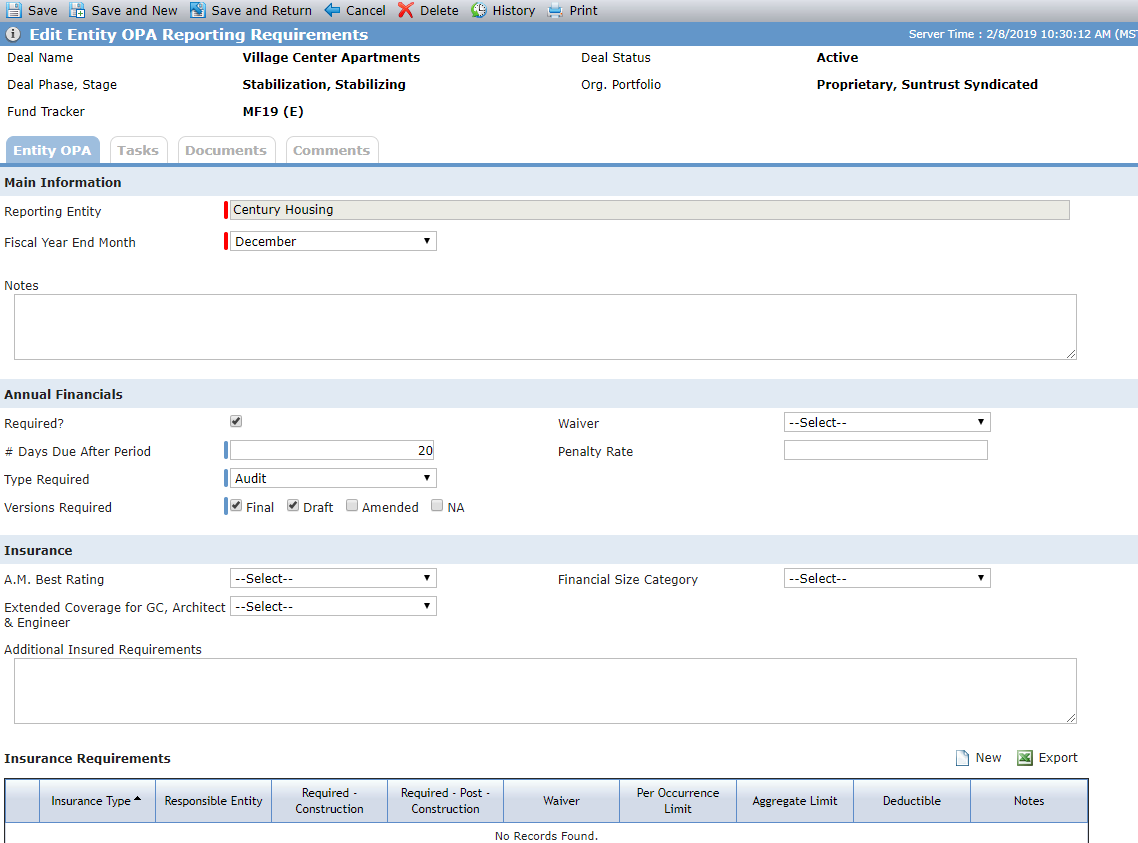
Where the OPA tab allows you to capture requirements defined in the Operating Partnership Agreement (OPA) for the deal as a whole, the Edit Entity OPA Reporting Requirements screen enables the capture of reporting requirements specific to a particular entity on the deal. The requirements defined here set the baseline for requirements and deadlines for the specified entity throughout other parts of the application, including Insurance, Financials, and Tax Returns.
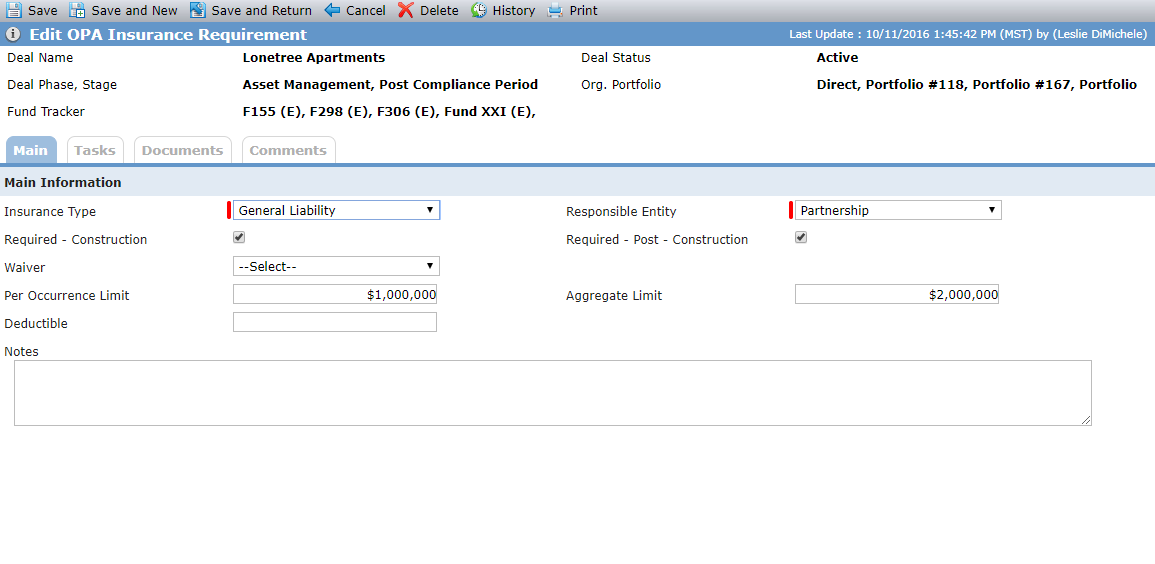
The Edit OPA Insurance Requirements screen allows you to document the insurance requirements of all responsible parties on a Deal. There are two effective periods of the insurance requirements, during construction of the project, and after completion of construction. Actual Construction Completion Date is the date upon which the construction period ends and the permanent period begins. The Actual Construction Completion Date from Edit Property is used to determine which OPA Requirement Period is in effect, Construction or Post-Construction. When the Required – Construction checkbox is selected, the insurance information is then displayed on Construction Budget and Draw records.
Note
When accessing this screen from the Entity OPA tab, the name of the entity is displayed.
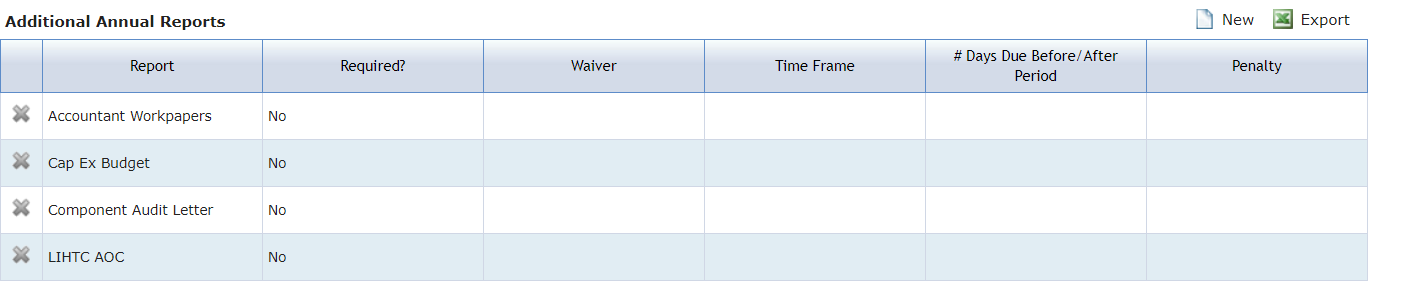
The Additional Annual Report section allows organizations to record the requirements for annual reports they may require for the deal that are not already listed on the OPA screen. The Report list is configurable so the system administrator can add whatever reports the organization needs to track.
Navigate to Deal Details - OPA tab.
Click New above the Additional Annual Reports grid to add a new report.
OR
Click the row of the report to edit an existing report.
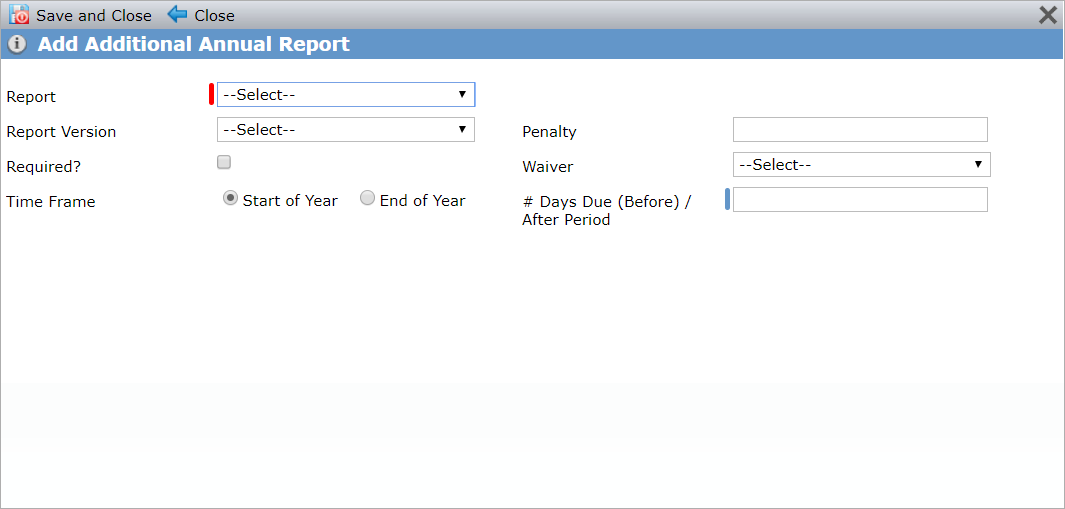
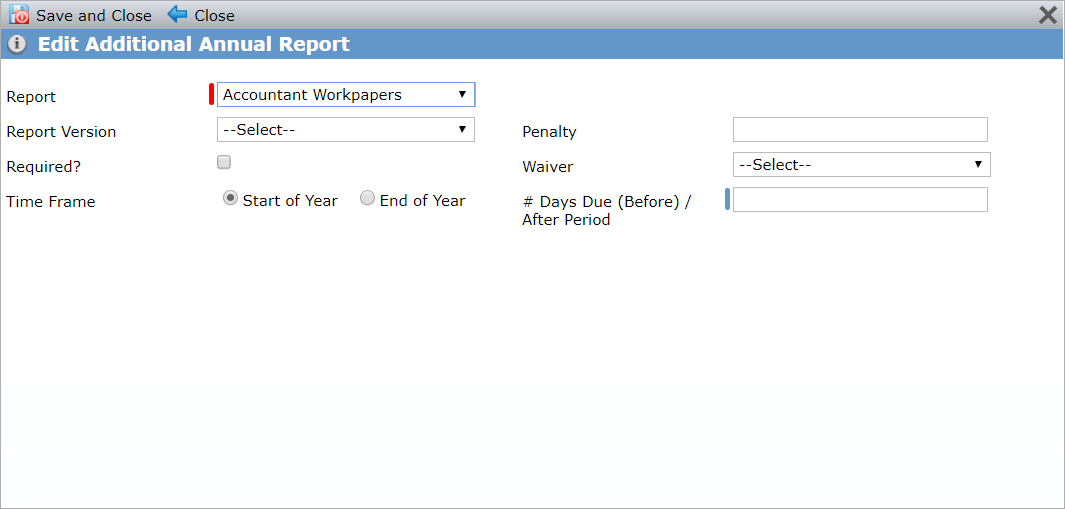
Add Additional Annual Report and Edit Additional Annual Report
When accessing these screens from the Entity OPA tab, the name of entity is displayed.
Enter or update the report details as needed.
LIHTC AOC is a report option if the deal is a LIHTC or STC-LIHTC program.
CIIS Audit and CIIS ILR are report options if the deal is an NMTC or STC-NMTC program.
The # of Days Due (Before)/After Period can be positive or negative. Enter a negative number for a Before Period.
If the # of Days Due (Before)/After Period is updated, the timeframe is switched for the Start of Year and End of Year, or the Required checkbox is updated, the Due Date for any existing records will be updated as follows:
Timeframe is Start of Year - Due Date equals First day of Period plus # of Day Due (Before)/After Period.
Timeframe is End of Year – Due Date equals Last day of Period plus # of Day Due (Before)/After Period.
Click Save and Close.
The Additional One-Time Report section allows organizations to record the requirements for any one-time reports they may require for the deal that are not already listed on the OPA screen. The Report list is configurable so the system administrator can add whatever reports the organization needs to track.
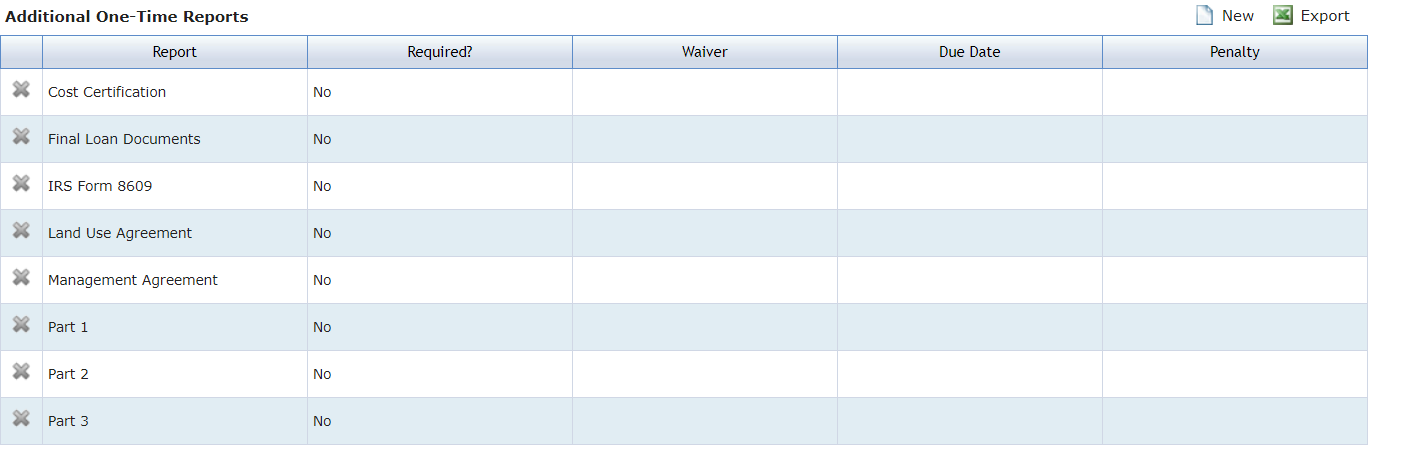
Navigate to Deal Details - OPA tab.
Click New above the Additional One-Time Reports grid to add a new report.
OR
Click the row of the report to edit an existing report.
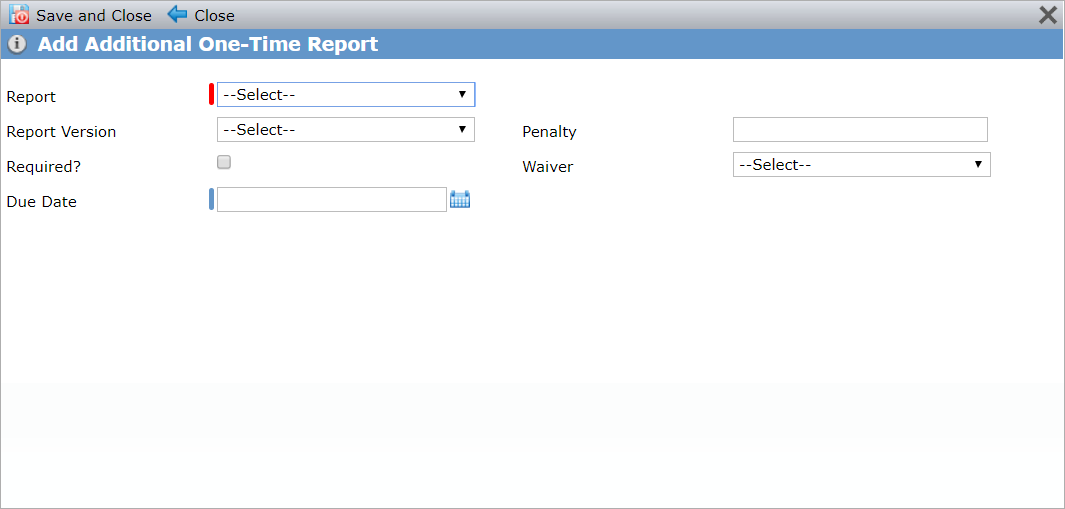
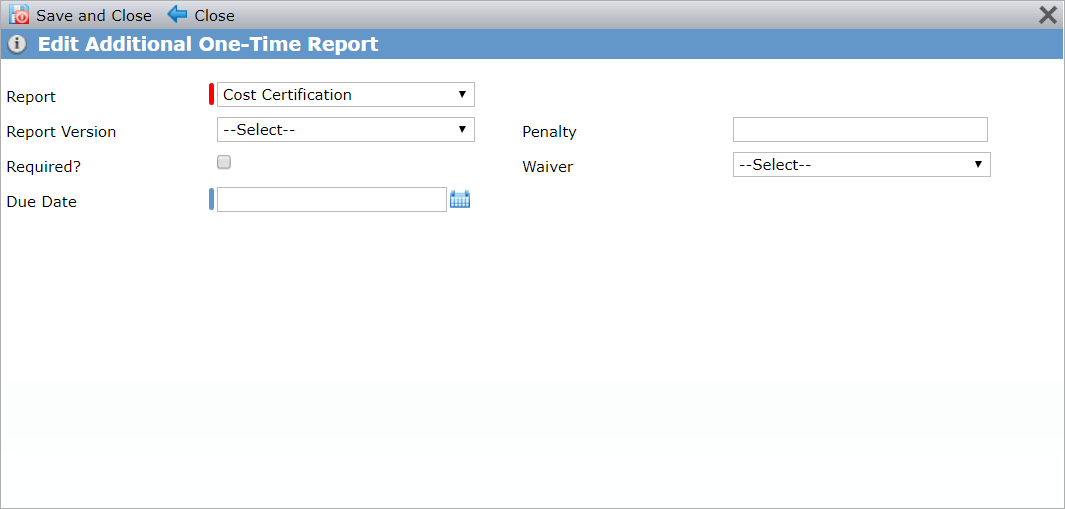
Add Additional One-Time Report and Edit Additional One-Time Report
When accessing these screens from the Entity OPA tab, the name of entity is displayed.
Enter or update the report details as needed.
Click Save and Close.