What's New
The release introduces the following new functionality.
Note
Some of these changes might not apply to your organization's use of ProLinkAIM. Please contact us if you have questions about whether and how a particular change affects your organization.
Fund Level Benefits
ProLinkAIM now provides support for fund-level benefits. The Selected Fund panel includes a new menu option called Benefits Schedule, which opens the Benefits Schedule screen.
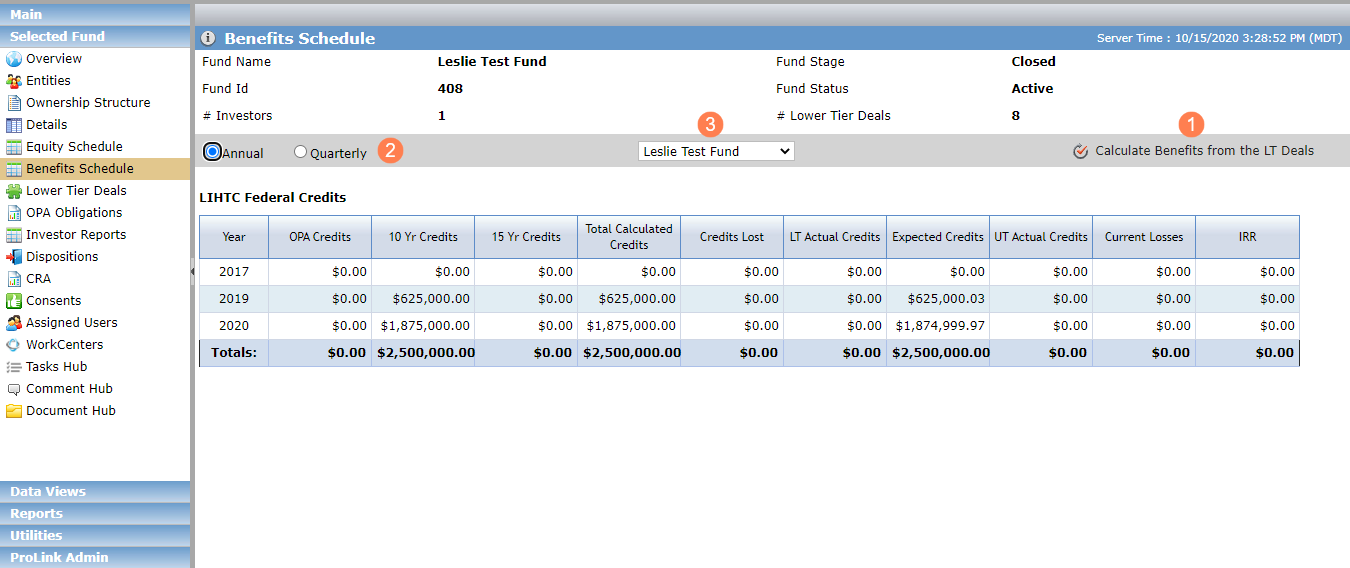
Click Calculate Benefits from the LT Deals to open a popup that allows you to select from the previous four quarters. Based on the selection, the system sums the benefits for the LT deals that are in a Finalized Ownership Structure of the selected fund.
Note
ProLink has created a scheduled task that we can execute, which will calculate all the benefit years for funds before your organization begins using fund level benefits functionality. Please contact us to schedule this task.
The Benefits Schedule screen defaults to the Annual view; you can change the view to Quarterly.
The list at the center of the screen displays the fund and a list of investors in the fund. When the fund is selected, the screen displays the entire benefit totals. When an investor is selected, the screen shows the benefits based on the percentage from the fund ownership schedule.
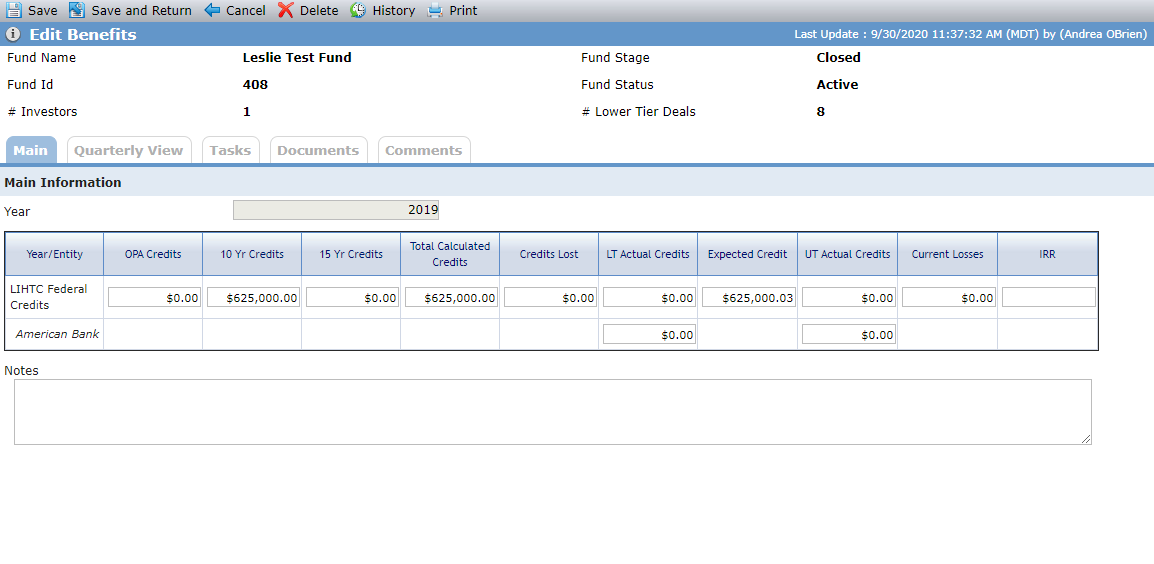
Clicking a row in the grid navigates you to the Edit Fund Benefits screen. Here you can override the annual or quarterly amounts at the fund level.
Fund Level Benefits in SmartDox
The Fund SmartDox schema and Fund - All Deals schema include the Fund Benefits node so that templates can be mapped for fund-level benefits data. Annual values can be mapped GET only. Quarterly values are BOTH get and send.
New Report for Fund Level Benefits
ProLinkAIM includes a new report called Quarterly Fund Benefits.
Fund Level Benefits in Workflow
Fund-level benefits have been added to Workflow functionality.
Fund Level Benefits Data Views
The Data Views panel now includes the Fund Benefits Schedule - Annual and Fund Benefits Schedule - Quarterly data views, which display fund-level benefits across the system, with information such as Fund Name, Fund Type, and Year. Clicking a row in the data view navigates you to the Edit Fund Benefits screen for the applicable fund.
User Defined Fields for Reserves Object
ProLink has added the ability to create user defined fields for the Reserves object.