Quarter 1, 2022 ProLinkAIM Release Notes
ProLink Solutions is pleased to announce the Quarter 1, 2022 release. You've come to the right place to review what's new as well as additional tickets delivered.
UAT Build: February 17, 2022
Production Build: March 17, 2022
The release introduces the following new functionality.
Deal Updates
This section describes updates related to deal-level functionality.
Added Catastrophic Events to Special Assets
You can now track catastrophic events at the deal level. To do so, navigate to the Special Assets screen for the deal, and then create an event. When you select Catastrophic as the Event Type, you'll select a specific Event Category. After saving the record, you can add the Damage Type and Call Log information for the event.
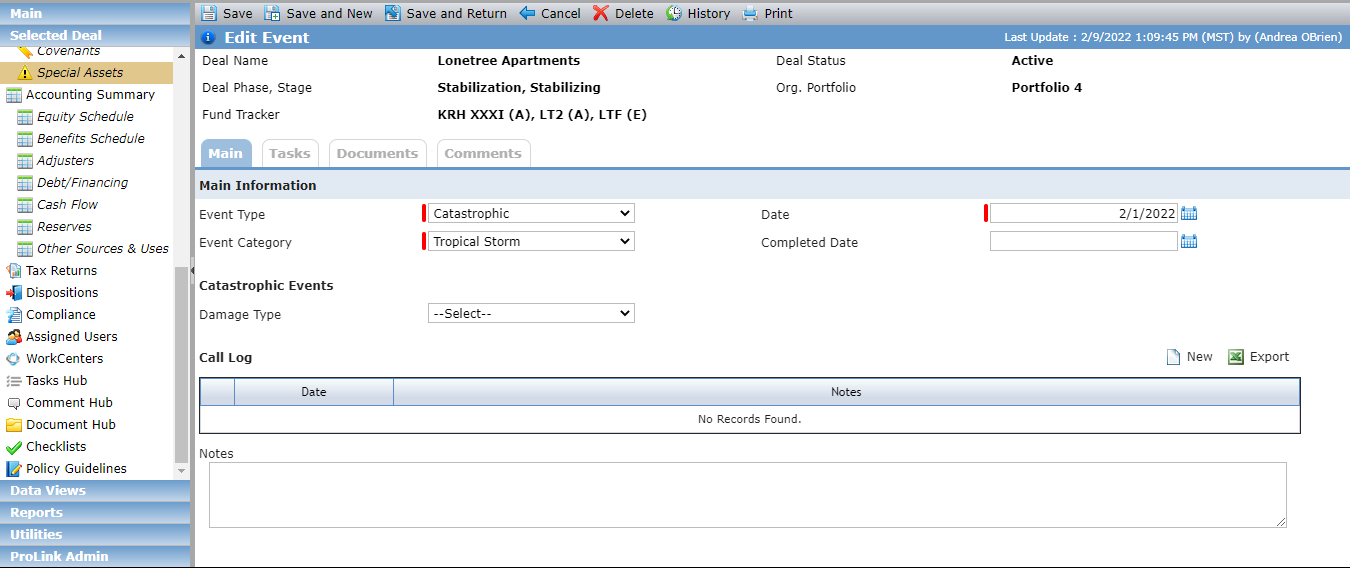
The Event data view has been updated to include the Damage Type and Notes fields. And the new Event Call Log data view allows you to query Event Call Log records across the system. You will also find the new fields related to Catastrophic events in Workflow.
Updated Occupancy/Revenue on Commercial Space
The Edit Occupancy/Revenue screen (HTC Deal/Buildings/Commercial Space) includes a new, optional field called Occupied Square Feet, which allows you to capture the number of occupied square feet for HTC deals with commercial space. The field is available only when the Commercial Space Unit of Measure is set to Square Footage.
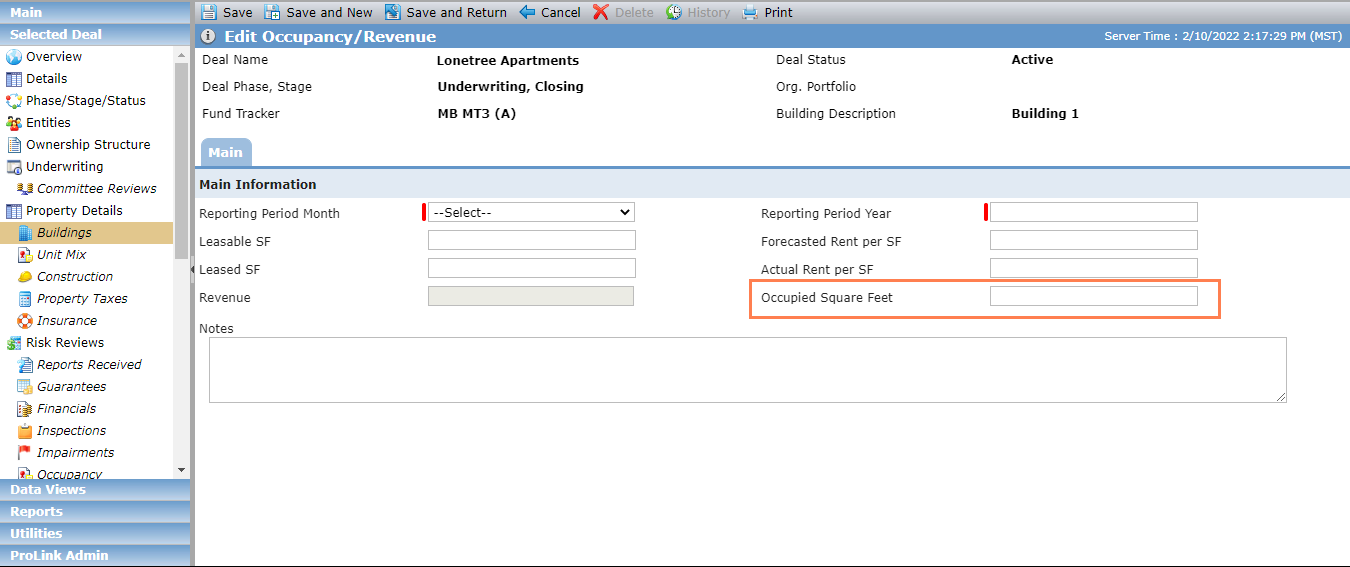
The Occupied Square Feet field has been added to Workflow and to the Commercial Space Occupancy Revenues node in the SmartDox Deal schema.
Updated Construction Budget Inspection
When you capture information about construction budget inspections, you can now include the deadline for reviews. The Edit Construction Budget screen includes a new, optional field called Review Deadline. When you save a new Construction Budget Inspection record, the system calculates the Review Deadline date based on the Received Date from the corresponding draw, adding the number of days from the new NumOfDaysReviewDeadline config setting to the Received Date.
The default value for the NumOfDaysReviewDeadline config setting is blank, which means the Review Deadline is the Received Date from the corresponding draw. The system administrator can update the value for the config setting.
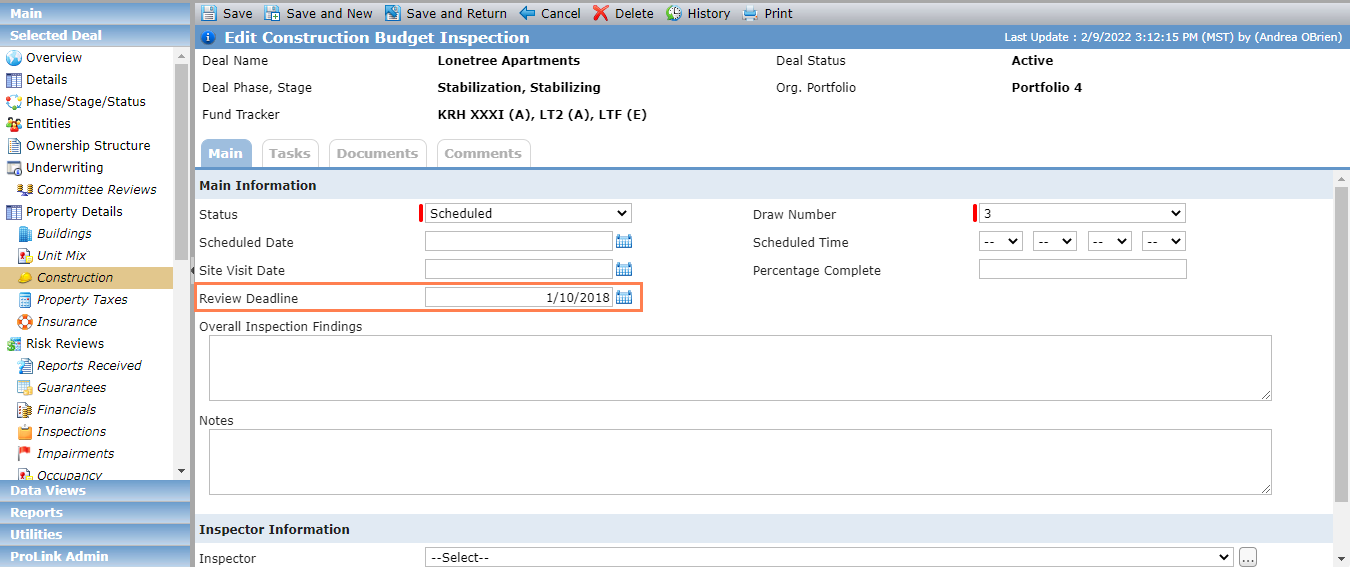
The Review Deadline field is available as Criteria for Workflow (when the Construction Budget Inspection object is selected) and as a dynamic field for Workflow Email. In addition, the field has been added to the Inspection node in the SmartDox Construction Budget schema.
More Regulatory Tracking
You can now identify a property as Part 7 Eligible for regulatory tracking with a new checkbox on the Edit Property screen.
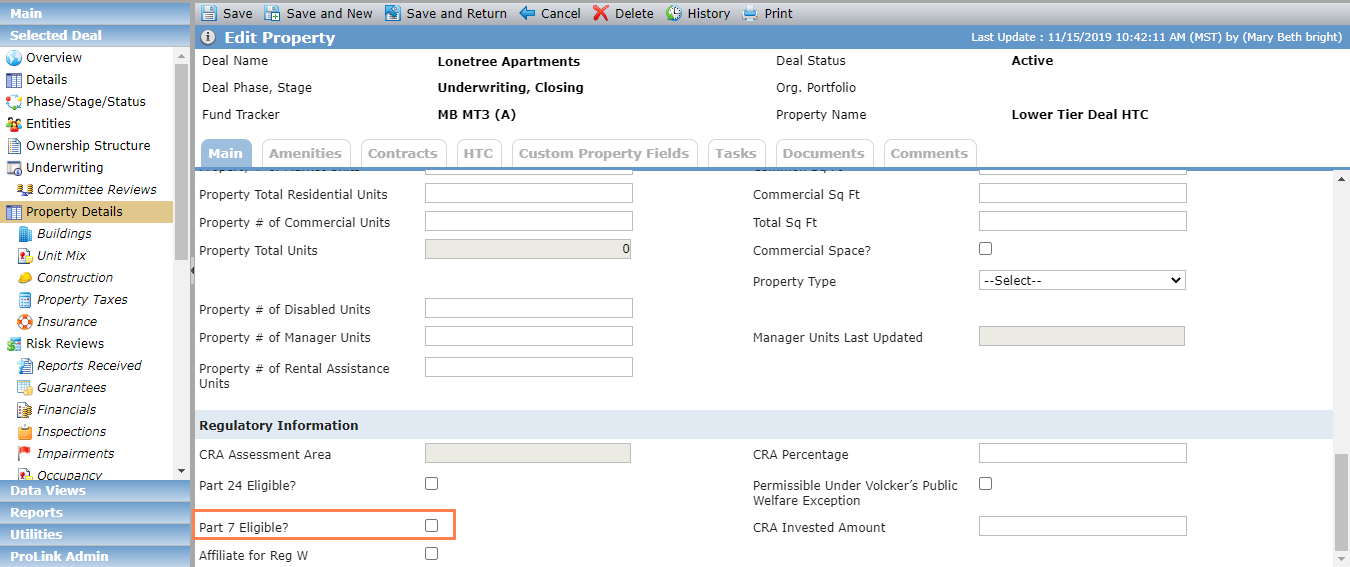
The field has been added to the Properties data view, Workflow, and SmartDox (Properties node in the Deal, Financial Forecast, Fund, and Fund All Deals schemas).
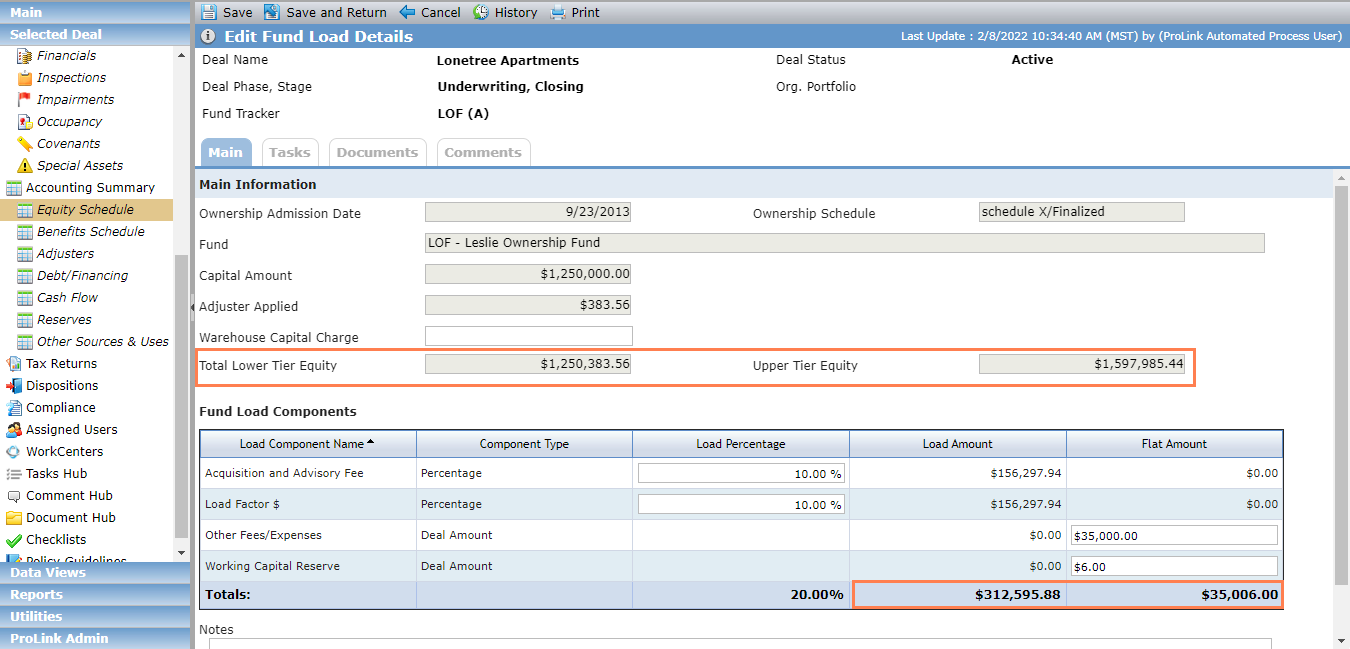
Updated Upper Tier Equity at the Deal Level
The Upper Tier Equity field on Edit Fund Load Details (deal-level) has been updated to include the Flat Amount Total from the Fund Load Component grid. The Upper Tier Equity field = Total Lower Tier Equity + Total Load Amount + Total Flat Amount.
Fund Updates
This section describes fund-related updates.
Change to Ownership Schedule Error
Updates have been made to fund-level Ownership Schedules to allow the schedule to be finalized even if the sum of the units owned across all owners does not equal the Total Units. Previously this scenario would have triggered an error. The error has now been modified to a warning so that you are notified but not prohibited from finalizing the schedule.
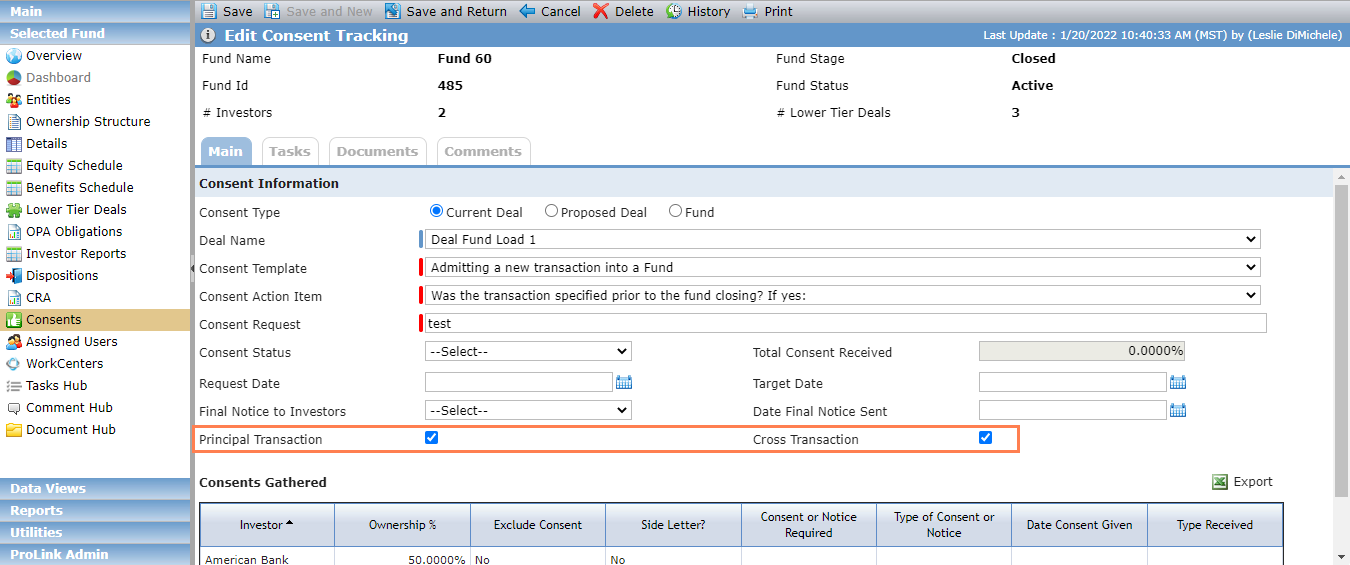
Updated Consent Tracking
The Edit Consent Tracking screen for a fund includes new, optional fields to indicate whether the consent information is for a Principal Transaction or a Cross Transaction.
Report Updates
ProLink updated the Investment Allocation Report to use the Actual Close Date instead of the Approval Date for determining what bucket a deal's CRA allocation goes into. If Actual Close Date is prior to the Exam period, the Investment Claimed goes into the Prior column. If the Actual Close Date is within the Exam period, the Investment Claimed goes into the Current column.
Admin Updates
ProLink added the following values to the PL_TaxReturnType system picklist:
Draft Administrative Adjustment Request (AAR)
Revised Draft Administrative Adjustment Request (AAR)
Final Administrative Adjustment Request (AAR)
Amended Draft Administrative Adjustment Request (AAR)
Amended Final Administrative Adjustment Request (AAR)
Help Updates
The Help Center includes new content:
The release includes the following items.
Ticket Number | Description |
|---|---|
11295 | An error was triggering when attempting to delete an owner that was previously in a finalized ownership schedule. The issue has been resolved, and you can now delete entities after all relationships have been ended. |
11926 | The Lower Tier Deal screen now recognizes Exit Dates for Middle Tier funds. |
12156 | An error was being inaccurately triggered on Ownership Schedules when a user with the Ownership Schedule - Unfinalize security privilege attempted to update an Owner. This has been fixed. |
12180 | Updates were made so that systematic adjusters are no longer assessed for Owners when the assessed date is prior to the Owner's Admission Date. |
12543 | ProLink fixed an issue with some Actual Close Dates on deals. When the Effective Date in the deal's Status History was cleared, the system was not clearing the Actual Close Date from the Overview screen. |
15784 | The Fund Manager was updated so that the correct Fiscal Year End and Due to Investor Dates are displayed. |
15787 | The Organization Portfolio drop-down list on the AHIC Property and AHIC Quarterly reports was displaying private Organization Portfolios. It has been updated to display only public portfolios. |
16040 | Fixed the Net Cash Flow data reported on the Property Quarterly Report (Version B). |
16098 | Fixed the Sum in Grouping functionality in data views. |
16112 | Fixed an issue that caused an error when trying to upload a document through the Construction Draw screen. |
16157 | Updated the HD Percentage and Fee as a % of Total Development Costs fields on the Pipeline Report Items tab of Deal Details to be displayed as a percentage. |
16214 | Fixed the reporting of the Occupancy grid Forecast Units in the Stabilizing Watchlist report. Columns were multiplying the correct amount by the number of buildings on the property. |
N/A | A few updates were made to the AHIC Quarterly Report. Current Quarter now displays only the Quarter number; Tenant Receivables pulls from A/R – Tenant on the Balance Sheet; Required Replacement Reserves Deposits is calculated using the Annual Projection popup on the Replacement Reserves record; the Last Visit date pulls the Site Visit Date from the most recent Inspection based on the report date; and Risk Rating will now display a prior quarter value if no value for the report period quarter is set. |
N/A | A few updates were made to the AHIC Property Report. Year Built will pull the Property’s Year Built; Construction Type will pull the Property’s Project Type; and Property Status will pull the Status on the Property. |
N/A | Made changes to ensure expected behavior when canceling deletion of a document from the Document Hub. The system correctly cancels the operation and does not delete the document. |