Manage the Property Details - LIHTC Tab
The LIHTC tab is broken into four sections: LIHTC Information, Compliance Certifications, Extended Use Period, and Set-Asides.
Note
This tab is displayed only when the LIHTC program is selected on the deal.
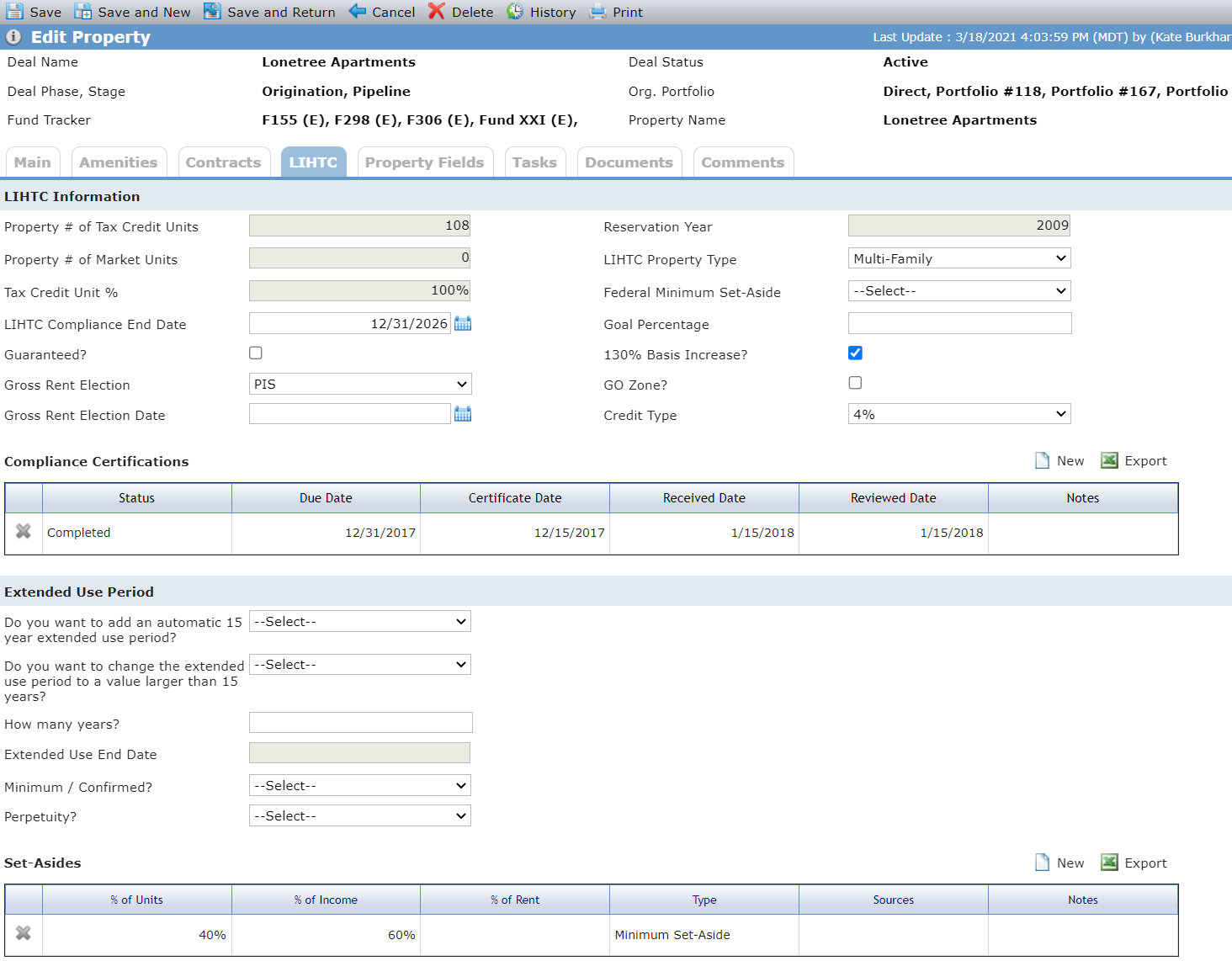
The LIHTC Information section displays high-level LIHTC information. Some of the information displayed comes from other screens within ProLinkAIM.
Field | Description |
Property # of Tax Credit Units | This value is displayed from the Main tab. |
Reservation Year | This value is displayed from Deal Details. |
Property # of Market Units | This value is displayed from the Main tab. |
Tax Credit Unit % | This is a calculated field. Property # of Tax Credit Units for the Property/(Property # of Tax Credit Units + Property # of Market Units) |
The Compliance Certifications section displays records of required compliance certifications. Periodically, compliance certifications must be obtained for the property. A specific number or percentage of files for the low-income units must be evaluated to verify that they meet all compliance requirements.
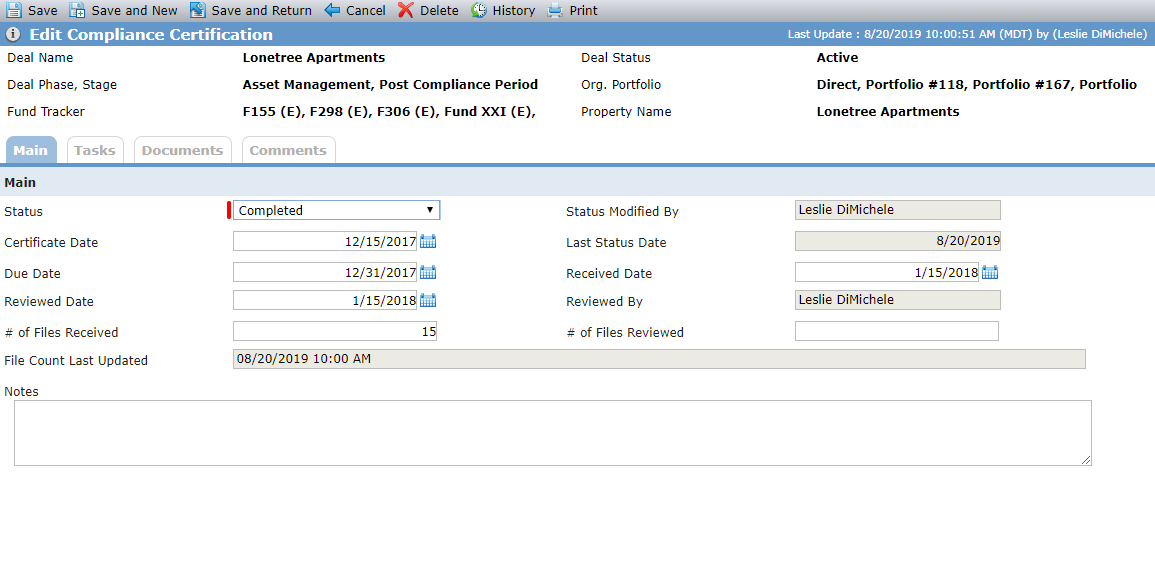
The Edit Compliance Certification screen contains the detail of the compliance certificate, including the date of the certificate, the number of files received, and the number reviewed.
Field | Description |
Status Modified By | This fields displays the name of the user that last modified the Status field. |
Last Status Date | This field displays the date the Status field was last modifed. |
Reviewed By | This field displays the name of the user that last modified the Review Date field. |
File Count Last Updated | This field displays the date and time the # of Files Reviewed field was last modified. |
The Extended Use Period section identifies whether any extended compliance period exists for the property and the number of years extended. Typically, state housing authorities require LIHTC properties to have a minimum of an additional 15-year extension after the initial 15-year compliance period.
Field | Description |
Do you want to change the extended use period to a value larger than 15 years | This field is hidden if the value to Do you want to add an automatic 15 year extended use period? equals Yes. |
How many years | This field is hidden if the value to Do you want to add an automatic 15 year extended use period? equals Yes. |
Extended Use End Date | Displays the LIHTC Compliance End Date plus 15 years when Do you want to add an automatic 15 year extended use period? equal Yes. |
The Set-Asides section tracks the number of units that will be committed at a specific AMI (area median income) for the property. Each property will have a minimum set-aside but may also have additional set-asides.
Note
There can only be one record with a Type of Minimum Set-Aside.
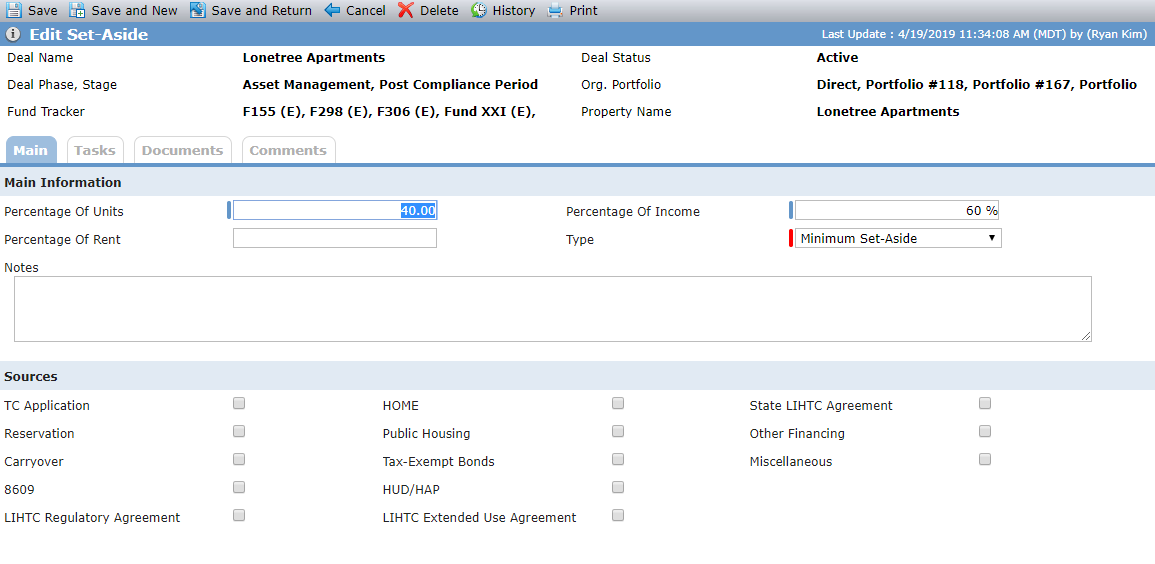
The Edit Set-Aside screen contains the details for the set-asides and applicable fraction associated with the property.
Field | Description |
Percentage of Units | This field is required when the Type field equals Minimum Set-Aside, Applicable Fraction, or Additional Set-Aside. |
Percentage of Income | This field is required when the Type field equals Minimum Set-Aside, Applicable Fraction, or Additional Set-Aside. |