Edit an Entity - Associations Tab
The Associations tab on the Edit Entity screen allows you to connect other entities—as parent companies, child companies, or peers—to the selected entity.
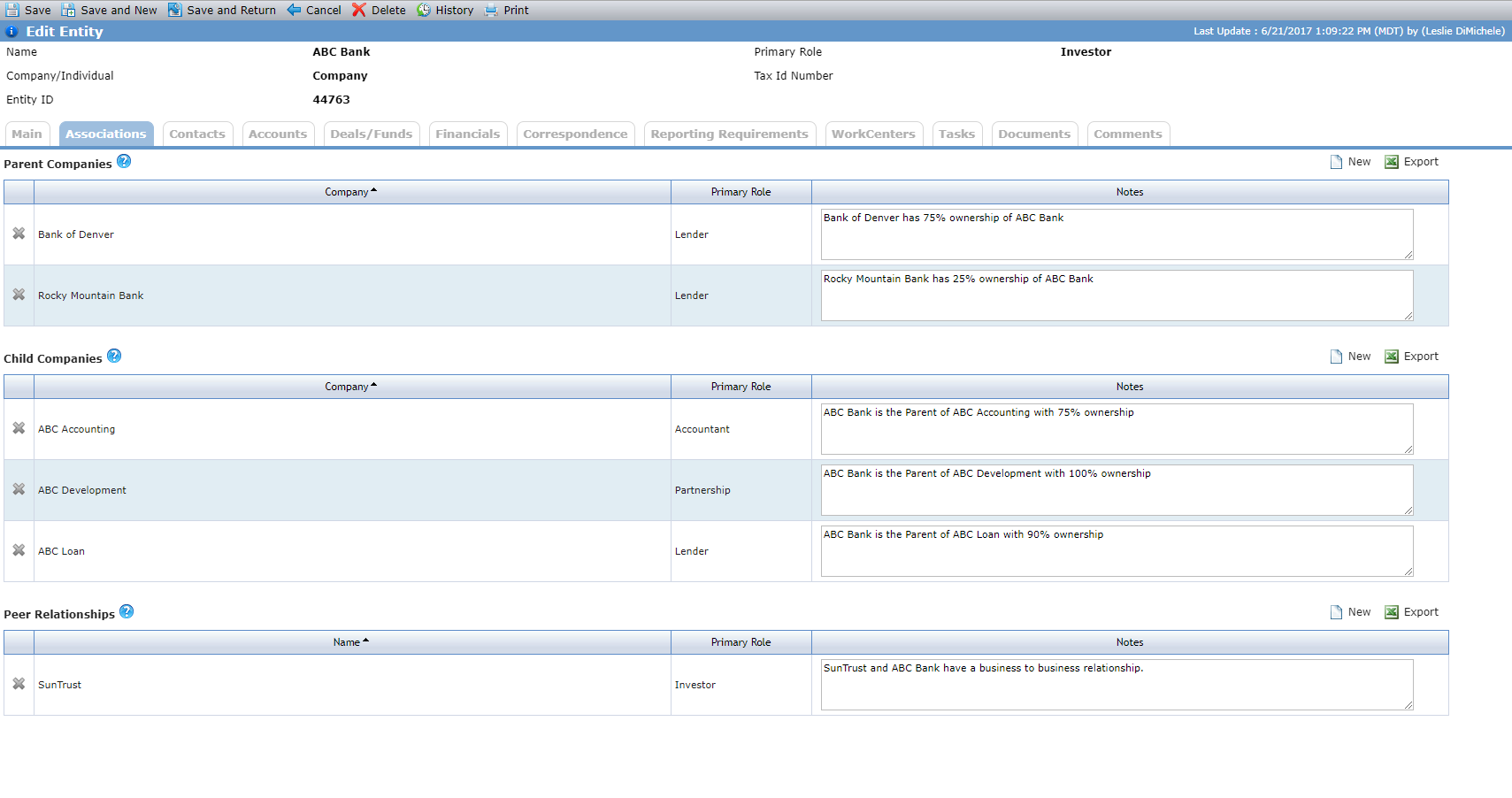
An entity can have multiple parent companies and multiple child companies. The company(ies) listed in the Parent Companies grid own or own a percentage of the legal entity you are viewing.
The company relationship is bi-directional. For example, if you add Inverness Management Company as a child company on the Inverness Apartments entity record, then Inverness Apartments is automatically added as a parent company on the Inverness Management Company entity record.
To add a company association, click New above the Parent Companies grid or Child Companies. Use the Entity Search popup to find and add the company.
The Peer Relationships grid allows you to manage business to business (peer to peer) relationships, such as investor to broker. When you add a peer relationship to an entity, the system adds a peer relationship, with the same note if one exists, to the peer entity. Each peer relationship is distinct, which means you could add a peer relationship between two entities multiple times and each relationship record is unique.
To add a peer relationship, click New above the Peer Relationships grid. Use the Entity Search popup to find and add the entity.
Tip
The Entity Peer Relationships data view allows you to view and report on peer relationships across the system.
Clicking the row of a company or peer opens the Edit Entity screen for that entity.
Deleting a company or peer from the Associations tab removes that entity as an associated company or peer. It does not delete the entity from the system.