Introduction to the ProLinkAIM Fund Equity Schedule
The Fund Equity Schedule screen allows you to maintain information about Commitments, which represent the specific agreement to provide equity to the fund, and Fund Accounting Transactions, which represent the actual timing and funding of the equity committed to the fund. The Commitments for each Investor are typically finalized at the closing of the fund, at which time the initial contributions are received from the Investors and recorded as Accounting Transactions. Accounting Transactions then typically occur on a quarterly basis until the full Commitment is received from each Investor.
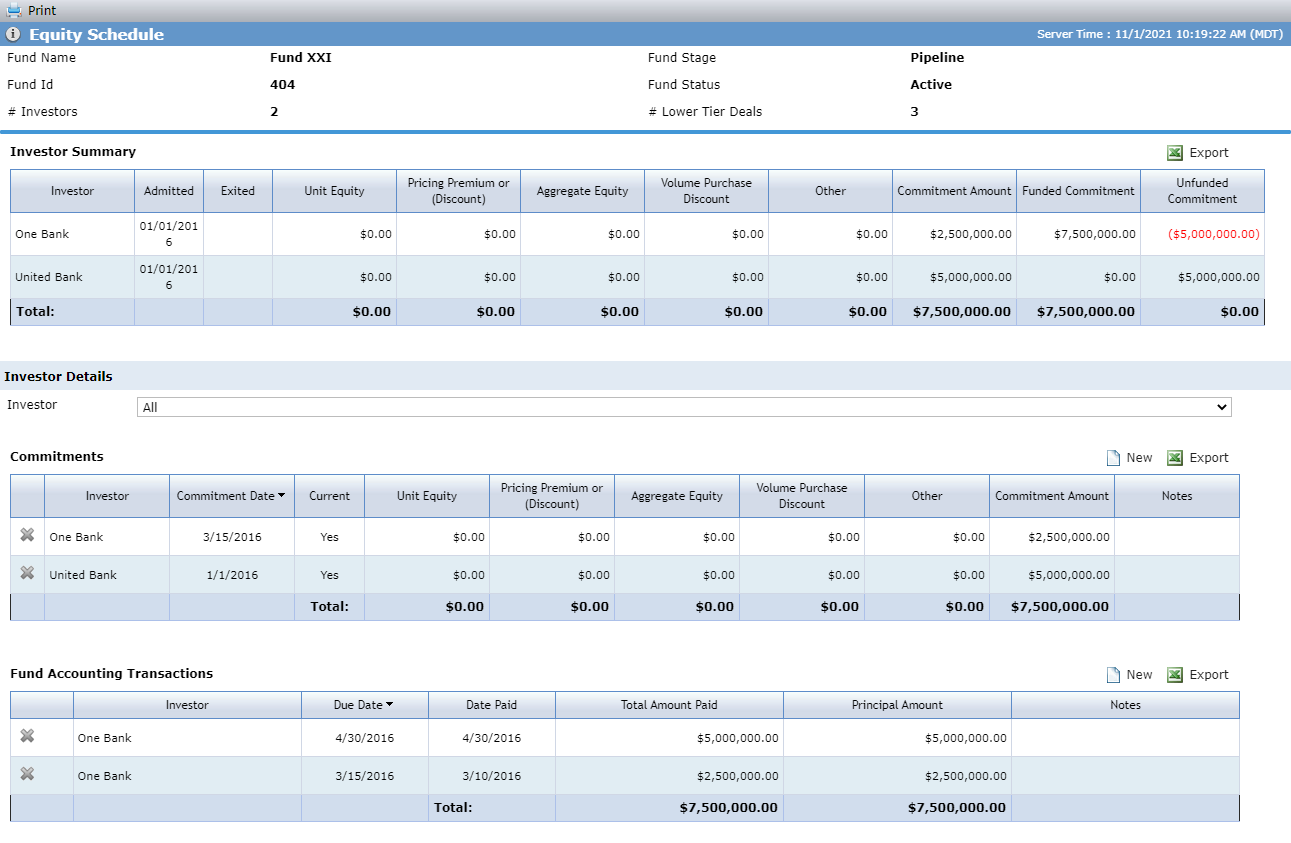
For each investor, the Investor Summary grid identifies their total commitment amount and the amount that has been funded. The system then calculates the amount that still needs to be funded (unfunded commitment).
Commitments
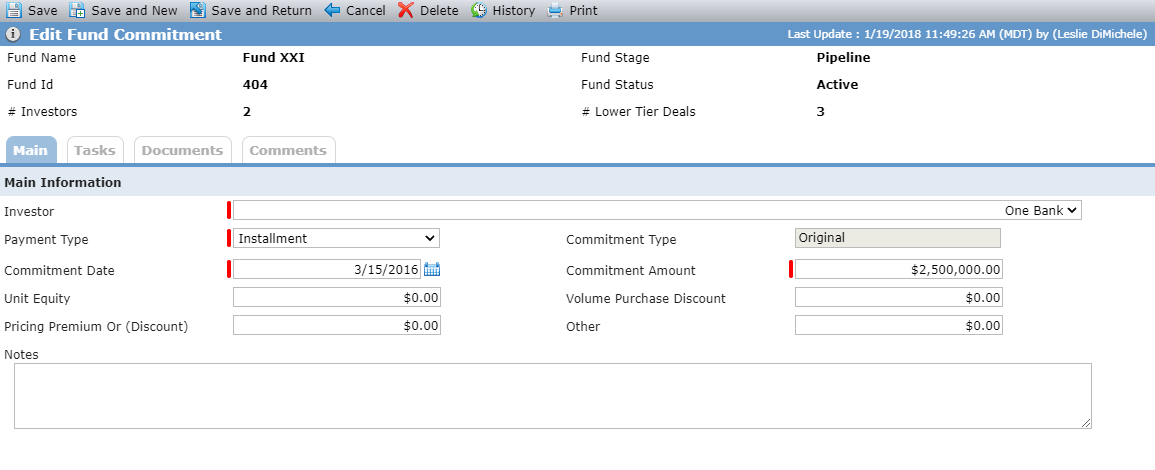
Use the Edit Fund Commitment screen to maintain information about the total amount of equity than an Investor has committed to investing in the fund. Typically, only one Fund Commitment record exists for each Investor.
Fund Accounting Transactions
Use the Edit Fund Accounting Transaction screen to maintain information about the actual funding of the Investor's commitment to the fund. Typically, a record is created to reflect the initial payment upon closing of the Investor's ownership in the fund, and then additional records are created each quarter to reflect installment payments until the full Commitment amount has been reached.
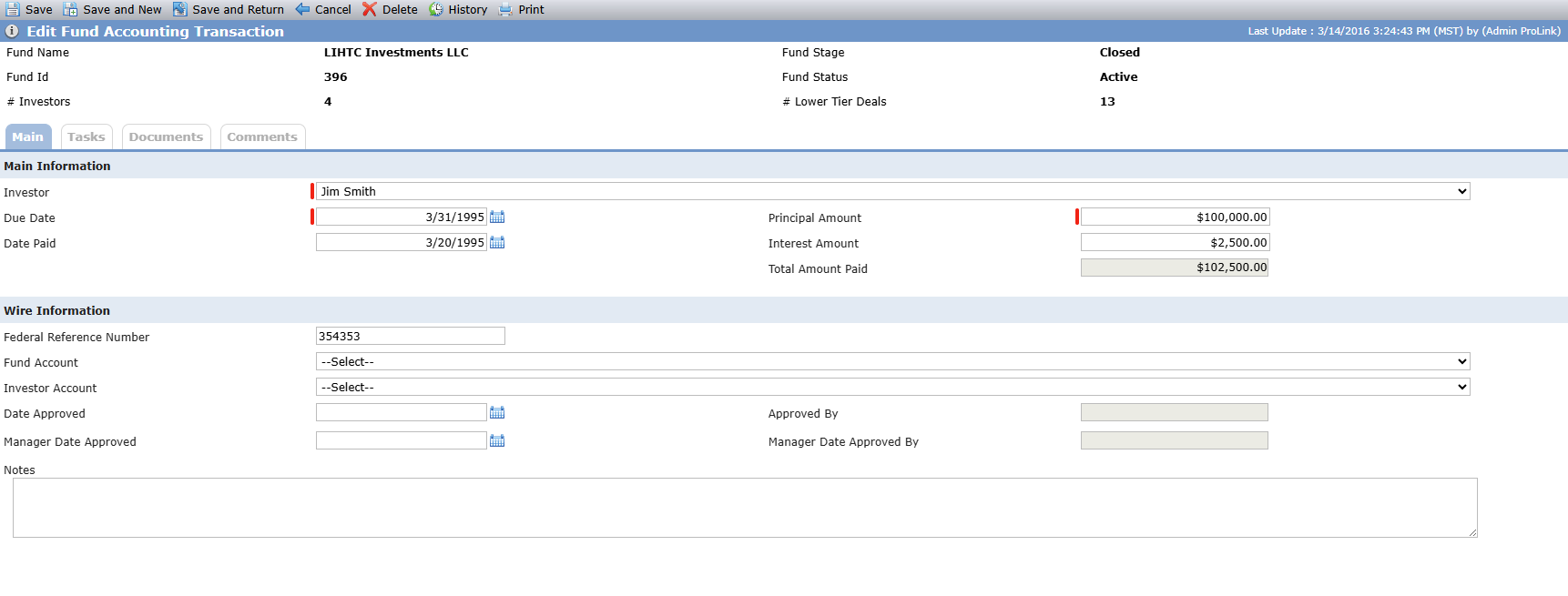
The Fund Account list is a list of accounts that exist on the fund legal entity (Owned Entity in the Ownership Structure); the options are displayed as "Account Name - Financial Institution - Account Number."
The Investor Account list is a list of bank accounts that exist on the selected investor legal entity; the options are displayed as "Account Name - Financial Institution - Account Number."
You can track manager approvals of fund accounting transactions using the Manager Date Approved field, if your user role has the "Fund - Equity Schedule - Fund Accounting Transaction - Manager Date Approved" security privilege and the "Fund - Equity Schedule - Fund Accounting Transactions - Modify" security privilege. Upon save, the Manager Approved By field is populated with your name.