Reports
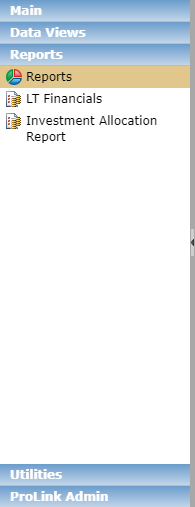
The Reports panel shows all default reports that have been created using the data in ProLinkAIM.
Every Cash Flow Distribution Invoice has an associated Invoice Report. Three copies of the invoice will be available for each deal, one each for General Partner, Property Manager, and Accountant, if they are set up as entities on the deal. Each invoice contains, by year, the amount due for the property, the payments that have been received, and the total balance due.
There are two versions of the report. Please contact ProLink Support if you have questions about which version your organization uses.
The system administrator can define the following payment specifications for the Invoice Report in Config Settings:
ReportInvoice Phone
ReportInvoiceAttn (Attention To)
ReportInvoiceCSZ (CityStateZip)
ReportInvoiceAddress
Version 2 of the report also uses the following settings:
ElectronicPaymentAcctNumber
ElectronicPaymentABANumber
ElectronicPaymentCityStateZip
ElectronicPaymentAddress
ElectronicPaymentAddressName
You can access the report through the Review Cash Flow Invoice utility or the Edit Cash Flow Distribution Invoice screen. You cannot access the report through the Reports panel.
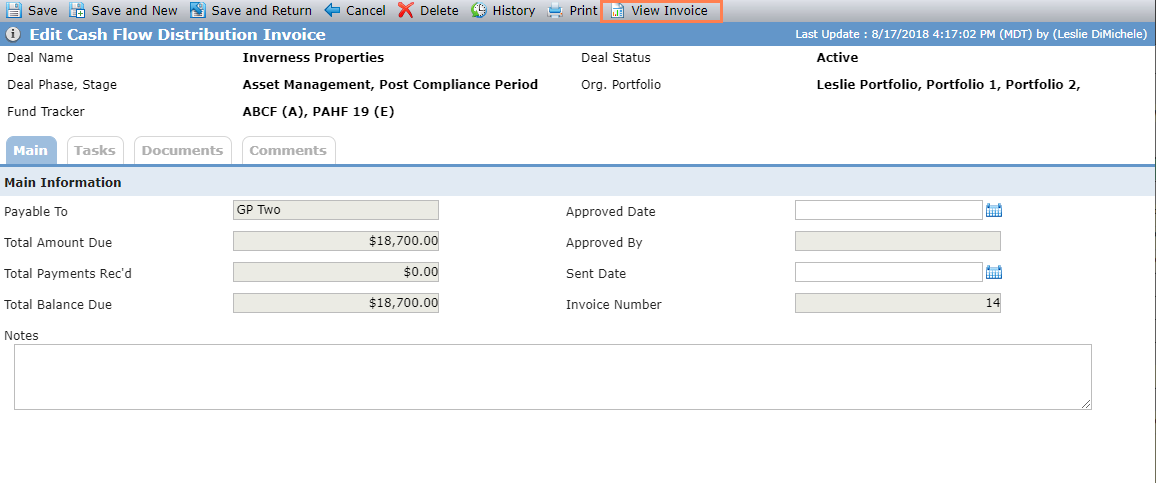
From the Edit Cash Flow Distribution Invoice screen, click View Invoice in the top toolbar to view the report for the specific deal.
For more information about Cash Flow at the deal level, see Cash Flow.
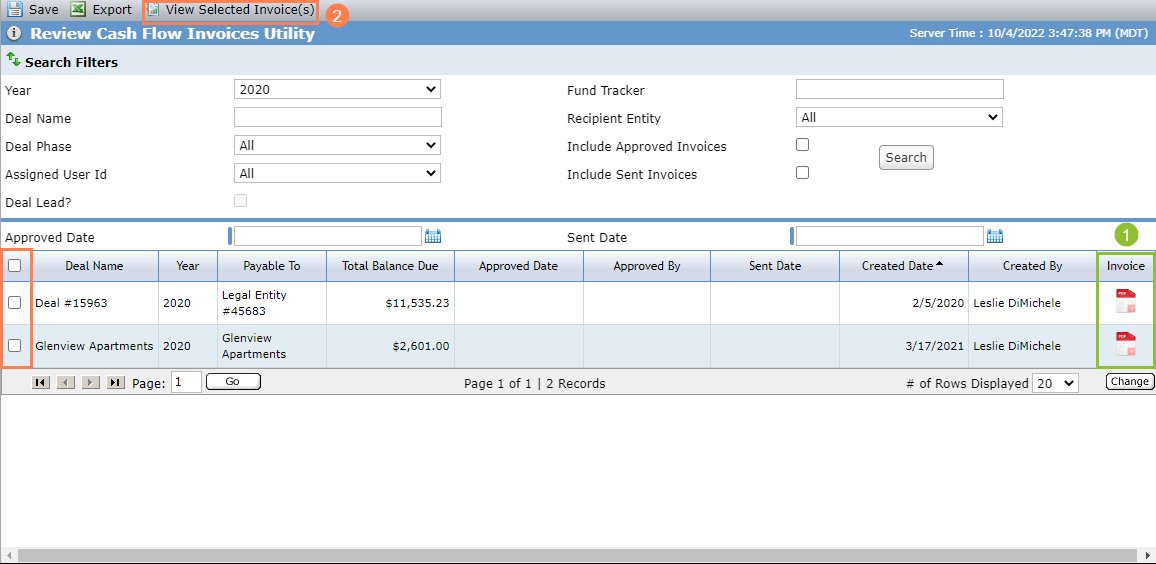
From the Review Cash Flow Invoice utility, you can:
Click
 to view the report for a specific deal.
OR
Select multiple deals in the grid, and then click View Selected Invoice(s) in the top toolbar to view the report for multiple deals in one report.
Tip
The report viewer opens in a new window. You might need to allow pop-ups in your browser to load the report viewer.
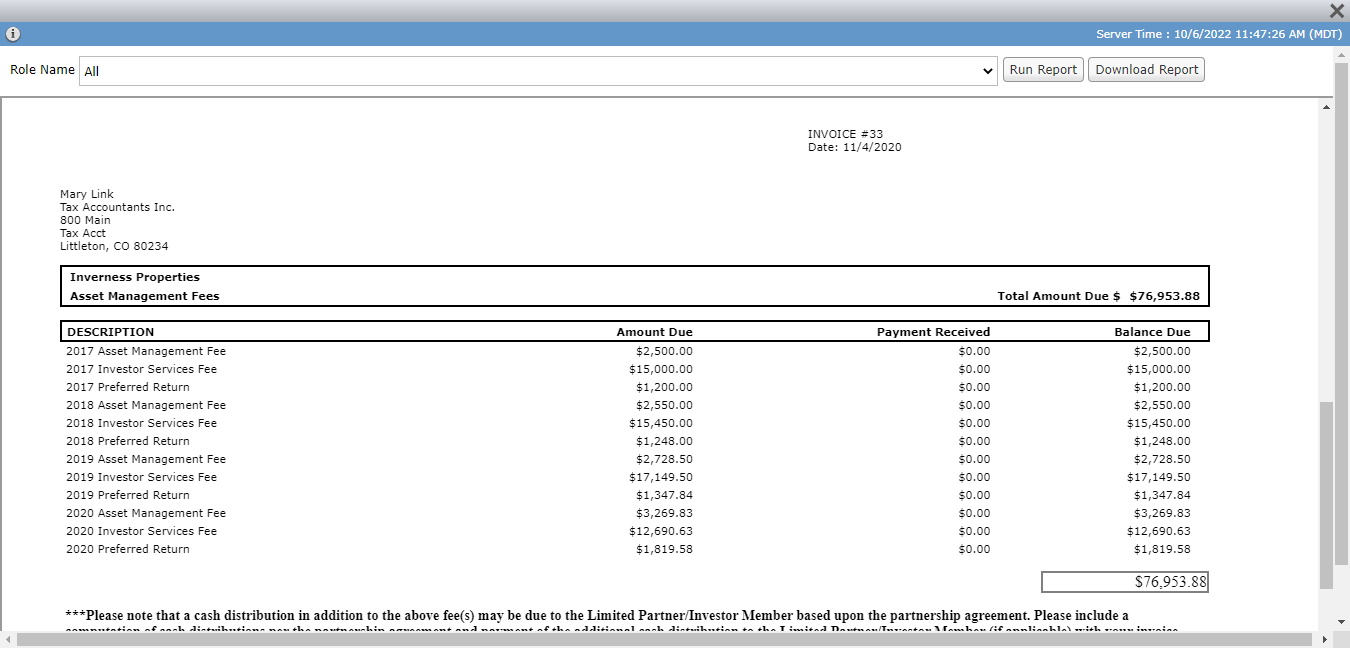
The default Role Name selection in the report viewer is "All," which means the report will show one page for each active entity in the role of General Partner, Property Manager, and Accountant - Tax. You can filter to a specific role, if needed. Then click Run Report.
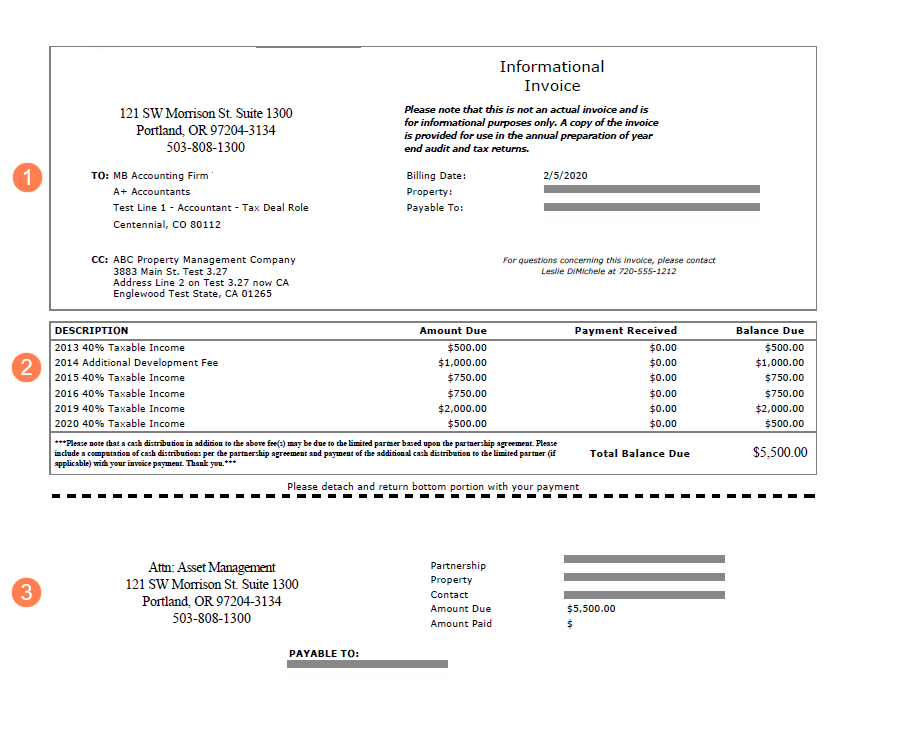
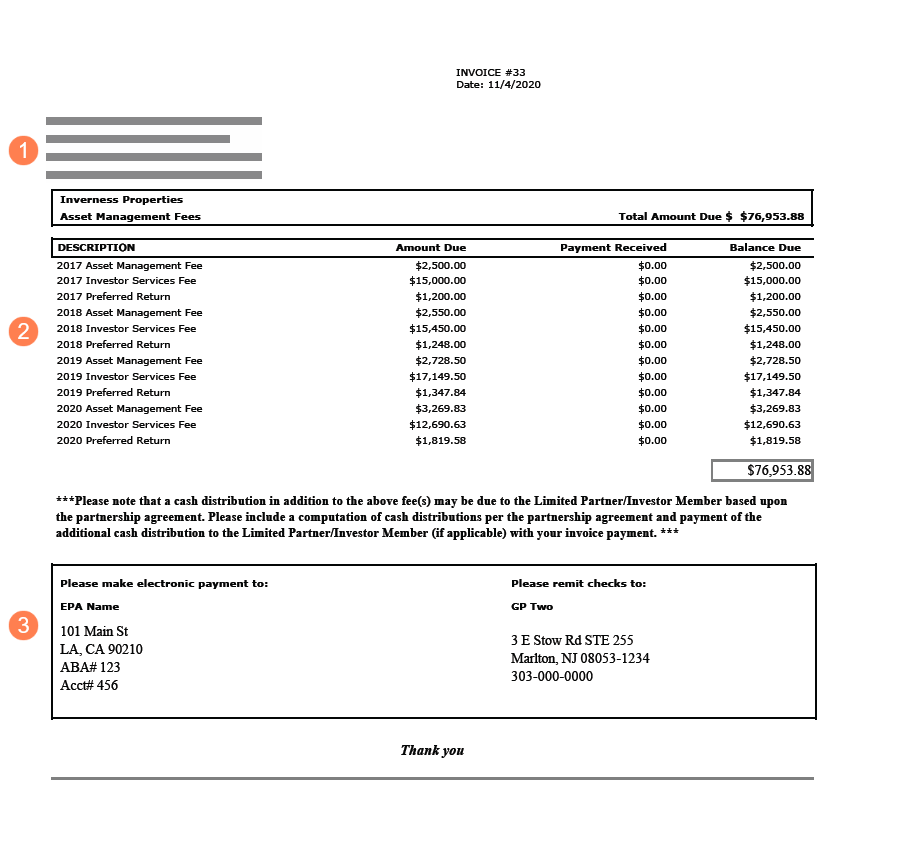
Version 1; Version 2
The invoice has three sections:
Address and contact information
Line items for outstanding cash distributions and totals
Return with payment section
Field | Version 1 Description | Version 2 Description |
|---|---|---|
{Return Address} | Config Settings
| N/A |
TO | Displays the name of the primary contact for the active Accountant, General Partner, or Property Manager. | |
{To Entity Name} | Displays the name of the entity for which the report is being created. | |
{To Address} | Displays the address from Edit Entity for the entity for which the report is being created. | |
CC | Displays the name and address of the active entity that has a deal role of Property Manager. | N/A |
Invoice # | N/A | Displays the Invoice Number from Edit Cash Flow Distribution Invoice. |
Billing Date | Displays the date the Invoice record was created from Edit Cash Flow Distribution Invoice. | N/A |
Date | N/A | Displays the date the Invoice record was created from Edit Cash Flow Distribution Invoice. |
Property | Displays the name of the property from Edit Property. If there are multiple properties on the deal, the report displays the first one. | |
Payable To | Displays the "Payable To" value from the Edit Cash Flow Distribution Invoice. | N/A |
Questions Contact | Displays the name and phone number of the Deal Lead assigned to the deal (from Edit User for the assigned user). | N/A |
Description | Displays the Fee Type - Invoice/OPA Fee Description from Edit Fee Distributions Priority. | |
Amount Due | Displays the Total Amount Due from Edit Cash Flow Distribution Invoice. | |
Payment Received | Displays the Total Payments Rec'd from Edit Cash Flow Distribution Invoice. | |
Balance Due | Displays the Total Balance Due from Edit Cash Flow Distribution Invoice. | |
Total Balance Due | Displays the sum of the Balance Due for all displayed fees. | |
{Electronic Payment To} | N/A | Config Settings:
|
{Remit Checks To} | Config Settings
| Displays the "Payable To" value from the Edit Cash Flow Distribution Invoice. Config Settings:
|
Payable To | Displays the "Payable To" value from the Edit Cash Flow Distribution Invoice. | N/A |
Partnership | Displays the name of the deal from Deal Details. | N/A |
Property | Displays the name of the property from Edit Property. If there are multiple properties on the deal, the report displays the first one. | N/A |
Contact | Displays the name of the Deal Lead assigned to the deal (from Edit User for the assigned user). | N/A |
Amount Due | Displays the Total Balance Due. | N/A |
Amount Paid | Displays "$". | N/A |