About the Benefits Schedule - New Market Tax Credits (NMTC)
You can view the deal-level (all owners) or individual owner values at an annual or monthly level.
Note
The monthly benefits functionality might be turned off in your ProLinkAIM environment.
For most organizations, UT Actual Credits and UT Actual Losses will be hidden on deals because you can view income/loss at the fund-level.
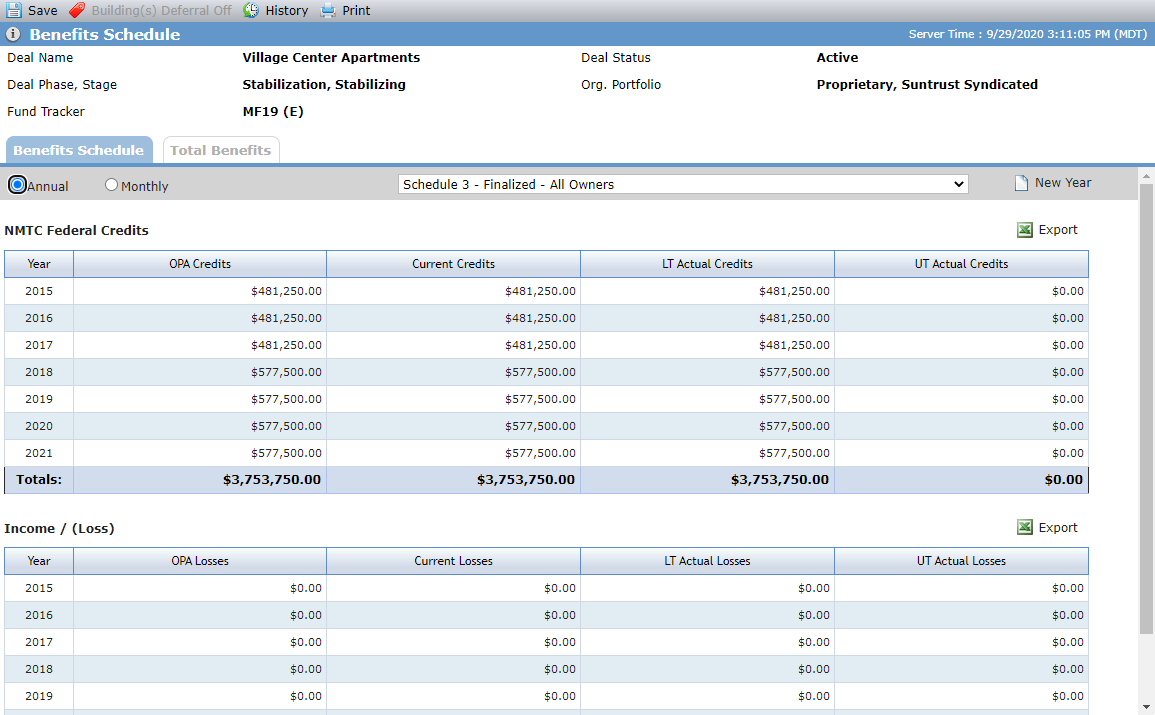
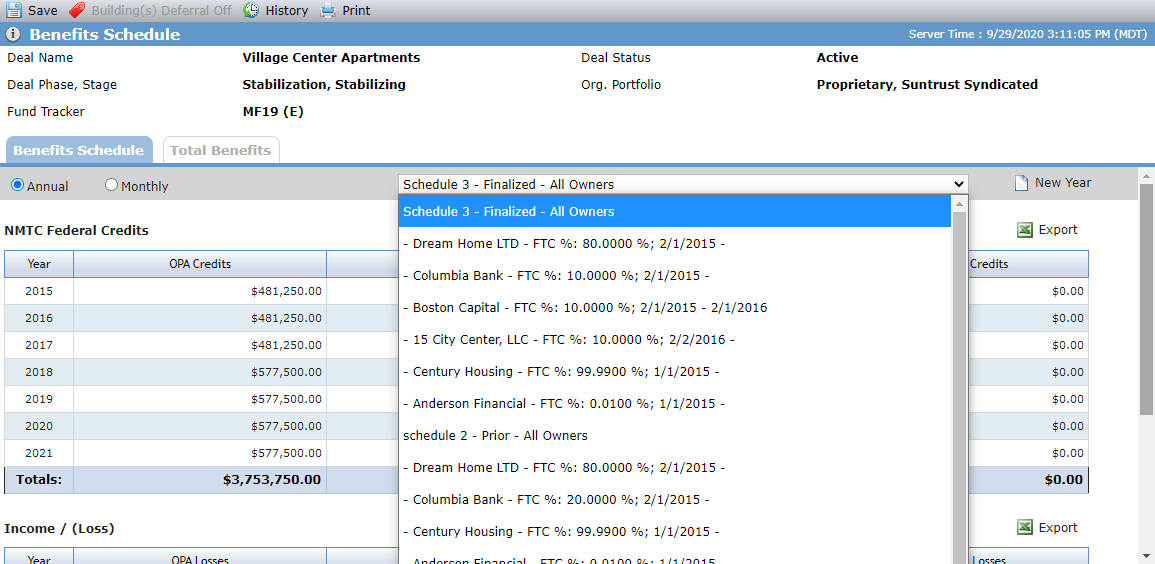
The Owner list contains all Ownership Schedules—Proposed and Finalized—with a listing of All Owners. Benefits will be calculated only for the Owners of the Sub-CDE(s), when the Sub-CDE is the To entity for a QEI.
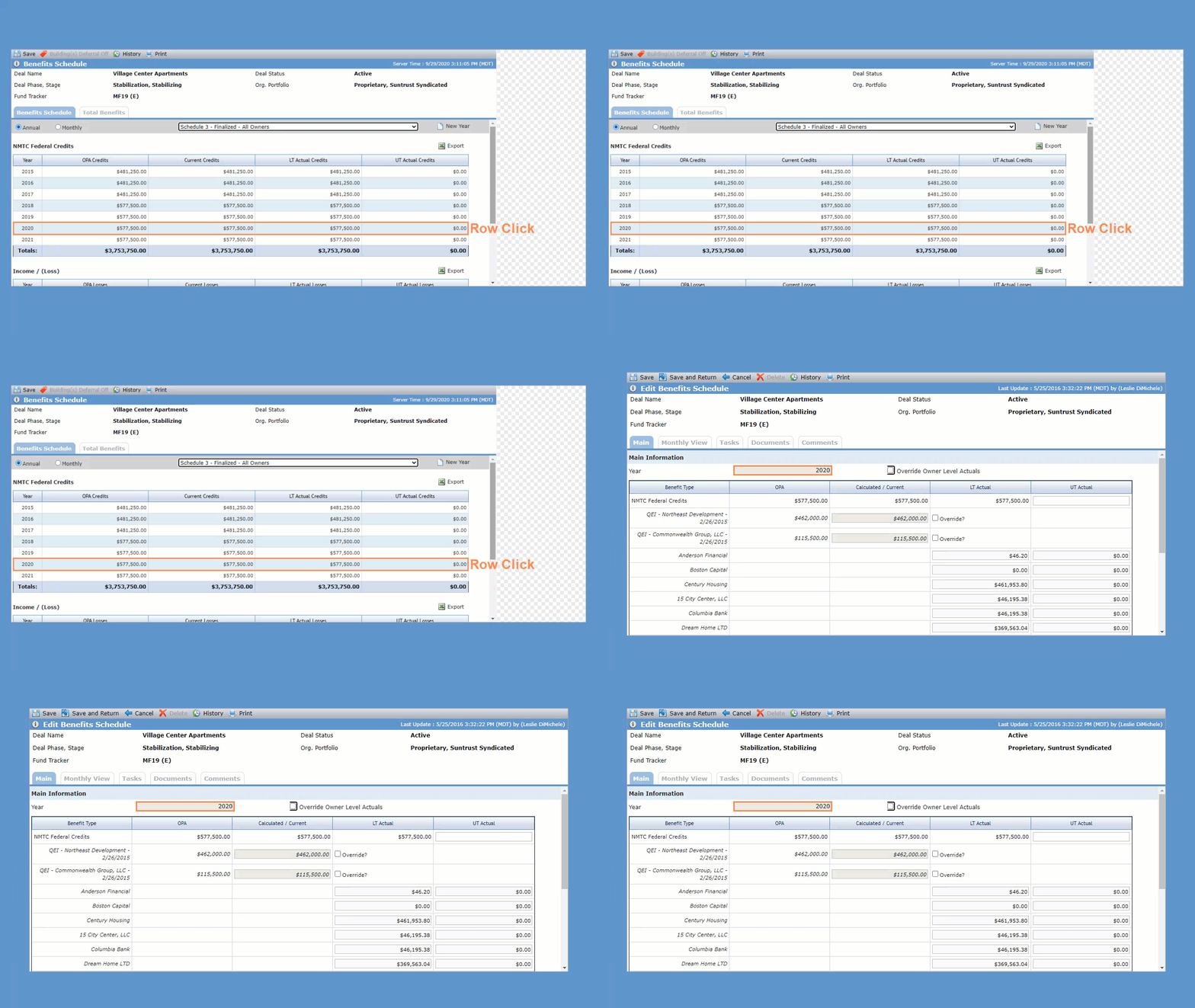
Click a Benefit Year row in the grid to open the corresponding edit screen.
The system automatically creates multiple benefits years depending on the QEIs on the deal.
Year 1 will be the earliest QEI Projected or Actual Date. If Actual Date is populated, then it will be used. If no Actual Date, then the Projected Date will be used.
If there are multiple QEIs with different years (as Projected or Actual Date), a Benefits year is created for each year between the earliest and latest date.
The system will create benefit years for an additional six years after the latest date.
You can create additional benefits years for any deal.
Navigate to the deal, and then select Benefits Schedule (under Accounting Summary) in the left navigation menu.
The Benefits Schedule screen opens.
Click New Year.
The Add New Benefit Year popup opens.
Enter the Year (YYYY).
The year added does not need to be a consecutive year. You cannot duplicate existing years.
Click Save and Close.
You can delete benefit years that were manually created (years not created automatically by the system).
Navigate to the deal, and then select Benefits Schedule (under Accounting Summary) in the left navigation menu.
The Benefits Schedule screen opens.
Click a Benefit Year row in the grid.
The Edit Benefits Schedule screen opens.
Click Delete in the top toolbar, and then click OK to confirm the deletion.
Benefits are calculated based upon the QEIs associated to the Deal. The QEI Actual Amount will be used in calculations if one exists. If none exists, then the QEI Projected Amount will be used. The <;number of months> used in the monthly calculations will be as follows:
For Year 1: <Number of Benefit Months>; is the number of months between the month of the <QEI Actual/Projected Date> and December, inclusive (for example., a QEI Date in March would calculate as 10 months).
For Years 2 – 7: <Number of Benefit Months> equals 12.
All fields are manually populated.
OPA Credits—Calculated based upon QEIs for deal. See calculation in Calculation section.
Current Credits—Calculated based upon QEIs for deal. Can be overridden.
LT Actual—Calculated value that can be overridden. Triggers a SOX Approval when the value is updated (systematically or manually).
OPA Credits
Monthly Values | Divide the annual amount across all Benefits months evenly except for the last month. For the last month subtract the sum of all prior month’s values from the full annual amount. |
Annual Values |
|
Owner-level calculations | Owner-level values are based upon the Owner’s FTC % ownership percentage of the QEI, either directly or indirectly, on the QEI Actual/Projected Date or the anniversary of the QEI Actual/Projected Date.
|