Quarter 3, 2022 ProLinkAIM Release Notes
ProLink Solutions is pleased to announce the Quarter 3, 2022 release. You've come to the right place to review what's new.
UAT Build: August 18, 2022
Production Build: September 15, 2022
What's New
The release introduces the following new functionality.
ProLinkAIM introduces new functionality to import financial data for multiple deals at the same time.
The Utilities menu includes a new option called Bulk Financial Import.
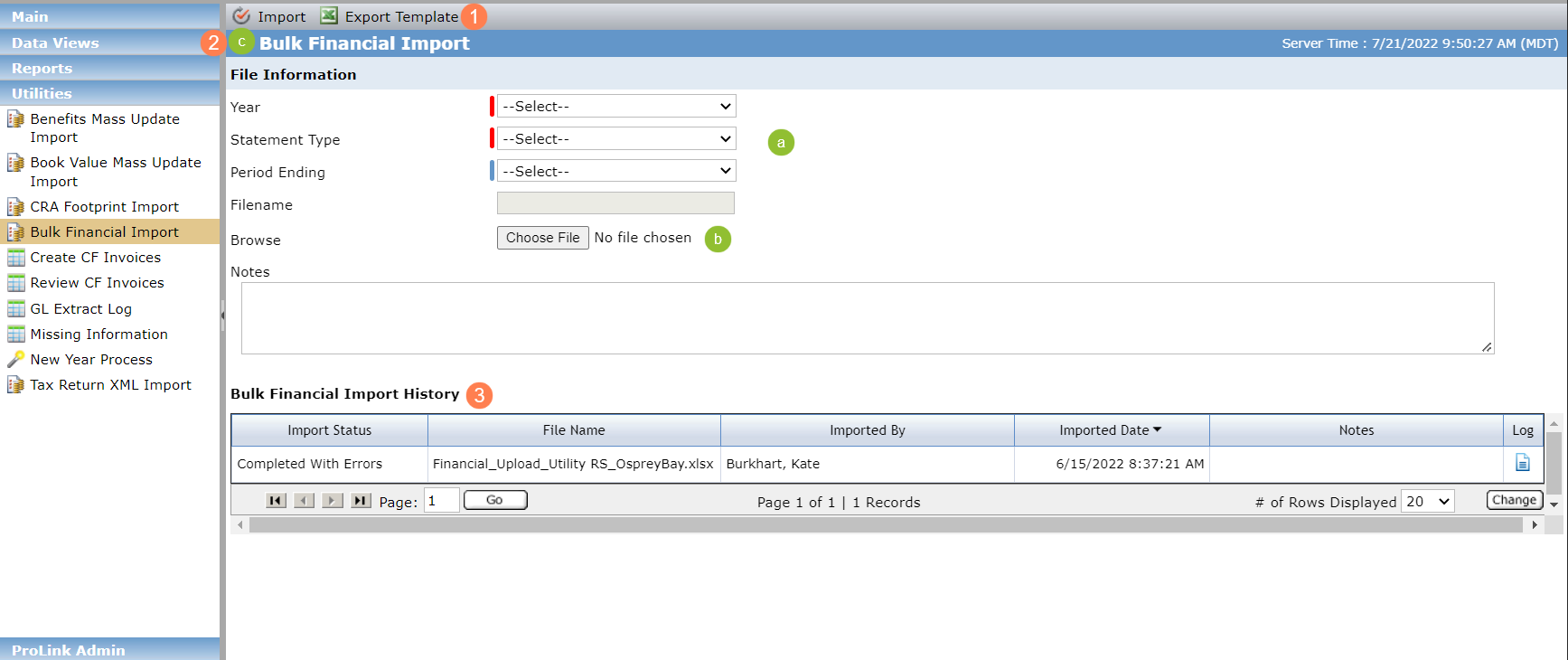
Export a Financials template for a specific deal, deals within a specific fund, or deals within an organizational portfolio. Using the template allows you to enter applicable line items for the selected deal(s) easily.
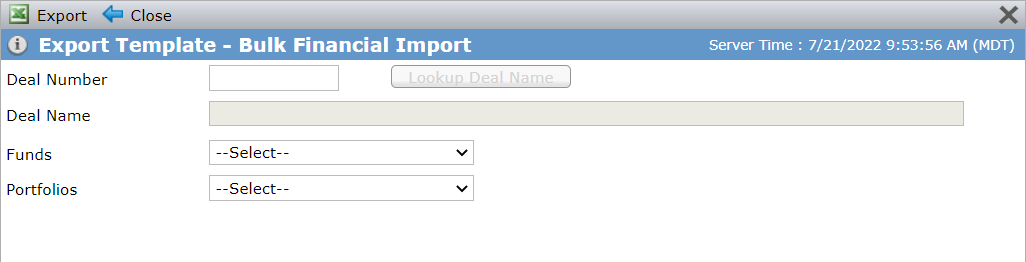
You can look up a deal by number, select a fund, or select an organizational portfolio.
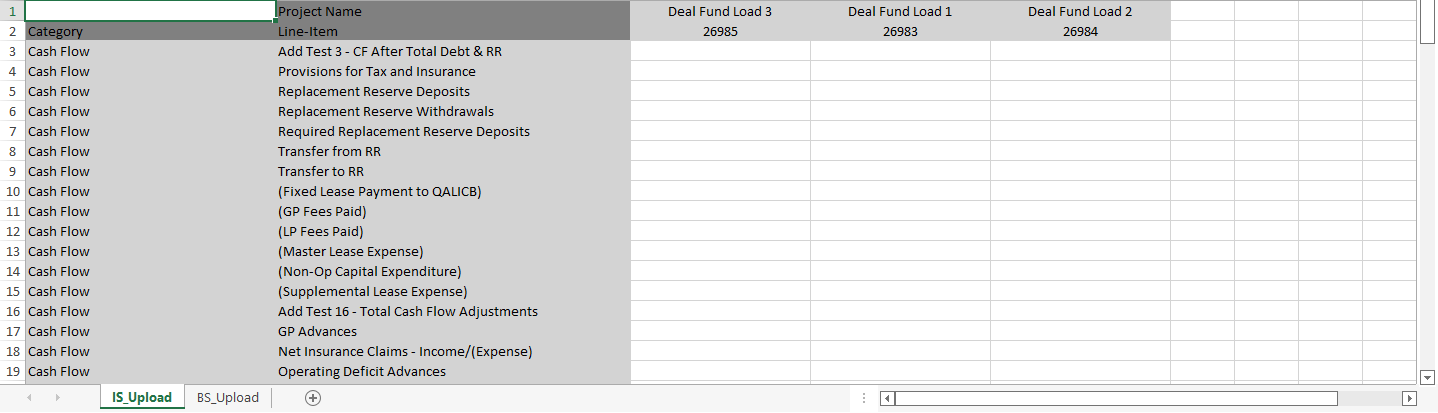
If you selected a deal, the template contains a column for the deal. If you selected a fund, the template contains a column for each deal associated with the fund. If you selected an organizational portfolio, the template contains a column for each deal associated with the portfolio.
The template includes two tabs, one that imports data to the Income Statement and one that imports data to the Balance Sheet. The tabs are populated with all Category/Line Item combinations, except for metrics, summed line items, and custom line items.
Import the file.
Specify the details about the file.
Select the file.
Run the import.
View the import history. You can download a log file, which shows any errors that occurred during the import process.
The import process locates the corresponding record in ProLinkAIM and updates the Income Statement and Balance Sheet with the values found in the import file. The import file's Category Name and Line-Item Name combination must match the system exactly. If a value already exists for the record, the import process will overwrite it with the value in the file.
Tip
You should manually update the status of the financial record(s) after the import.
The toolbar buttons are enabled only if you have the new security privilege called BulkFinancialImport_Modify.
As part of this enhancement, we added new line items:
New system values added to PL_LineItem with a SubCategory of Total Other Income (Income category); and new line items added to the Total Other Income section of the Income Statement:
Interest Income
Assisted Living Service Revenue
Forgiveness of Debt
Grant Income
New system values added to PL_LineItem with a SubCategory of Total Other Expense (Expense category); and new line items added to the Total Other Expense section of the Income Statement:
Non-Operating Expenses
Bad Debt
R&M_Appliance and Furnishing Replacement
New system value added to PL_Line Item with a SubCategory of Other Assets (Assets category); and new line item added to the Other Assets section of the Balance Sheet:
Construction in Progress
New system value added to PL_LineItem with a SubCategory of Total Equity (Equity category); and new line item added to the Total Equity section of the Balance Sheet:
Partners' Equity
Note
If ProLink has configured your environment to support it, new line items are added to all new financial records upon creation.
This section describes updates to deal/property functionality.
Updates to Support CRA Reporting
ProLink made changes to help Community Reinvestment Act (CRA) reporting.
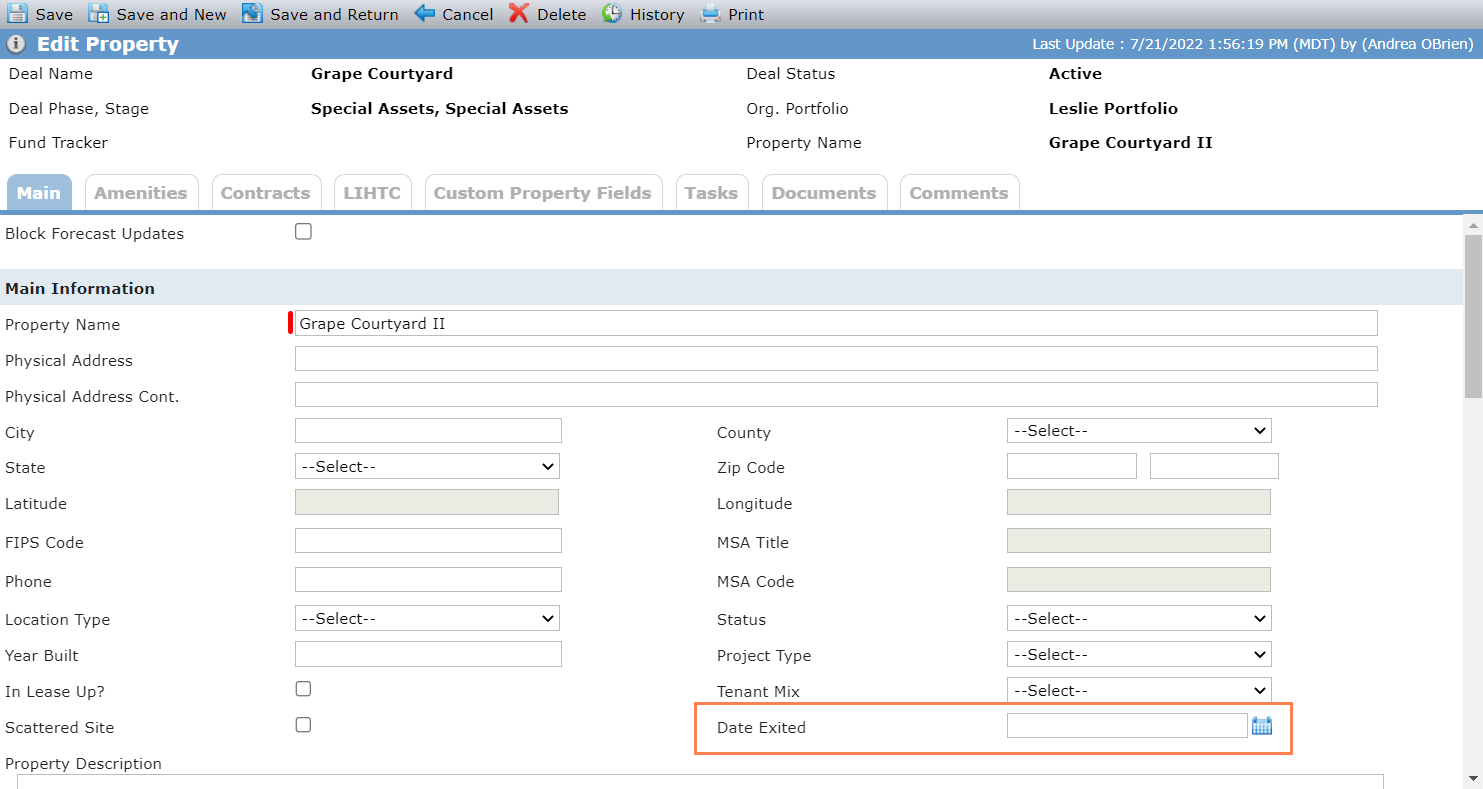
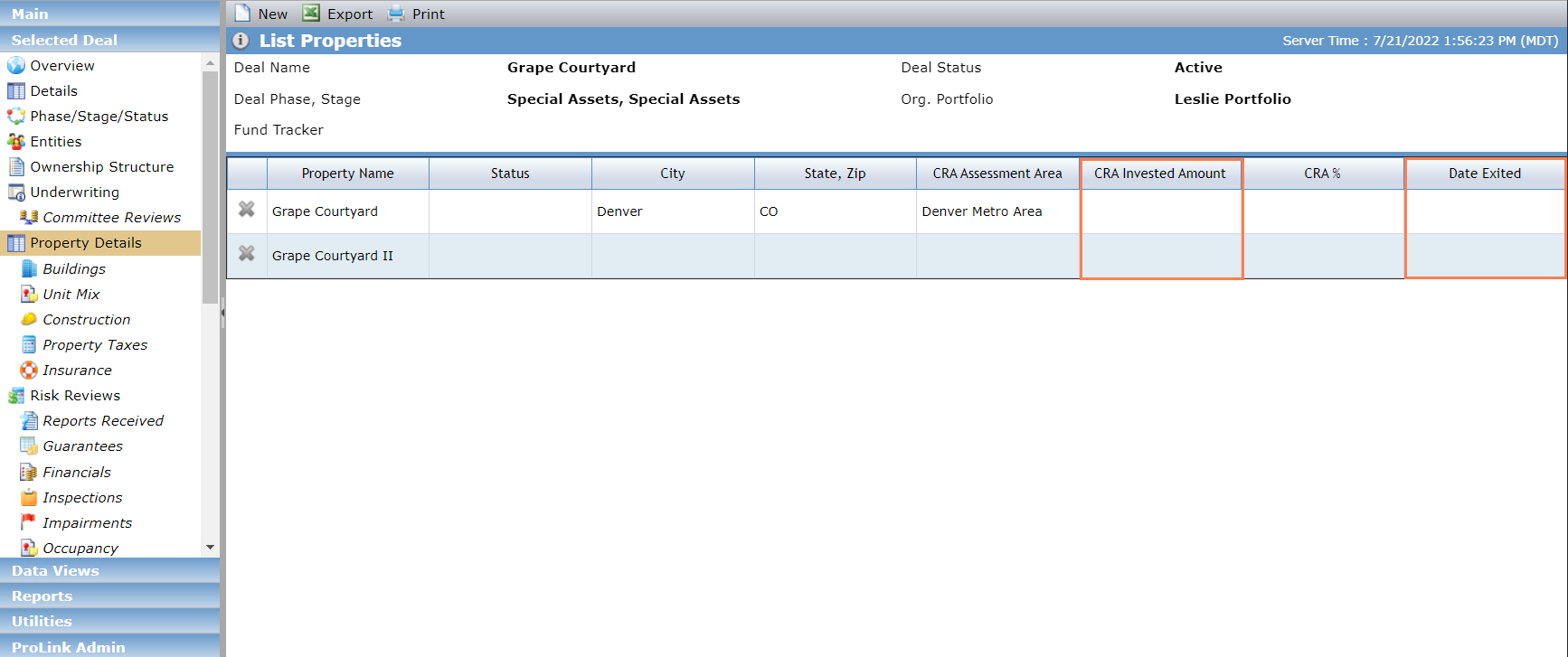
The Edit Property screen includes a new Date Exited field.
The List Properties screen includes two new columns: Date Exited and CRA Invested Amount. Both columns are populated from the respective fields on the Edit Property screen.
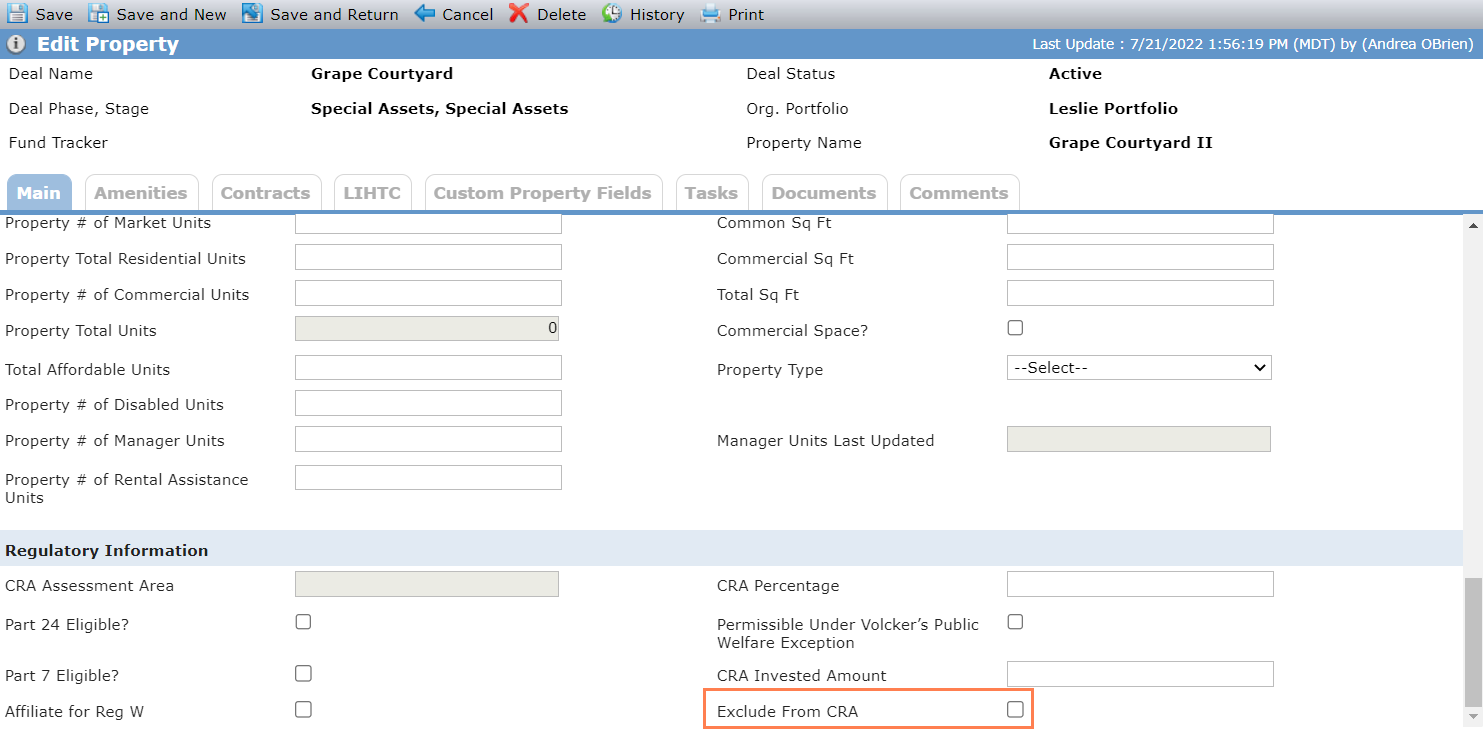
In addition, the Regulatory Information section of the Main tab of the Edit Property screen includes a new checkbox called Exclude from CRA to indicate whether the property should be included in CRA reporting. The new Property - Exclude from CRA security privilege is required to select or clear the checkbox.
The Investment Allocation Report 3.0 uses the Exclude from CRA checkbox to determine reporting output. See Report Updates for more details.
The Properties data view has been updated to include Date Exited and Exclude from CRA as available columns. The fields are also available through SmartDox (Deal > Properties; Fund All Deals > All Lower Tier Deals > Properties; Financials > Properties; Financial Forecast > Properties; Organizational Portfolio > Deals > Properties) and Workflow (Property object).
New Federal Minimum Set-Aside Field
The LIHTC tab on the Edit Property screen includes a new Federal Minimum Set-Aside field. The drop-down list contains the values of a new system picklist (PL_FederalMinimumSetAside).
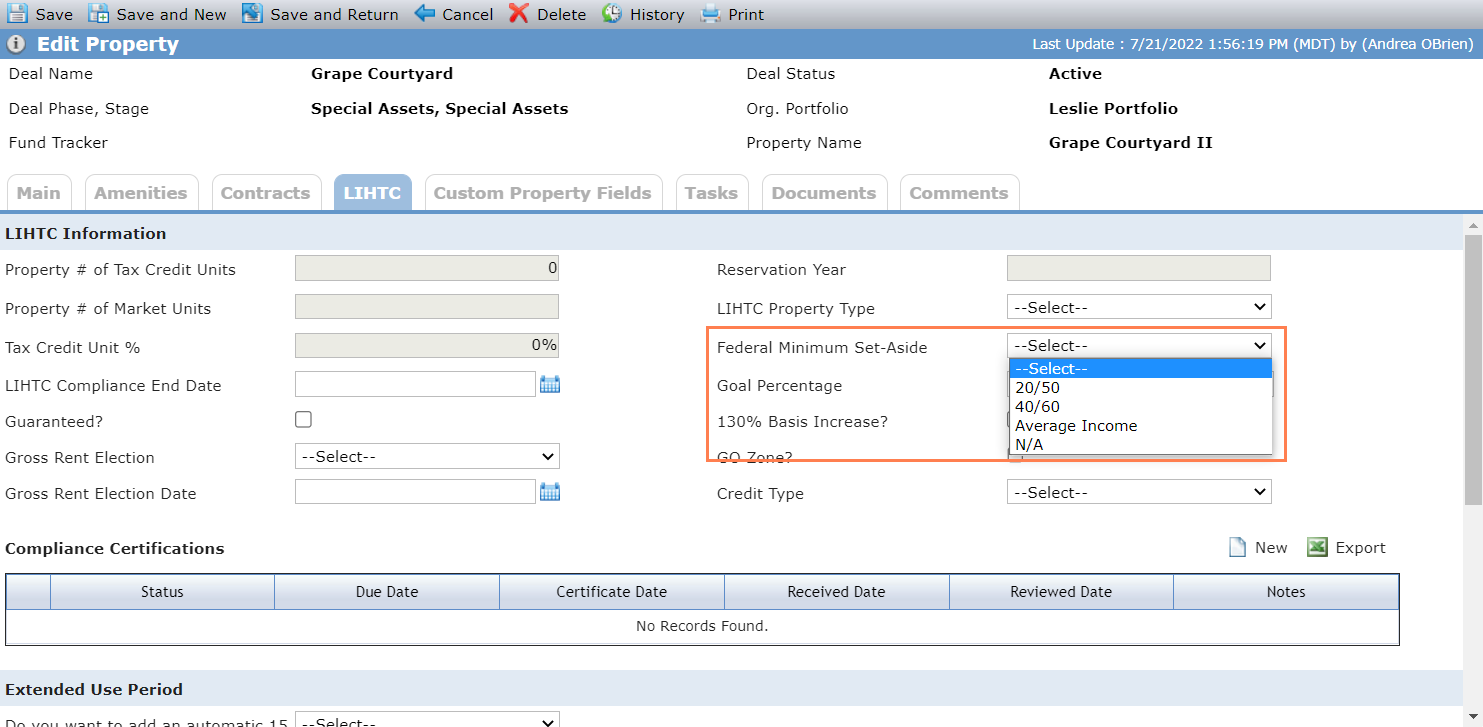
The Properties data view has been updated to include Federal Minimum Set-Aside as an available column. The field is also available through SmartDox (Deal > Properties; Fund All Deals > All Lower Tier Deals > Properties; Financials > Properties; Financial Forecast > Properties; Organizational Portfolio > Deals > Properties) and Workflow (Property object).
2021 Tax Form 8609
ProLinkAIM now supports the 2021 version of the Tax Form 8609 (Deal>Buildings>LIHTC). The 2013 version continues to be supported for previously created forms.
The Reports menu includes a new version of the Investment Allocation Report (3.0). The original version and the 2.0 version remain available.
When the Exclude from CRA checkbox is selected for a deal's property, the property will not appear on the Investment as of Selected Date and Investment End of Cycle tabs of the 3.0 version of the report. For more information about the checkbox, see Updates to Support CRA Reporting.
The 3.0 version also includes a new, third tab called Excluded Investments, which displays data for the properties that have been excluded from CRA reporting.
Properties with the Exclude from CRA checkbox selected will continue to be included in the Property Split Ratio calculation used to find the CRA Credit Amount of the 3.0 version.
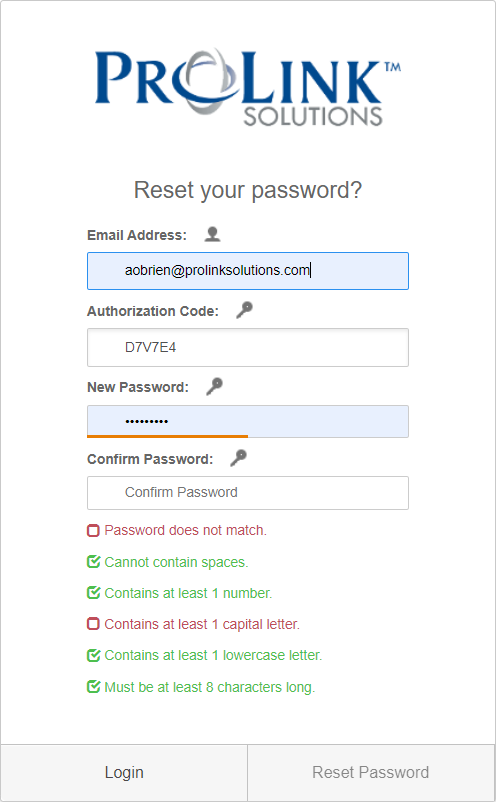
Password requirements have been updated for ProLinkAIM users as follows:
Cannot contain spaces
Contains at least 1 special character
Contains at least 1 number
Contains at least 1 capital letter
Contains at least 1 lowercase letter
Must be at least 8 characters long
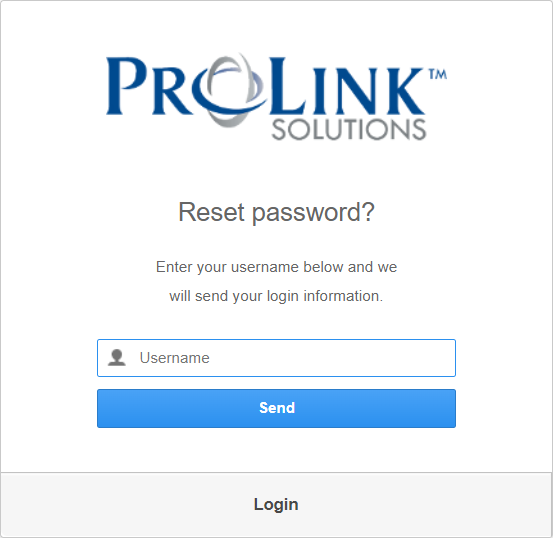
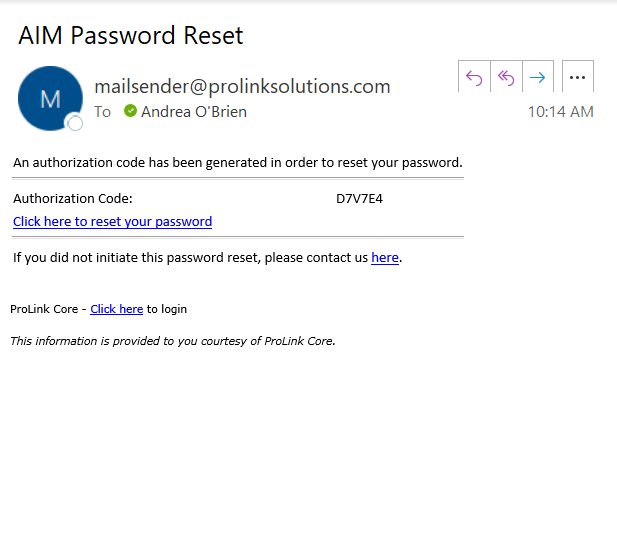
Users will be required to update their passwords to meet the new requirements. When you first log in after the update, you will be prompted to reset your password. You'll then receive an email to reset your password, which directs you to the Reset Password screen, where you can change your password to one that meets the new requirements.
In addition, the password management references of Change Password and Forgot Password have been updated to Reset Password throughout the system.
Once logged in, if you want to reset your password at a later date, the Reset Password screen provides the updated requirements.
A new configuration setting, called PasswordResetDate, allows system administrators to force users to reset their passwords at any time.
Login screen
Reset Password confirmation
Reset Password email
Reset Password form
Users whose organizations use single sign on (SSO) and/or Security Assertion Markup Language (SAML) will not be required to reset their password with the release. The exceptions are system administrators and users who choose to log in through the login screen rather than SSO.
The Help Center includes new content for functionality related to the Community Reinvestment Act (CRA).