Quarter 2, 2024 ProLinkAIM Release Notes
ProLink Solutions is pleased to announce the Quarter 2, 2024 release. You've come to the right place to review what's new as well as additional tickets delivered.
UAT Build: May 15, 2024
UAT Rebuild: June 6, 2024
Production Build: June 13, 2024
What's New
The release introduces the following new functionality.
Manage Peer Relationships
ProLink added the ability to manage business to business (or peer to peer) relationships, such as investor to broker, on Legal Entity records so organizations can more easily identify and manage these relationships.
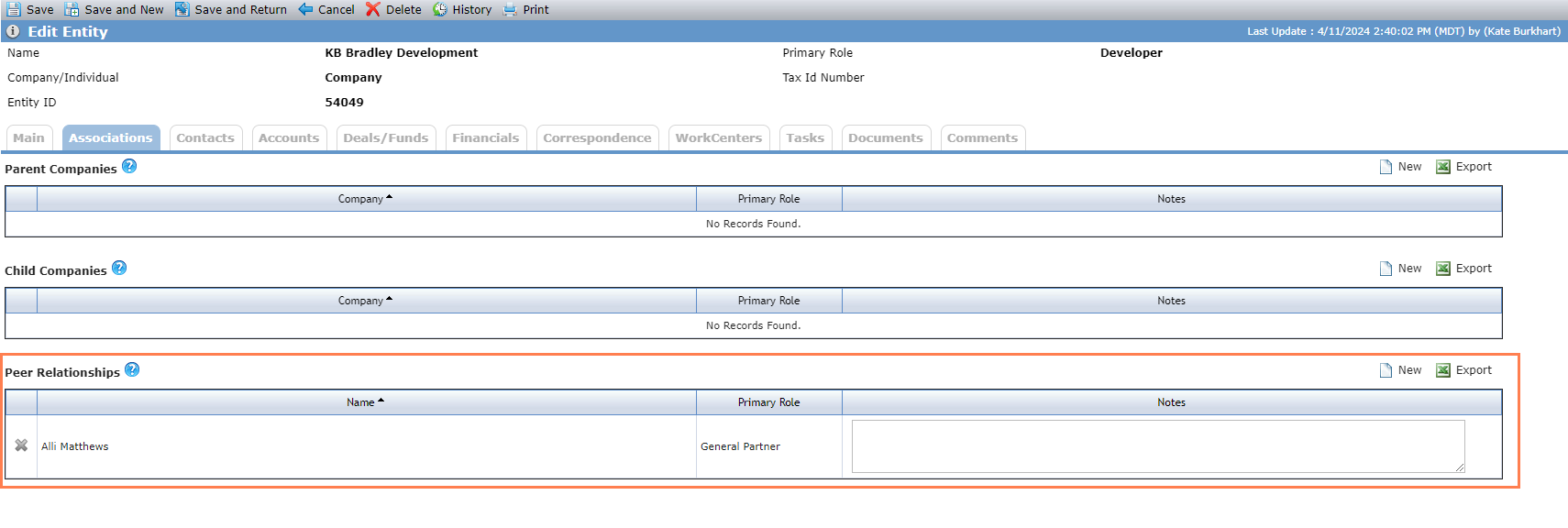
The Associations tab on the Edit Entity screen includes a new Peer Relationships grid. When you add a peer relationship to an entity, the system adds a peer relationship, with the same note if one exists, to the peer entity. Each peer relationship is distinct, which means you could add a peer relationship between two entities multiple times and each relationship record is unique.
Click New above the grid to open a popup to search for an entity or entities to add as a peer relationship.
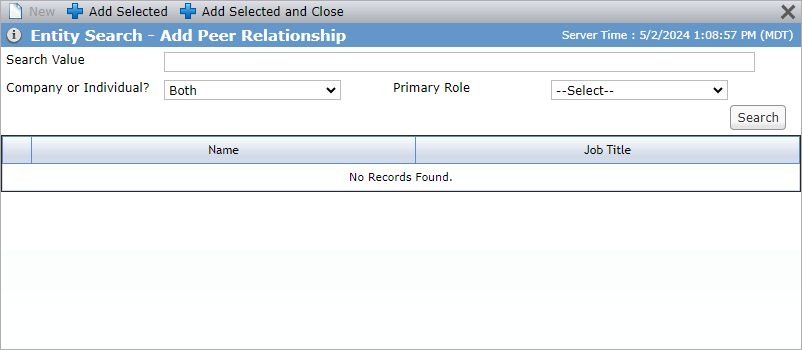
ProLink created a new Entity Peer Relationships data view so that you can view and report on these relationships across the system.
New Location for Entity Contacts
ProLink introduces a new tab on the Edit Entity screen called Contacts. The existing Contacts grid on the Associations tab is now located on the Contacts tab.
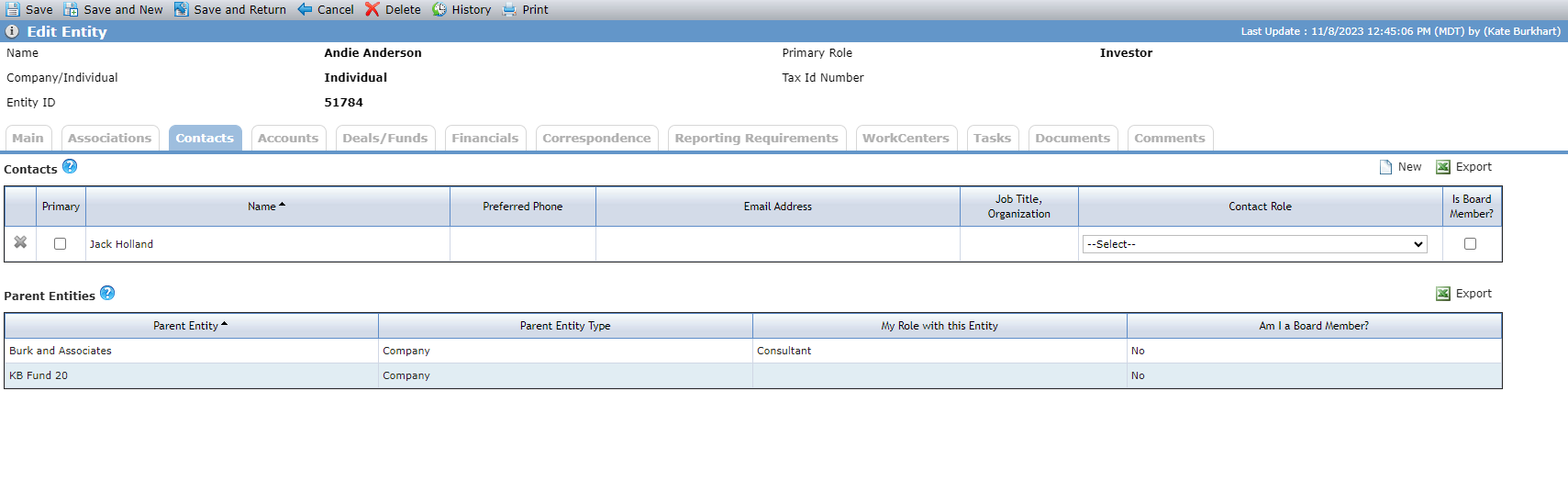
The Contacts tab also includes a new grid, called Parent Entities, which is displayed only if the current entity is an Individual. The Parent Entities grid shows entities for whom the current entity is a contact. Typically, the parent entity would be the employer of the individual.
Deal Property Latitude/Longitude Geocoding Updates
ProLinkAIM uses the Google geocoding service to return the latitude and longitude for a property address. Originally, the system displayed the latitude and longitude only if the return location type was "Rooftop." ProLink made updates so that the system displays the latitude and longitude based on the most precise return location type (Rooftop, Range_Interpolated, Geometric_Center, or Approximate).
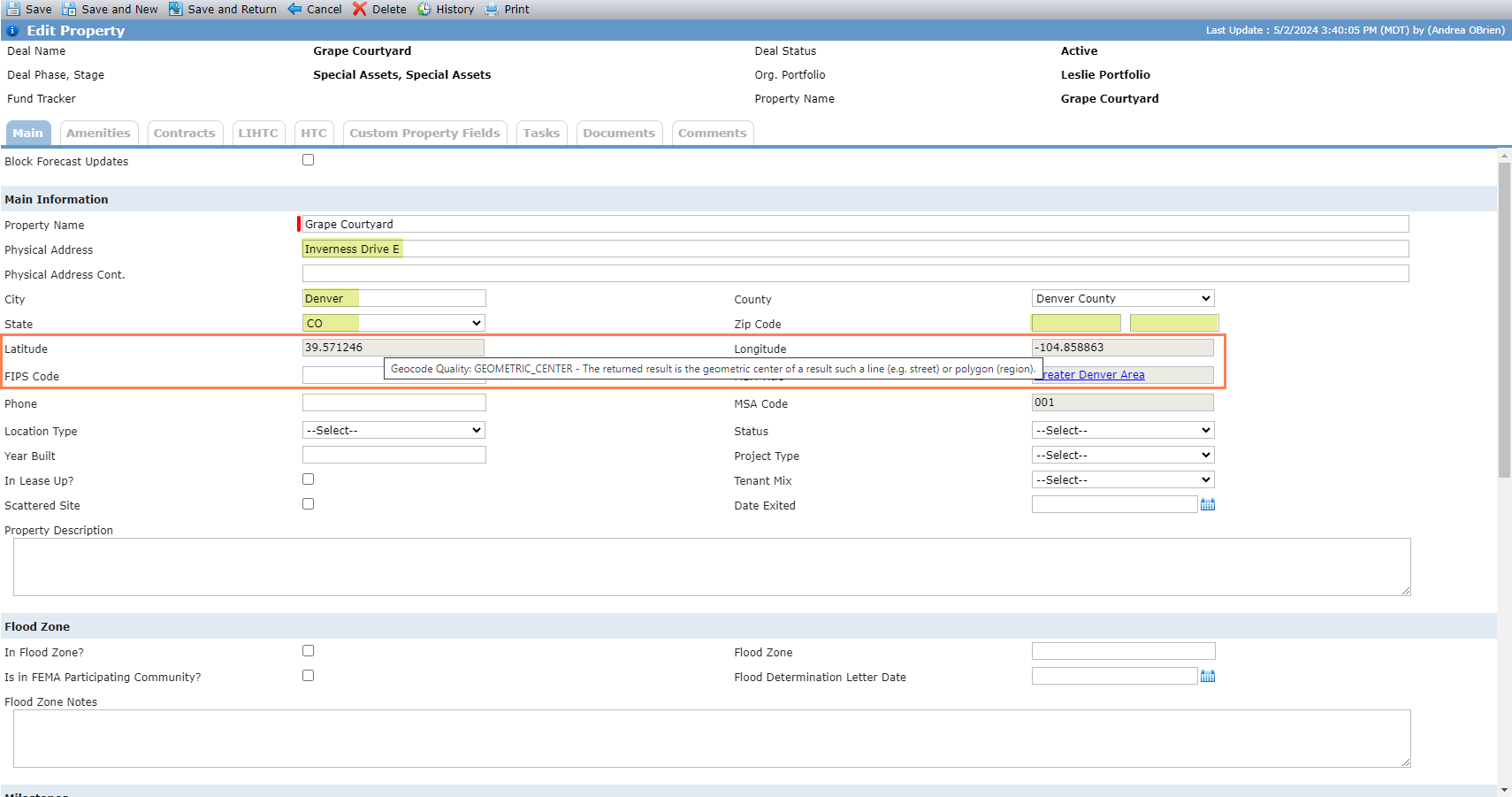
The Edit Property screen includes a new tooltip to indicate the return location type used:
Rooftop - The returned result reflects a precise geocode.
Range_Interpolated - The returned result reflects an approximation (usually on a road) interpolated between two precise points (such as intersections). Interpolated results are generally returned when rooftop geocodes are unavailable for a street address.
Geometric_Center - The returned result is the geometric center of a result such as a line (e.g., street) or polygon (region).
Approximate - The returned result is approximate.
In order for the geocode tooltip to be displayed or updated on screen, you must save the address entry and then reload the page.
Exclude Inactive Deals from the Book Value Mass Update Import Utility
ProLink added a new section to the Book Value Mass Update Import utility that allows you to exclude inactive deals from the export file.
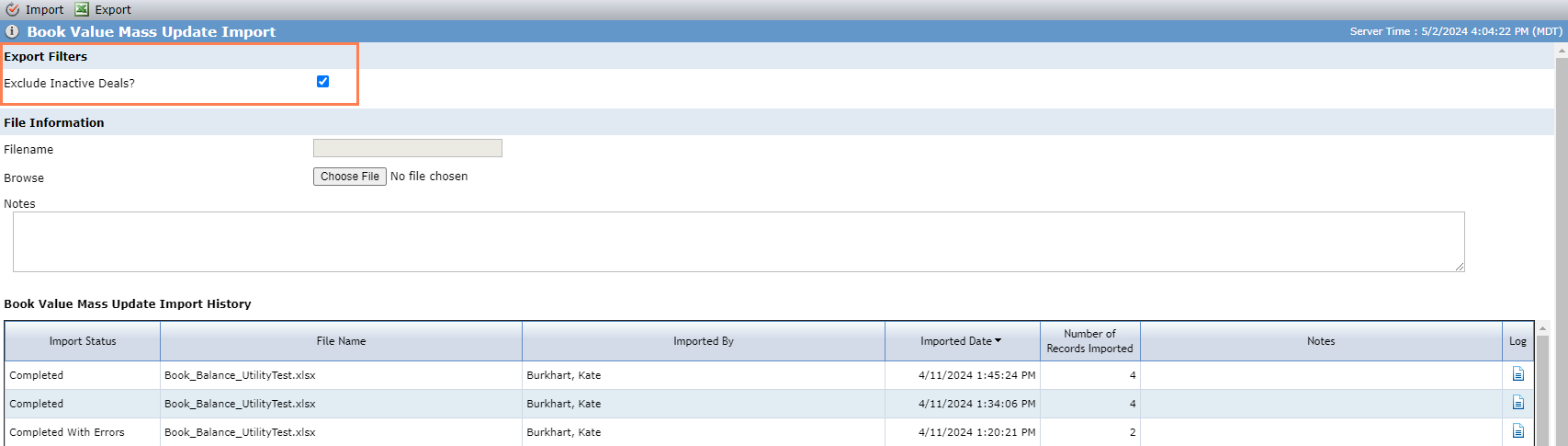
If the Exclude Inactive Deals checkbox is selected when you click Export on the screen, the system excludes any deals marked as "Inactive" on the deal (Phase/Stage/Status) from both the Projected and Actual tabs of the Microsoft Excel file.
New Field on the Insurance Data View
The Insurance data view includes a new column called Additional Insured on Policy. The field displays a comma-delimited list of all "additional insured" entities on the insurance policy that have the Additional Named Insured checkbox selected.
Tickets Delivered
The release includes the following items.
Ticket Number | Description |
|---|---|
22611 | ProLink made changes to workflow to not allow SQL Pre-filter functionality for event triggered workflows. |
N/A | In the Fund Benefits Schedule - Annual and Fund Benefits Schedule - Quarterly data views, ProLink updated the column name for the Fund Benefit schedule field to "Fund Benefits IRR" and updated the format to a percentage. Note that the column name for the Fund Details field remains "IRR." |
N/A | ProLink fixed the Fund Benefits Schedule - Annual and Fund Benefits Schedule - Quarterly data views so that the row-click functionality navigates you to the correct record. |
N/A | ProLink fixed an issue with the Fund Benefits Schedule so that export shows field values as expected and not formatting information. |
N/A | ProLink made changes to ensure correct calculations of fund-level benefits:
|
Rebuild Tickets | |
22611 | The rebuild includes the changes that ProLink made to workflow to not allow SQL Pre-filter functionality for event triggered workflows. |
22863 | ProLink added Business Unit Name to the field criteria list for workflows so that you can trigger a workflow when the Business Unit Name is modified. |
23547 | ProLink fixed an issue that prevented user defined fields (UDFs) from being updated after performing a Send action on a SmartDox template. |
23714 | ProLink updated the export to Microsoft Excel functionality for the Ownership Structure so that percent values are formatted with 4 places after the decimal and numeric values are formatted with 6 places after the decimal. |