Quarter 3, 2023 ProLinkAIM Release Notes
ProLink Solutions is pleased to announce the Quarter 3, 2023 release. You've come to the right place to review what's new as well as additional tickets delivered.
UAT Build: August 17, 2023
Production Build: September 14, 2023
What's New
The release introduces the following new functionality.
Added Sponsor Field to Data Views
The Sponsor entity that is associated to deals (Deal Entities) is now a column in the following data views:
Deals
Deal Entities
Impairments
Guarantees
Properties
Payment Allocations
Deal Capital Contributions
Deal Working Capital
The Sponsor name can be the Company Name for company entities or First Name + Last Name for individual entities.
If multiple Sponsors exist on a deal, the data view shows the Sponsor entity most recently added to the deal.
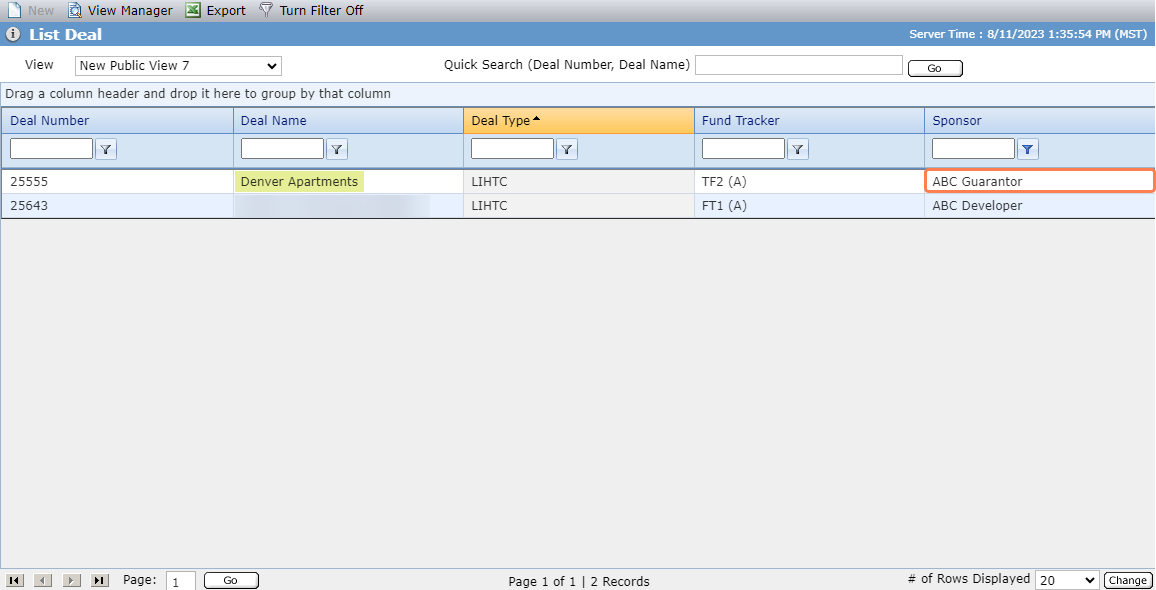
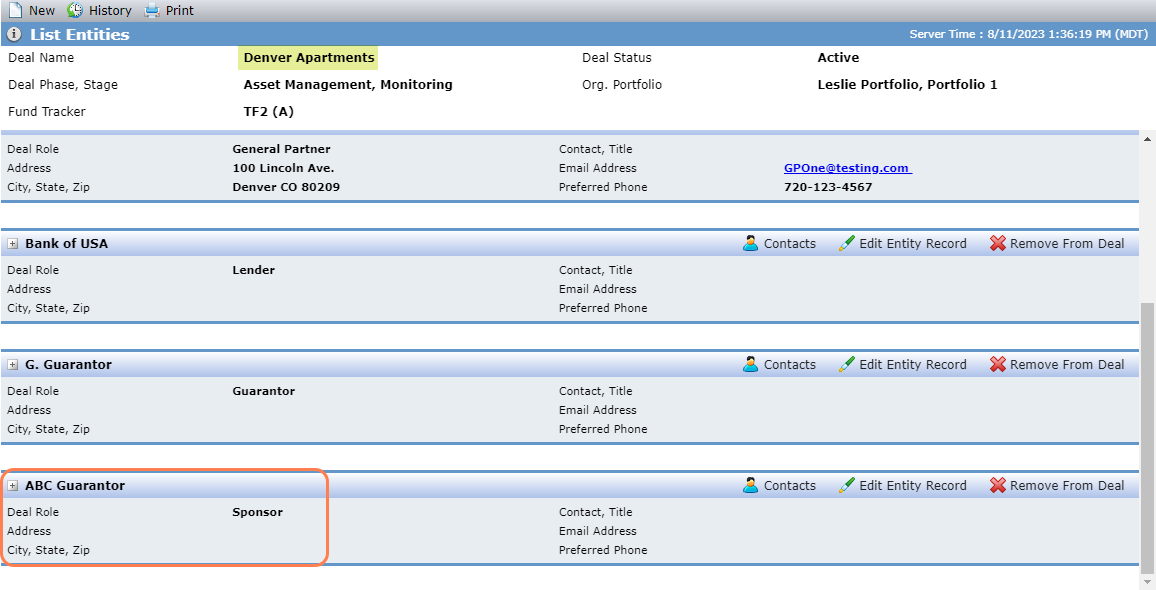
Deals Data View - Sponsor; Deal Entities - Sponsor
New Supportive Services Data View
ProLinkAIM includes a new Supportive Services data view, which allows you to see Supportive Services records across the system. (You can find Supportive Services records in the grid on the Contracts tab of the deal's Property Details.) Clicking a row in the data view navigates you to the Edit Supportive Services screen for the selected record.
Updates to the Next Scheduled Inspection Date Field in the Inspections Data View
ProLink updated how the Next Sch Inspection Date field is updated in the Inspections data view. The system updates the value in the data view field when any of the following occurs:
The inspection is created
The inspection is saved
The inspection is deleted
The Actual PISD is changed for any property on the deal
The Frequency (Deal Details - OPA tab - Inspections section) is changed
The system populates the data view value as follows:
Note
This is the same way the system populates the value in the Inspection record header.
Show the earliest Scheduled Date from all Tax Credit inspections for the deal where the Completed Date is empty; otherwise,
Note
If "Tax Credit Inspection" does not exist as a value in the PL_InspectionType picklist, then the system looks at all inspections regardless of type.
Show the latest Scheduled Date from all Tax Credit Inspections for the Deal where the Completed Date is populated + the number of months equal to the inspection frequency (Deal Details - OPA tab - Inspections section); otherwise,
+12 months if the frequency = Annual
+6 months if the frequency = Semi-Annual
+24 months if the frequency = Every 2 Years
last inspection date if frequency = Once
Show the property's Actual PISD + the number of months equal to the inspection frequency; otherwise,
Blank (no Next Sch Inspection Date)
More Details Available for Configuration Settings
The Edit Configuration Setting screen includes a new Description field, which can be used to provide more information about a particular configuration setting. The field is read-only and can by updated by ProLink.
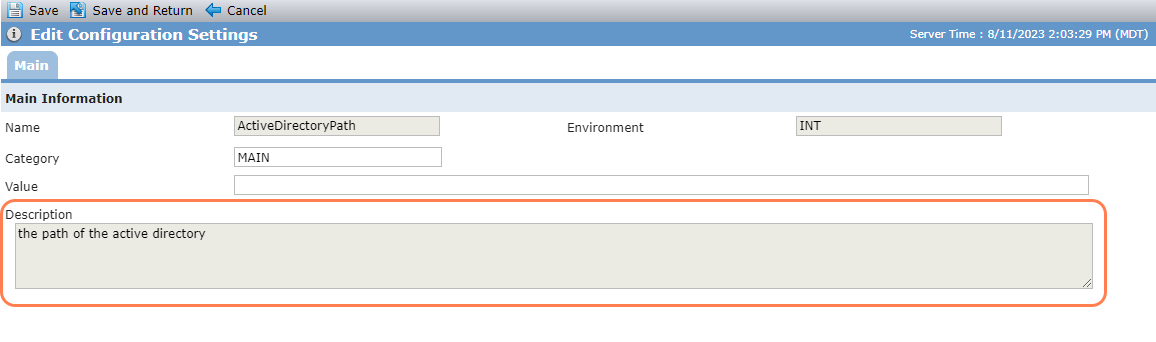
If you would like to see the field as a default column on the data view list screen, you can change the columns in the View Manager, or the system administrator can change the default columns for the default view for all users in Data Views Admin.
Tickets Delivered
The release includes the following items.
Ticket Number | Description |
|---|---|
21723 | ProLink made changes so that the Assessment Area ID is displayed correctly in the ID column on the Bank CRA Assessment Areas screen. |
21728 | ProLink fixed an issue so that the Total Calculated Adjuster amount appears on the Adjusters screen as expected, whether you select All Owners or an individual owner. As a result, the correct value flows to the GL Extract. |
21729 | The Deal object includes a new field, Total OPA commitment Forecast Amount, which can be used in workflow. |