Quarter 2, 2022 ProLinkAIM Release Notes
ProLink Solutions is pleased to announce the Quarter 2, 2022 release. You've come to the right place to review what's new as well as additional tickets delivered.
UAT Build: May 19, 2022
Production Build: June 16, 2022
What's New
The release introduces the following new functionality.
This section describes updates to deal-related functionality.
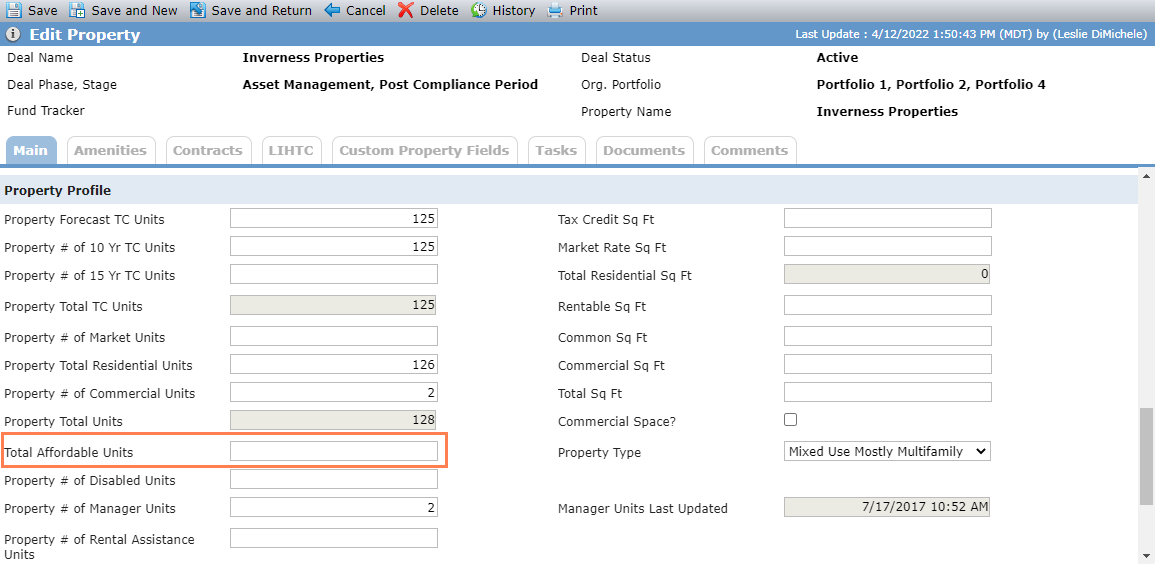
New Total Affordable Units Field
The Property Profile section of the Edit Property screen includes a new field called Total Affordable Units, which allows you to capture the property's total number of affordable units. The field has been added to the Properties data view, workflow, and SmartDox (Deal>Properties, Fund All Deals > All Lower Tier Deals > Properties, Financials > Properties, Financial Forecast > Properties, Organizational Portfolio > Deals > Properties).
Debt Financing Updates
ProLink made a number of changes related to debt and financial records.
The following changes are available to all customers.
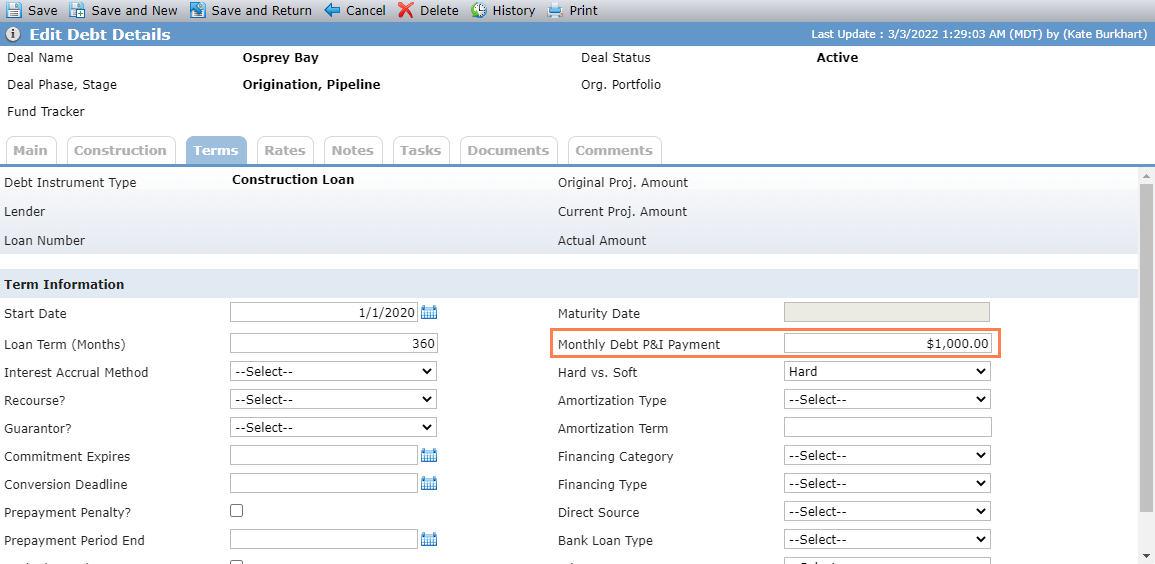
The Edit Debt Details screen - Terms tab includes a new field called Monthly Debt P&I Payment. The field is also available through the Debt Instruments data view, workflow, and SmartDox (Debt Instruments node of the Deal schema).
The following changes are available to your organization only if ProLink has configured your environments to support these changes. Please contact ProLink Support or your ProLink representative for more information.
A new non-system income statement line item is available to capture Monthly Debt P&I. This line item will be populated on new income statements if the Monthly Debt P&I Payment field (described above) is populated on the Edit Debt Details screen. The category for this new line item is Total Hard Debt.
A new non-system income statement line item is available to capture Total Mortgage Interest Expense. The category is Total Soft Debt.
Three new non-system income statement line items are available to capture adjustments: Adjustment 1, Adjustment 2, and Adjustment 3. The category is Total Cash Flow Adjustments.
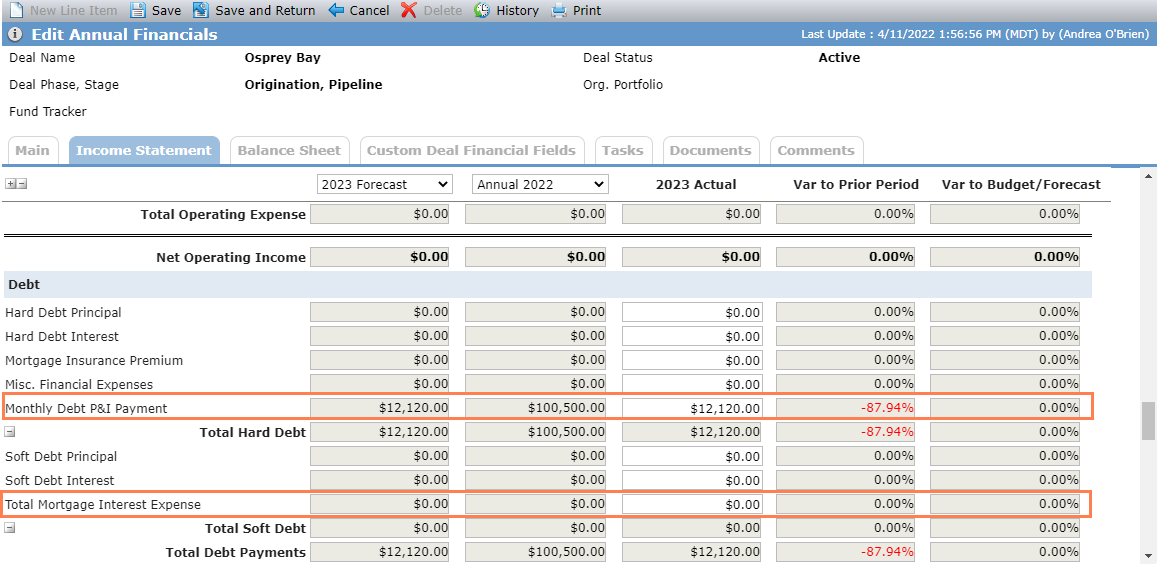
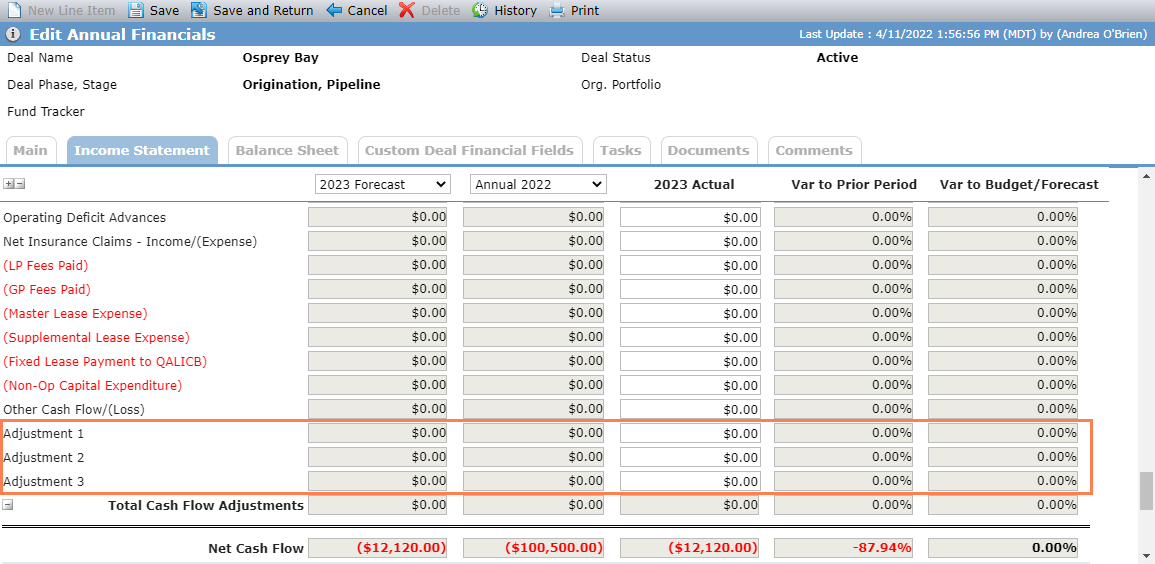
New income statement line items
The DSCR calculation* has been updated to:
(NOI w/ Cash Flow Adjustments - Required Replacement Reserve Deposits)
/ Monthly Debt P&I Payment
= Debt Service Coverage Ratio
* The change is available to your organization only if ProLink has configured your environment to support it.
ProLinkAIM Financials includes a new metric called NOI w/Cash Flow Adjustments. The calculation for this metric is as follows:
Net Income/(Loss) (subtotal)
+ Amoratization/Depreciation (line item)
+ Partnership Fees (line item)
+ Adjustment 1 (line item)
+ Adjustment 2 (line item)
+ Adjustment 3 (line item)
+ Total Mortgage Interest Expense
= NOI w/Cash Flow Adjustments
The Property Cash Flow metric is another new metric, calculated as follows:
NOI w/Cash Flow Adjustments
- Monthly Debt P&I Payment
- Required Replacement Reserve Deposits
= Property Cash Flow
ProLink updated multiple ProLink SmartDox schemas to support these changes. In addition, we updated data views to include the new fields/metrics as outlined in the table below.
New Field/Metric | Data View |
|---|---|
Monthly Debt P&I Payment | Debt Instrument Financials Annuals Financials Periodic Financials Budget |
NOI w/Cash Flow Adjustments | Financials Annuals* Financials Periodic* Financials Budget* |
Property Cash Flow | Financials Annuals* Financials Periodic* Financials Budget* |
Total Mortgage Interest Expense | |
Adjustment 1 Adjustment 2 Adjustment 3 | |
* The changes are available to your organization only if ProLink has configured your environment to support them. | |
Tax Form Updates
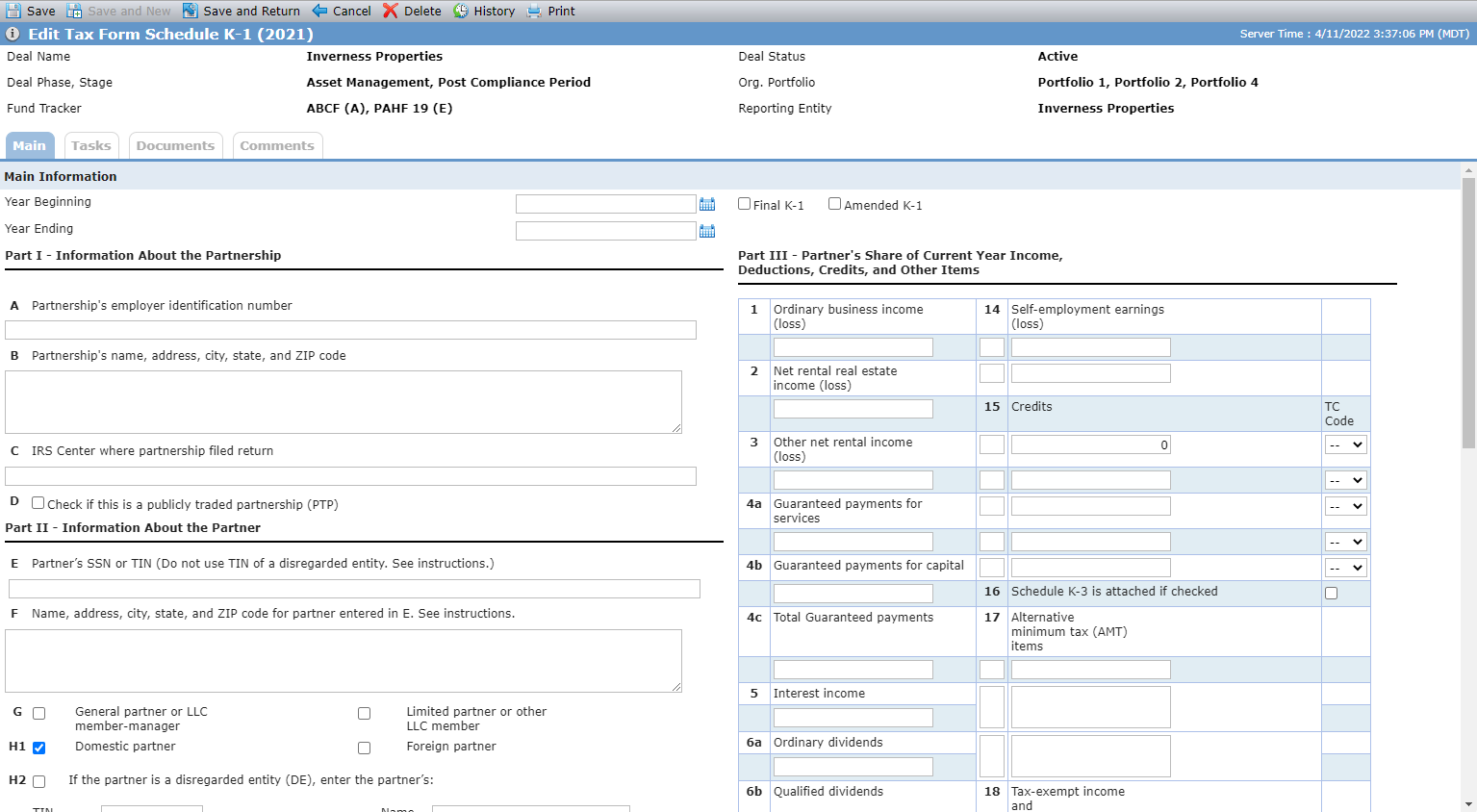
The K-1 Tax Form in ProLinkAIM now includes the version for tax year 2021.
The Associations tab on the Edit Entity screen now more clearly displays entity relationships by splitting the information into three grids:
Parent Companies
Child Companies
Contacts
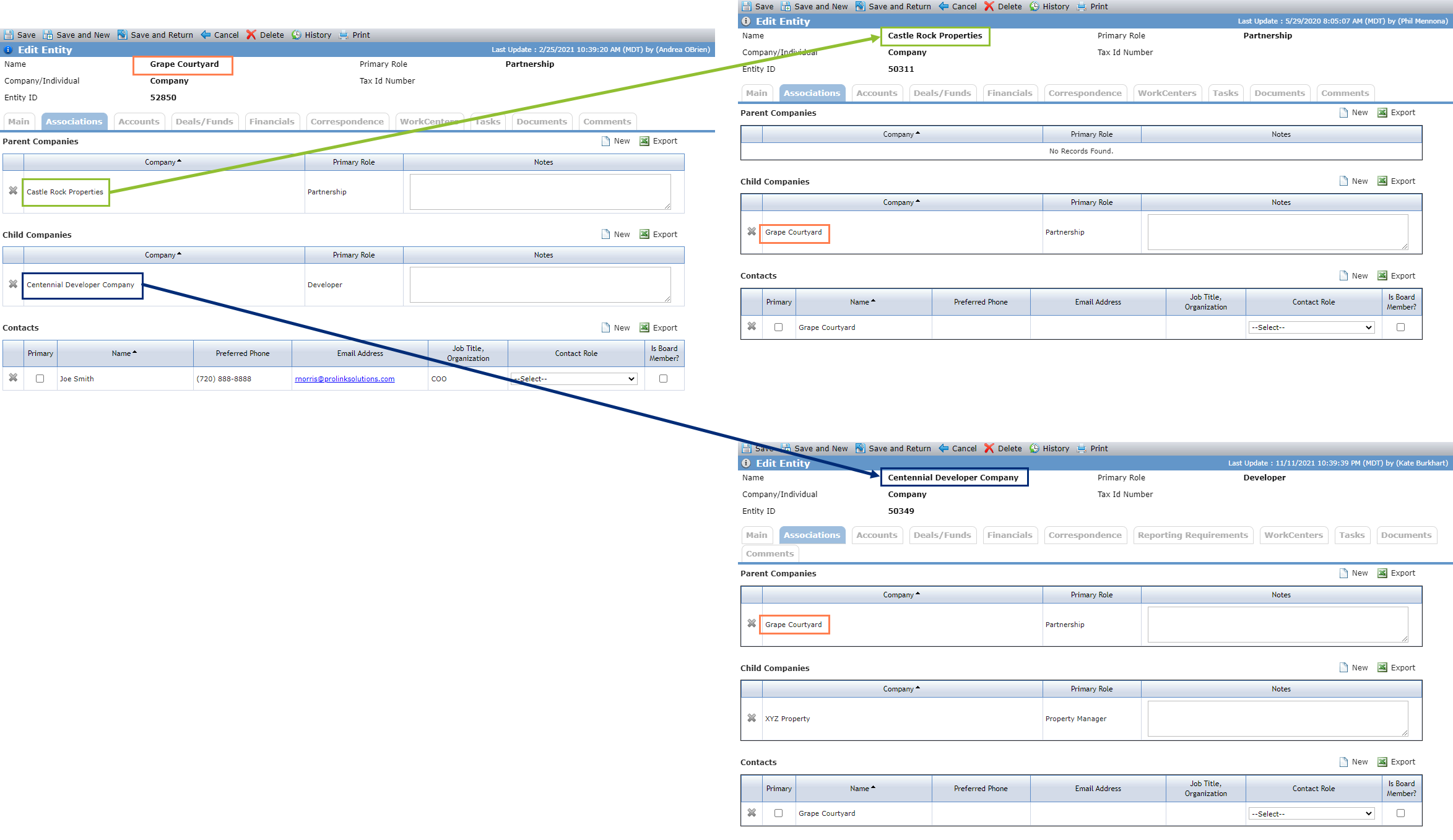
You can click the row of an associated entity to navigate to the Main tab of the Edit Entity screen for the selected entity. ProLinkAIM automatically displays the parent/child relationships from the Edit Entity Associations tab on all associated entities.
ProLink will update existing entity company associations as follows:
If the associated company has the Parent checkbox selected, then it will be updated to a parent company and displayed in the Parent Companies grid on the Associations tab of the Edit Entity screen.
If the associated company does not have the Parent checkbox selected, then it will be updated to a child company and displayed in the Child Companies grid on the Associations tab of the Edit Entity screen.
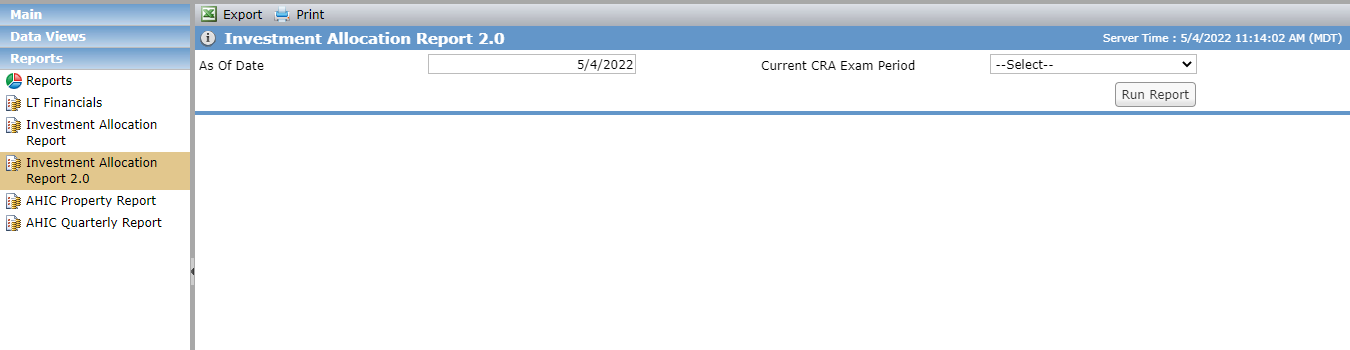
ProLink added a new version of the Investment Allocation Report ("2.0"), with the following differences from the existing report:
The following columns are removed: Cnt (Column D on existing report), Commitment Date, Cnt (Column F on existing report), Cnt (Column H on existing report), LIHTC Units, LIHTC Curr, LIHTC Prior, Cnt (Column S on existing report).
The Investment Claimed column is renamed to CRA Credit Amount.
The Prior column is renamed to Prior Period Amount.
The Current column is renamed to Current Period Amount.
The Period column is renamed to Exam Period.
The Name column is renamed to Property Name.
The Program column is renamed to Program (Investment Type).
The Unfunded (property) column is renamed to Unfunded.
The following columns are added: AIM Deal Number, AIM Deal Name, Partnership Name, Origination Date, Street Address, Zip Code, Community Development Purpose/Category, Total Housing Unit Count, Affordable Unit Count, CRA Qualifying Description.
No changes were made to the existing Investment Allocation Report.
This section describes admin-related updates.
Picklist Updates
We made the following picklist changes:
The PL_LegalEntityType system picklist has been updated to include "Investor Member."
The PL_LegalEntityContactRole system picklist has been updated to include "GP Tax and Audit Contact."
User Defined Field Updates
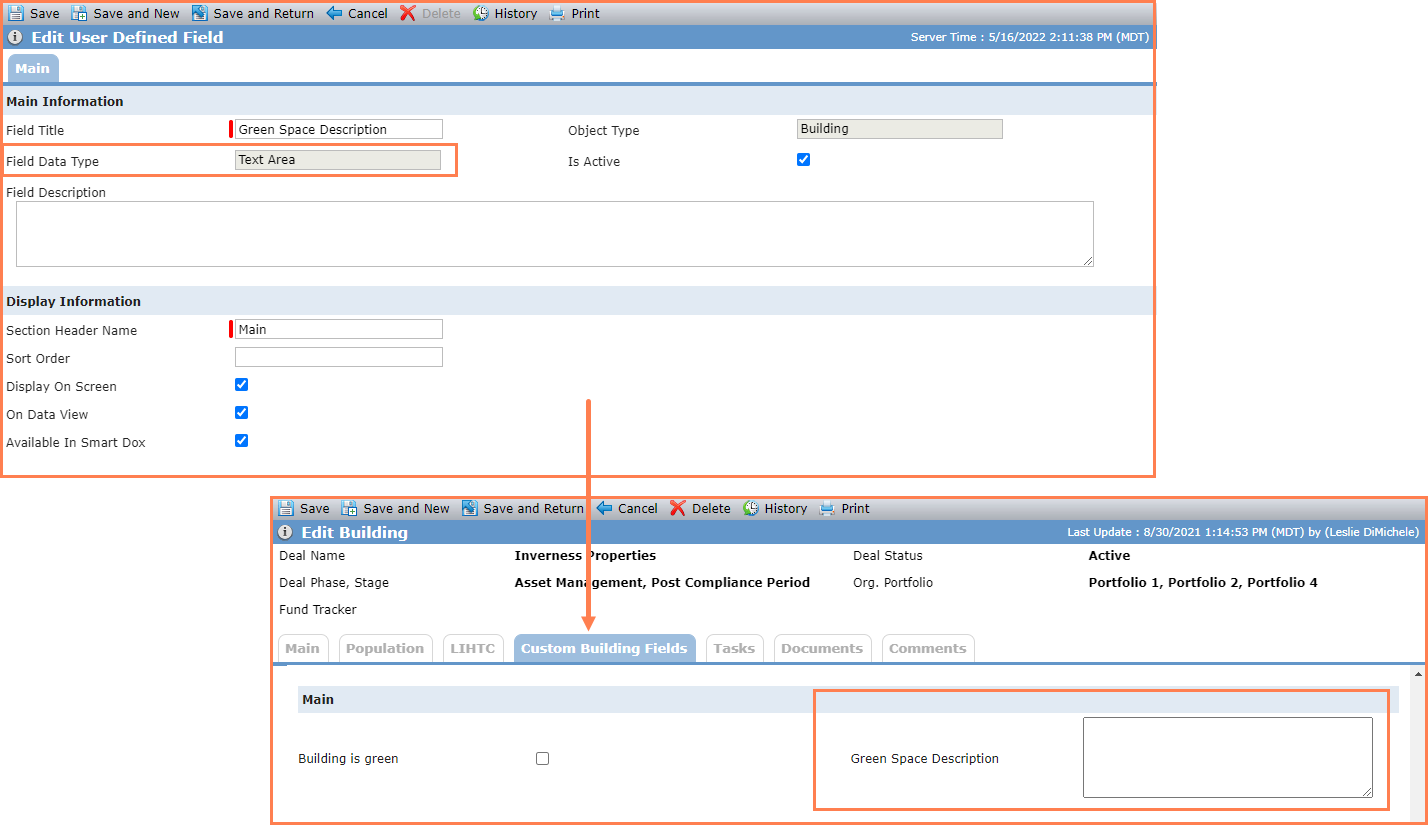
You can now create user defined fields (UDFs) that can be used to capture larger amounts of text. By creating a UDF with a Field Data Type of Text Area, you can create a custom field that allows up to 5,000 characters to be saved. Users will be able to resize the text area by dragging the lower right corner. In addition, SmartDox supports the new UDF Text Area data type.
The Help Center includes new content:
Tickets Delivered
The release includes the following items.
Ticket Number | Description |
|---|---|
8829 | We fixed an issue so that bullet list formatting is applied correctly to comments. |
16297 | The SmartDox behavior for the # of Lease Up Years field in the Financial Forecast schema and Deal schema has been updated to trigger on Send and Both. In addition, the system now correctly creates Occupancy records when you perform a SmartDox Send to create Lease Up records. |
16955 | The Reserve Transactions grid is now sorted by Transaction Date in ascending order (newest record first). |
16999 | We fixed an issue that caused the system to clear checkboxes on the Deal Details Exclusions tab even though the selections were saved in the database. |
17074 | Version A of the Property Overview Quarterly Report now considers the property Replacement Reserve amount in the Net Cash Flow calculation so that the Selected Month/Year and Selected Month/Prior Year values are reported correctly. (Net Cash Flow = NOI - Debt Service - Replacement Reserve.) |
17077 | The Deal Status column in the Deal grid on the Deals/Funds tab of the Edit Entity screen now correctly shows the Deal Status (Active or Inactive) instead of the Deal Stage. |
N/A | We updated Version A of the Property Overview Quarterly Report so that the report shows $0.00 (instead of blank) if no Unfunded Equity value exists. |