Quarter 4, 2023 ProLinkAIM Release Notes
ProLink Solutions is pleased to announce the Quarter 4, 2023 release. You've come to the right place to review what's new as well as additional tickets delivered.
UAT Build: November 16, 2023
Production Build: December 14, 2023
What's New
The release introduces the following new functionality.
New Adjuster Types
ProLink announces two new adjuster types: Amended Return (AAR) Adjuster and Depreciation Adjuster.
New security privileges are associated with the new adjuster types:
Deal Adjusters - Manual Adjusters - Modify
Deal Adjusters - Manual Adjusters - Delete
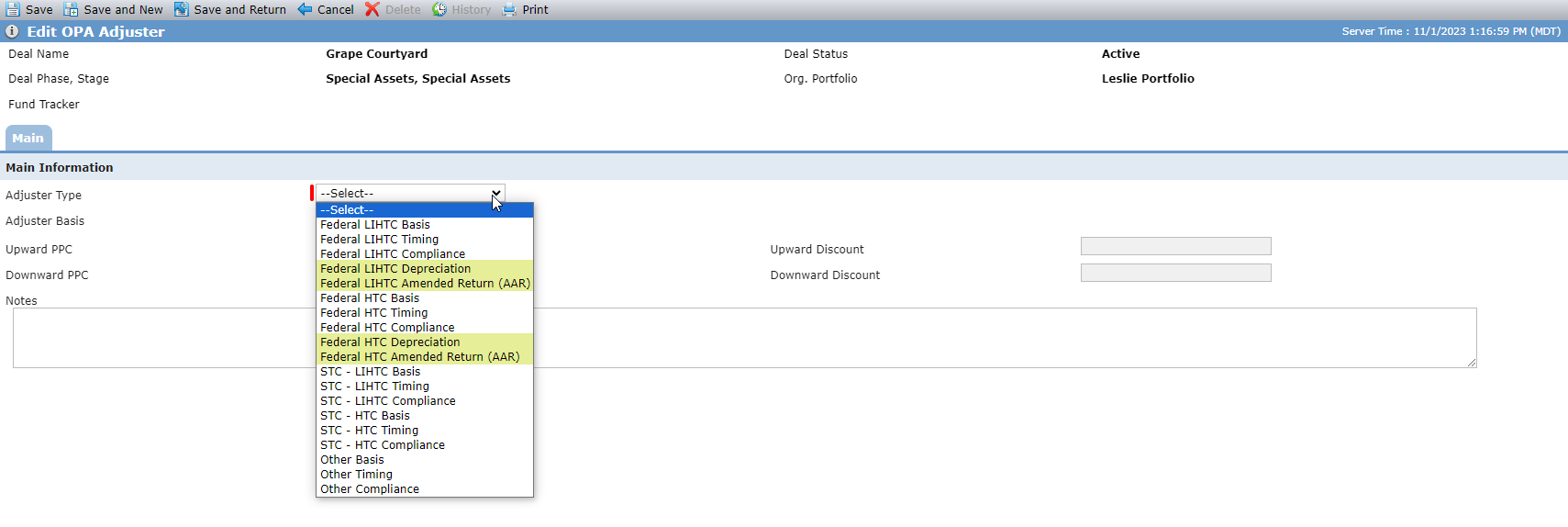
On the Edit OPA Adjuster screen (Deal Details - OPA tab), you can select the following new values in the Adjuster Type list (PL_AdjusterType):
Federal LIHTC Depreciation
Federal LIHTC Amended Return (AAR)
Federal HTC Depreciation
Federal HTC Amended Return (AAR)
Note
The system does not display the Year field when you select a new adjuster type (not timing based adjusters).
Only one of each type of these adjusters can be defined for a deal. The Adjusters grid displays the new adjuster types similarly to other adjuster types.

On the Adjusters screen, for the LIHTC Tax Credit and HTC Tax Credit grids, there is a new Add Manual Adjuster button. The button is available if you have the Deal Adjusters - Manual Adjusters - Modify security privilege and if the corresponding adjuster exists on the deal OPA (Federal LIHTC Depreciation or Federal LIHTC Amended Return [AAR] for LIHTC; Federal HTC Depreciation or Federal HTC Amended Return [AAR]).
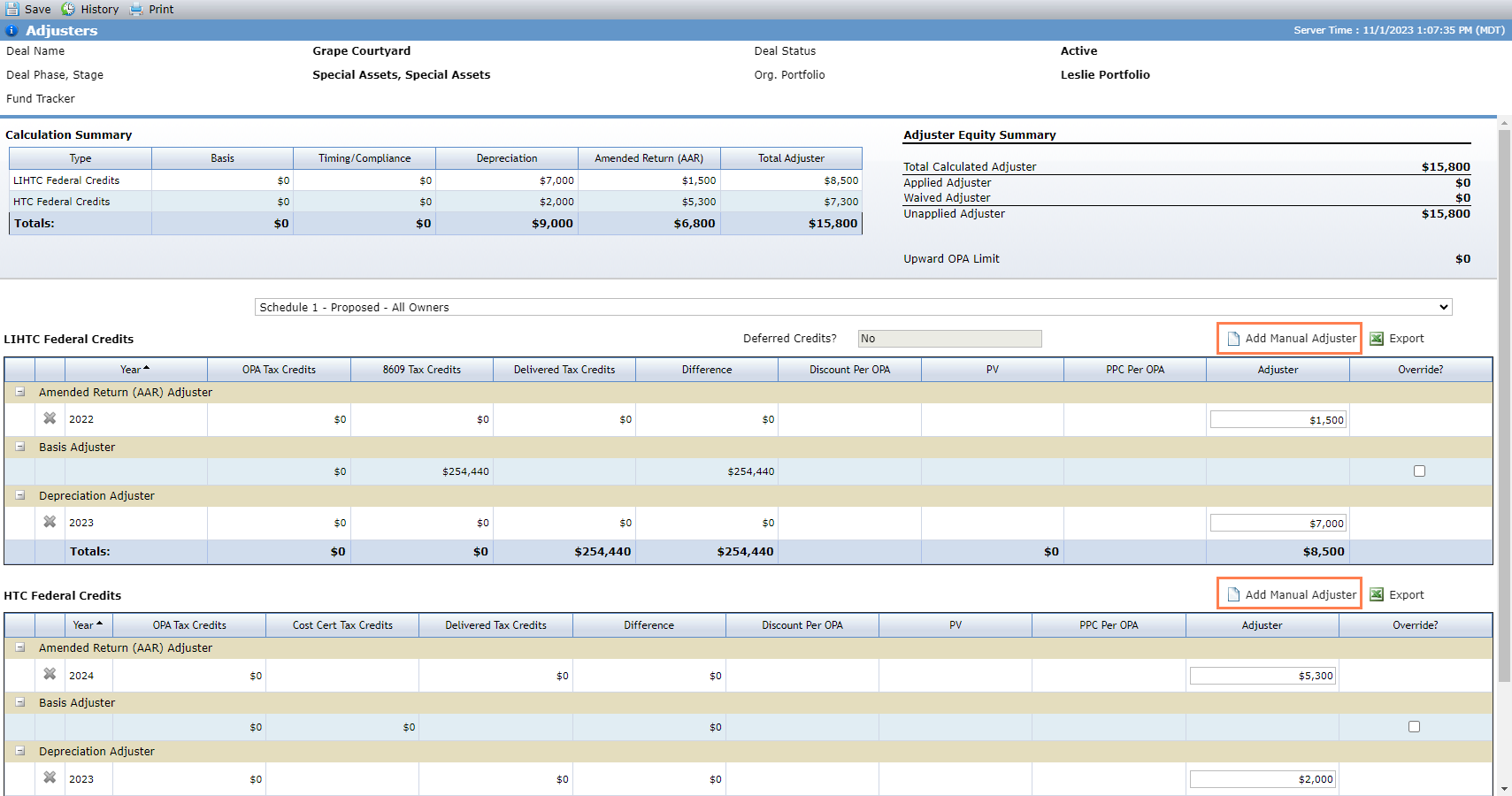
The button opens a new popup, which allows you to specify one of the new adjuster types, the year, and amount.
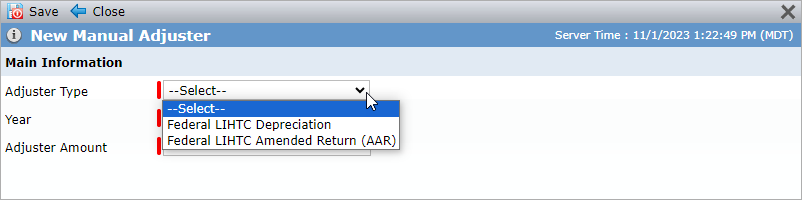
The Calculation Summary section on the Adjusters screen includes new columns for Depreciation and Amended Return (AAR) so that you can see:
The total of all LIHTC deprecation adjusters entered for any year
The total of all all LIHTC AAR adjusters entered for any year
The total of all HTC depreciation adjusters entered for any year
The total of all HTC AAR adjusters entered for any year
The total of all LIHTC Federal Credits adjuster amounts for all adjusters
The total of all HTC Federal Credits adjuster amounts for all adjusters
The total of all LIHTC and HTC Depreciation adjusters for all years
The total of all LIHTC and HTC Amended Return (AAR) adjusters for all years
The Adjuster Equity Summary calculations include the new adjuster types.
When you select a specific owner, for depreciation and AAR adjusters, the system uses the selected owner's defined admission and exit dates to determine when to calculate (that is, which years, including partial years).
If there is no overlap (the end of the Year is before the Owner’s Admission Date or the beginning of the Year is after the Owner’s Exit Date), the system will display $0 for columns (OPA Tax Credits, 8609 Tax Credits, Delivered Tax Credits, Difference, and Adjuster amount) for that Year for that owner.
If the entire Year is within the ownership period, the full amount for the Year will be used in the calculation.
If part of the Year overlaps the ownership period, the system will pro-rate the amount by multiplying it by the quotient of (# of days of overlap / number of days in the Benefit Year). For example, if the Benefit Year runs from 4/1/2014–12/31/2014, the system uses 275 instead of 365.
When you add a new manual adjuster, the system validates that the year is valid. If all owners are exited, the system requires that the year is less than or equal to the max exit year. If all owners are not exited, then the system requires that the year is in the future and greater than or equal to the earliest admission year in the finalized schedule.
ProLink also added new validation to the Ownership Structure screen. If you enter an exit date for an owner and finalize a proposed ownership schedule, and if the result will be that all owners have an exit date, then the system presents an error if a manual adjuster exists with a year greater than the new exit date.
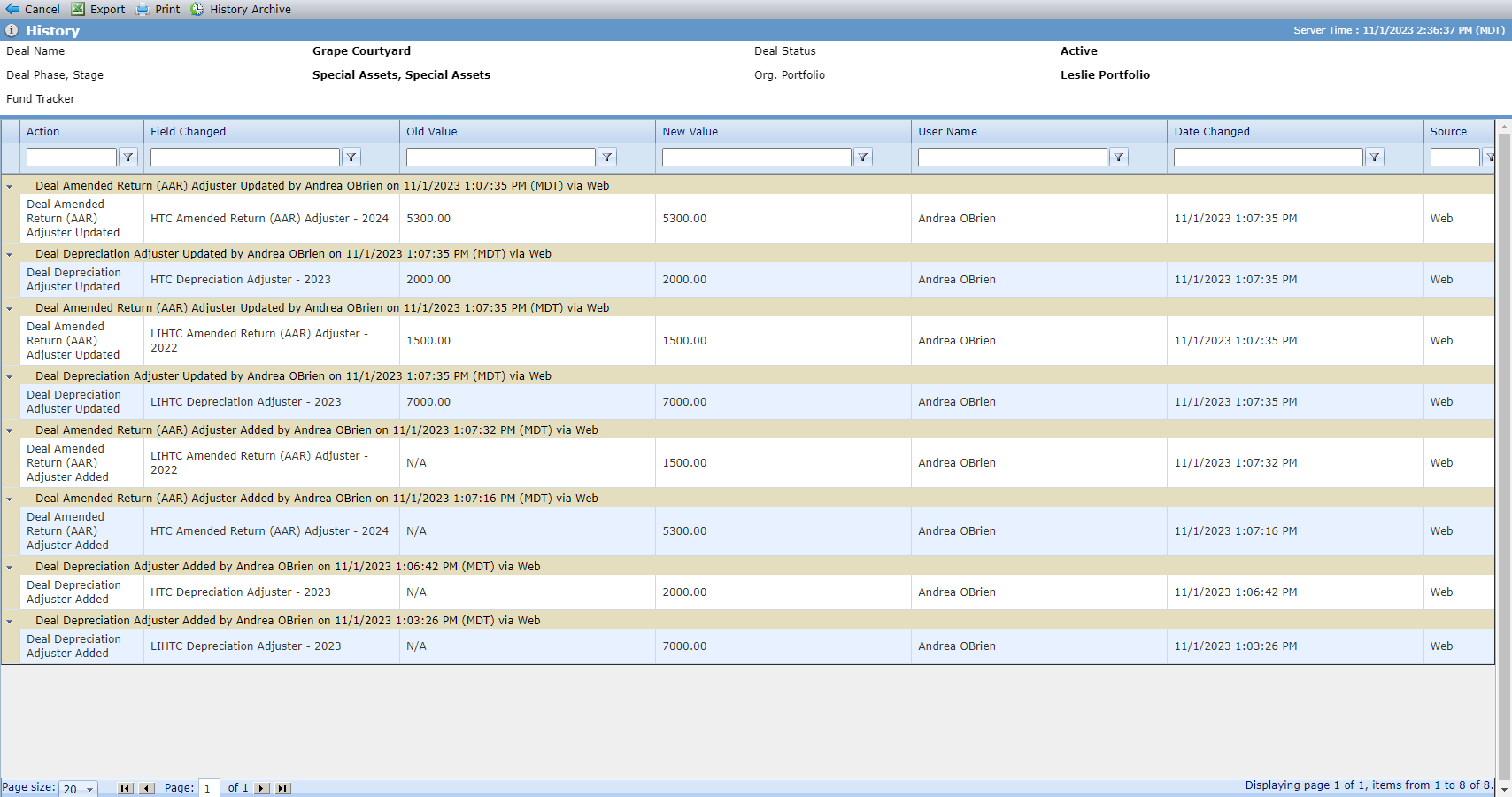
The Adjusters History screen captures the details about new adjuster types.
ProLink updated the Adjuster data view as follows:
The existing Type field includes both Depreciation and Amended Return (AAR) adjusters.
The existing Year field includes the year for both Depreciation and Amended Return (AAR) adjusters.
The existing Adjuster field includes the adjuster amount for both Depreciation and Amended Return (AAR) adjusters.
The existing Override field displays "False" for both Depreciation and Amended Return (AAR) adjusters.
For the existing Total Calculated Adjusters field, the calculation now includes both Depreciation and Amended Return (AAR) adjusters.
The Total Calculated Adjusters column is renamed to Owner Calculated Adjusters.
Note
Records only appear in the Adjusters data view for owner entities in finalized ownership structures.
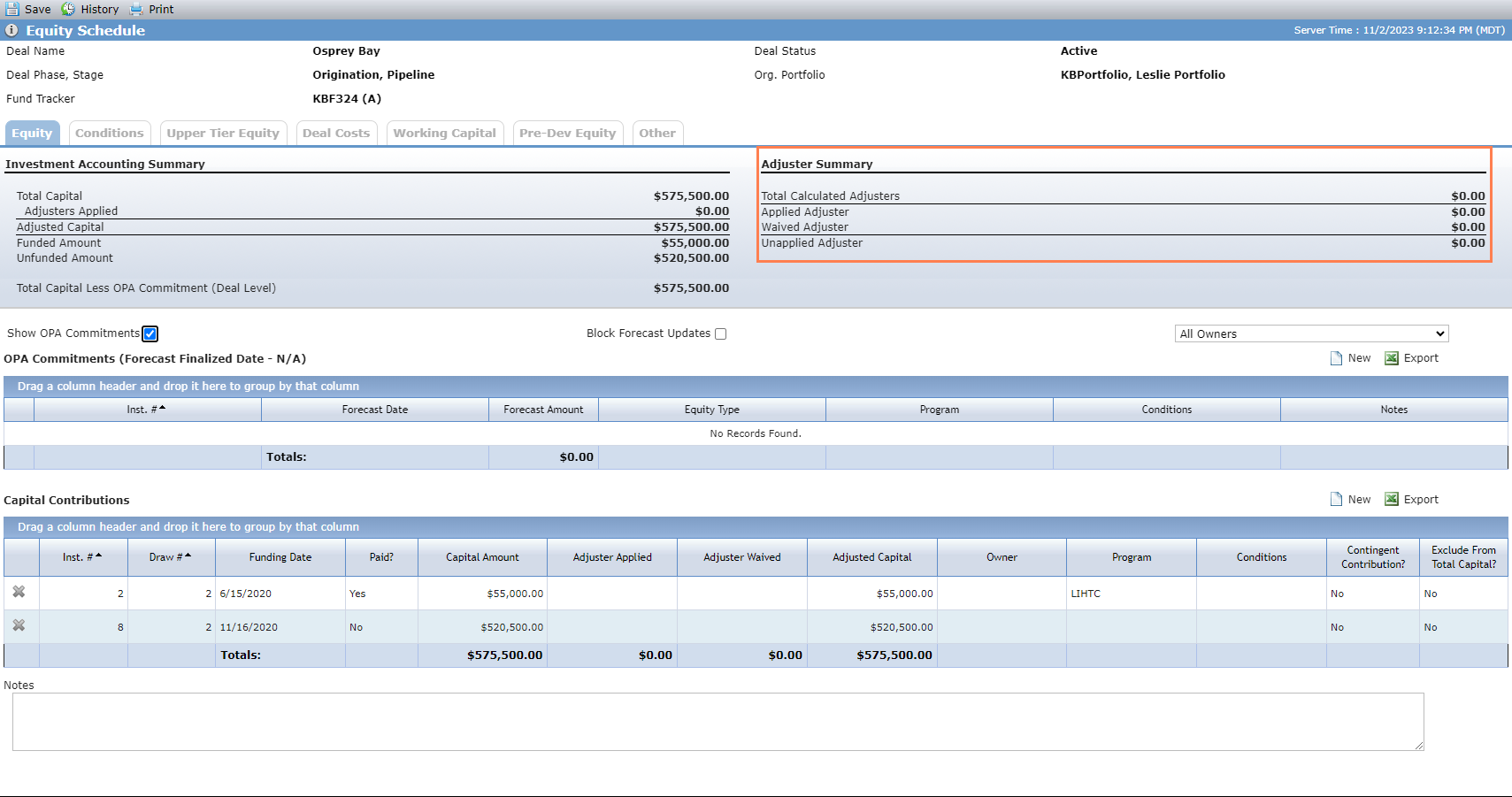
In addition, ProLink updated the Adjuster Summary section of the Equity Schedule on the Equity screen so that calculations include the new adjuster types.
Deal Role Additions
The PL_DealRole picklist now includes Insurance Analyst and Lease Up Specialist values. As a result, you can select these values in the Role list in the Assign User popup for a deal and in the User Role list in the grid on the deal Assigned User screen.
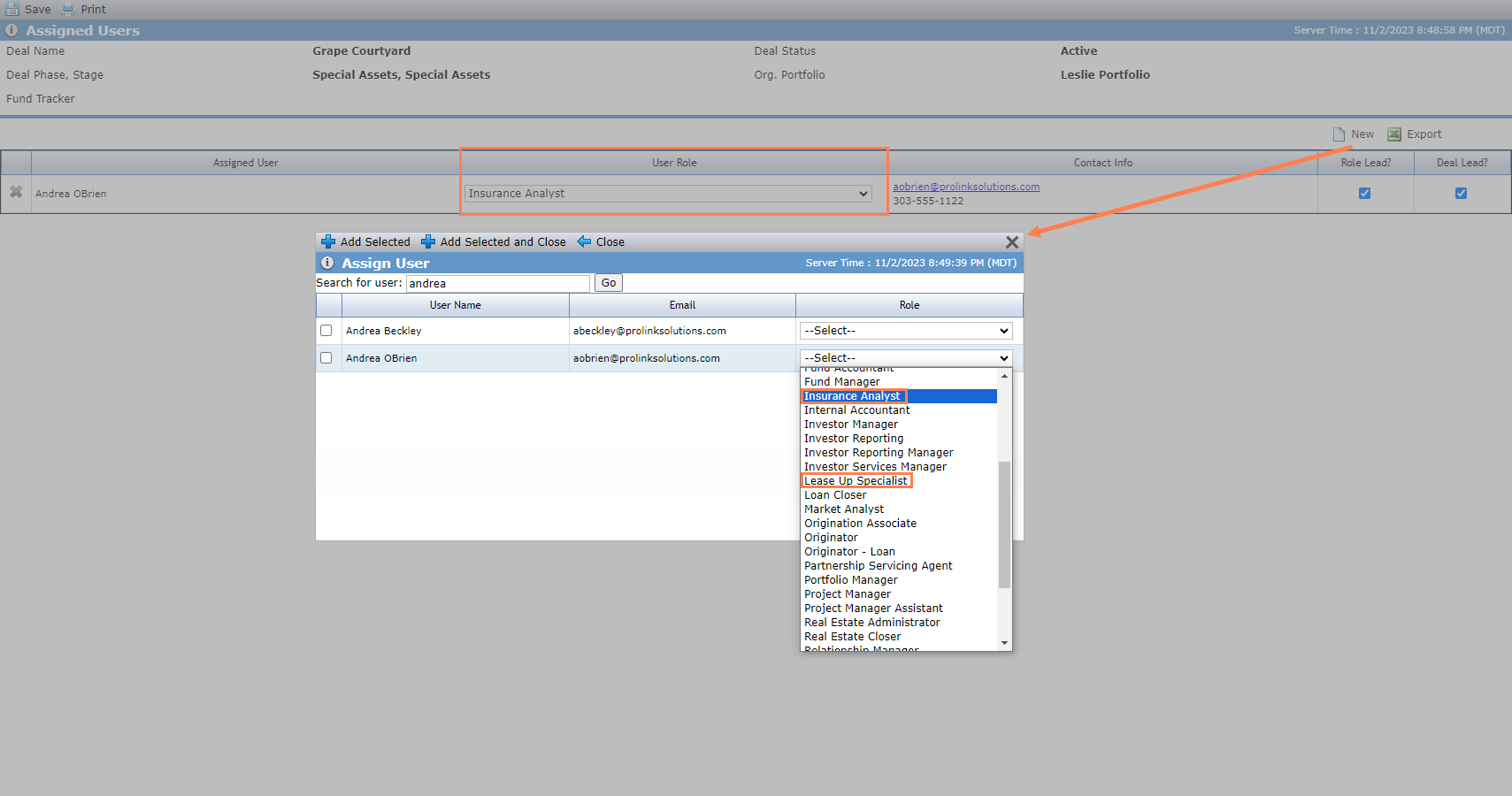
The Insurance data view includes a new available column, called Insurance Analyst, which is populated with the name of the Assigned User for the deal when the User Role = Insurance Analyst and Role Lead = True.
The Deal, Occupancy, and Properties data view includes a new available column, called Lease Up Specialist, which is populated with the name of the Assigned User for the deal when the User Role = Lease Up Specialist and Role Lead = True.
Deal Number in My Deals
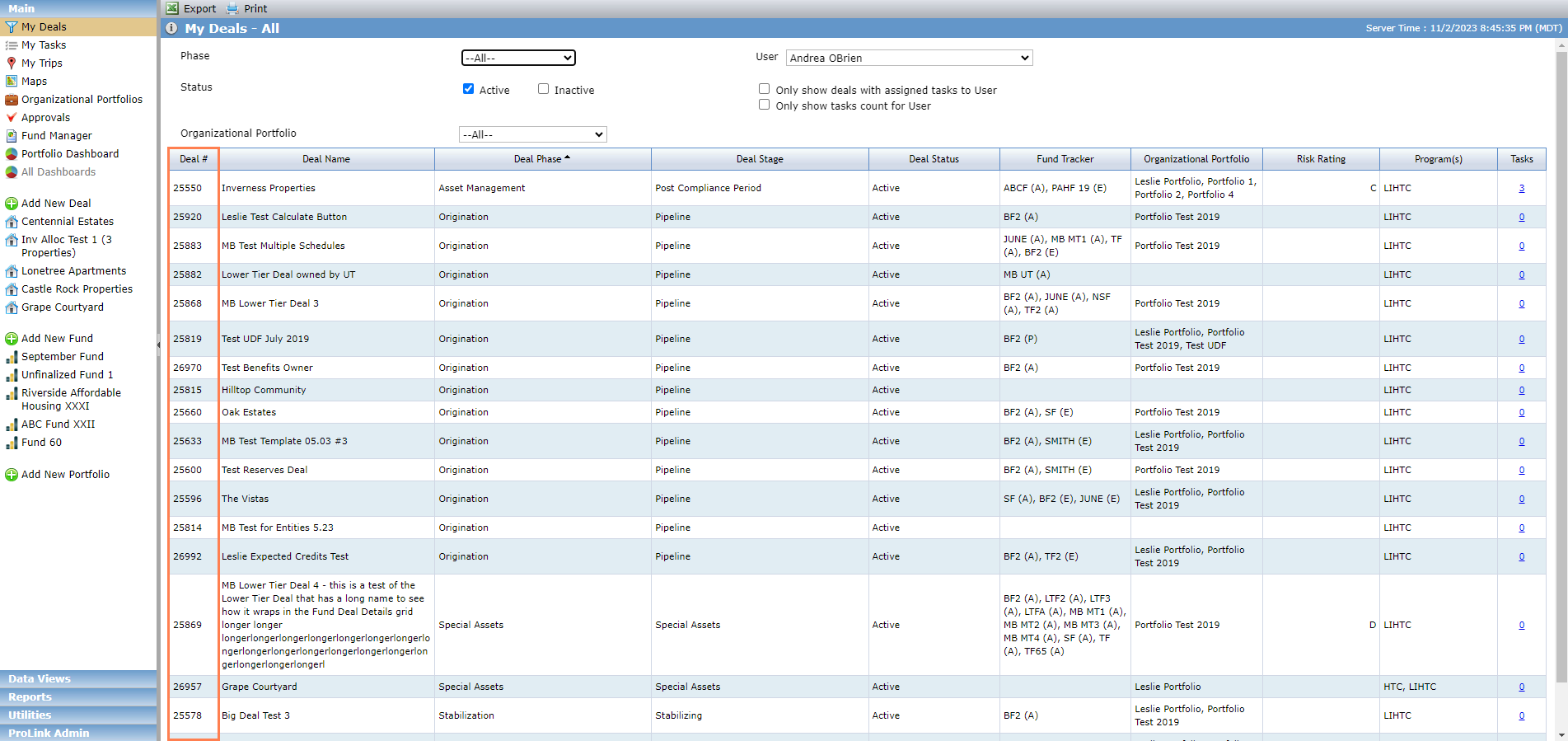
The My Deals screen includes a new column called Deal #, which displays the Deal ID for the deal.
Deal Details OPA Insurance Field Updates
ProLink updated the following fields on the OPA tab of the Deal Details screen to be varchar format (instead of decimal) to match the corresponding fields on the Insurance record:
Per Occurrence Limit
Deductible
We also updated the SmartDox Deal and Organizational Portfolio schemas to accommodate the format changes.
Data View Updates
The Deals data view and Committee Reviews data view now include Property County as an available column. If multiple properties are present, then the column displays "Multiple."
ProLink added a new Deals-level data view called Deal Status History Dates, which allows you to see the Deal Status History Type, Deal Status History Effective Date, Deal Status History Estimated Date, and Deal Status History Signed Date for deals across the system. Clicking a row in the data view navigates you to the Edit Deal screen for the corresponding deal.
Bank CRA Assessment Area Updates
When you change the sort order on the Assessment Areas grid on the Edit Bank CRA Exam Period screen from the default sort order, the system now stores and keeps the selected sort order until you change the sort order.
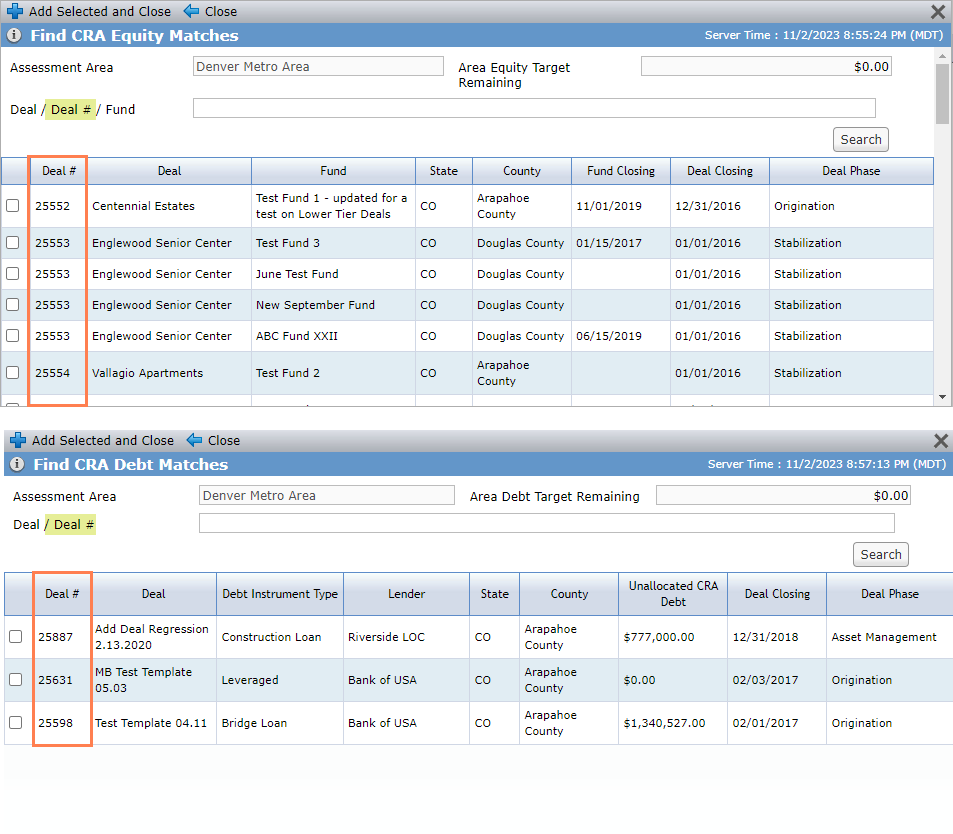
Also in Bank CRA, you can now search by Deal ID on the Find CRA Debt Matches popup and Find CRA Equity Matches popup.
New User Defined Fields
You can now create and manage user defined fields (UDFs) for Deal Sources, Deal Uses, and Financial Forecasts.
Data View Admin Updates
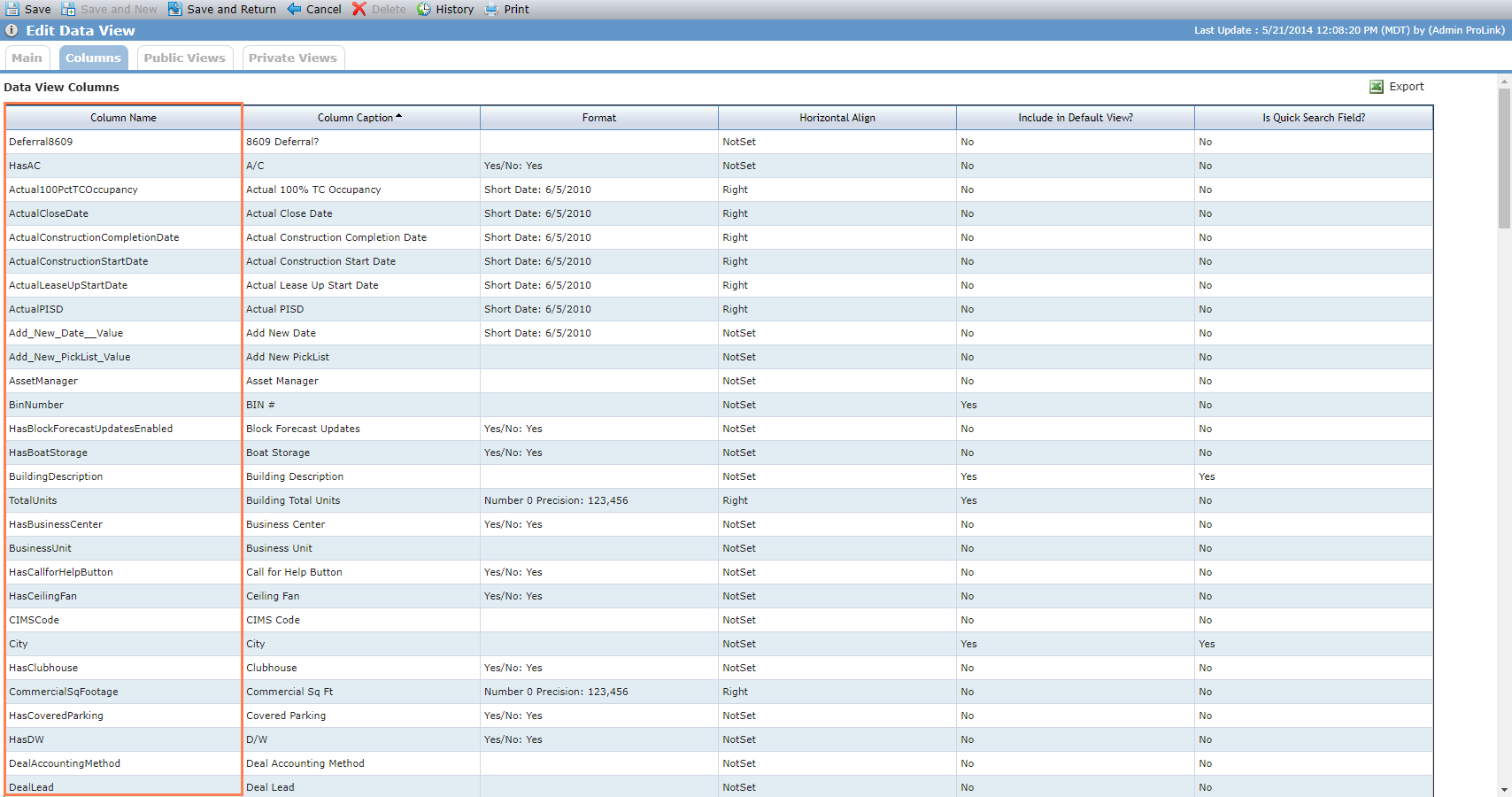
The Data Views columns grid on the Edit Data View screen in Data View Admin now includes the Column Name column so that you can easily compare the database name to the Column Caption, which is the label name and can be different from the database name.
New Unformatted Export Option in Data Views
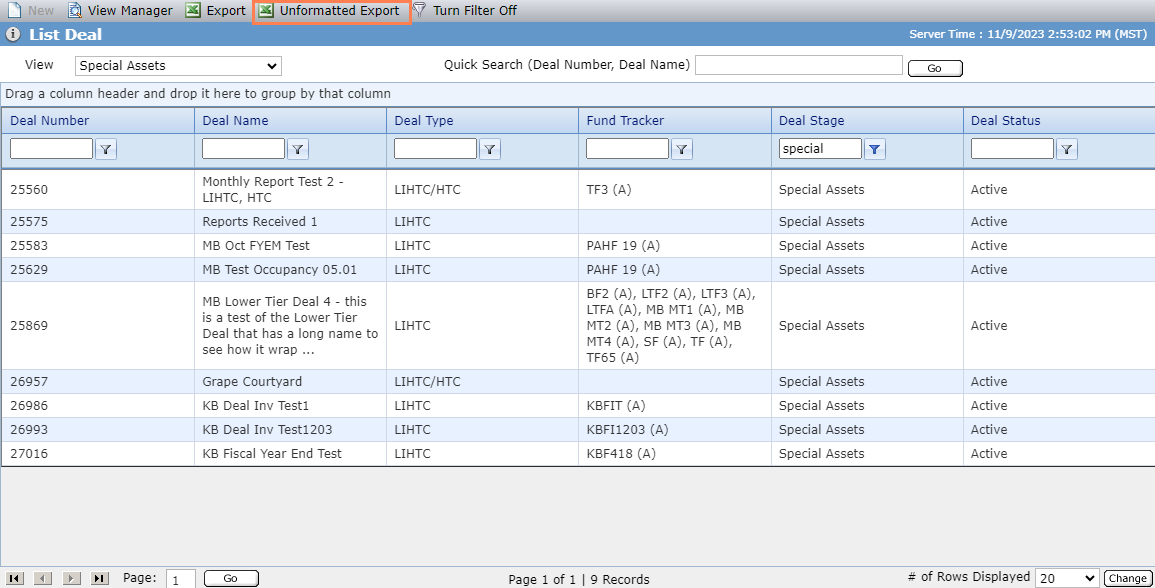
The top toolbar of data view screens includes a new Unformatted Export button, which allows you to export the data, unformatted, more quickly. This option is helpful for large datasets that time out when exporting the formatted data.
History Audit Updates
The database includes two new tables—AuditArchive and AuditCustomItemArchive. ProLink moved existing audit data older than one year to the new tables. The system will periodically move audit records into the archive tables from the transactional audit tables.
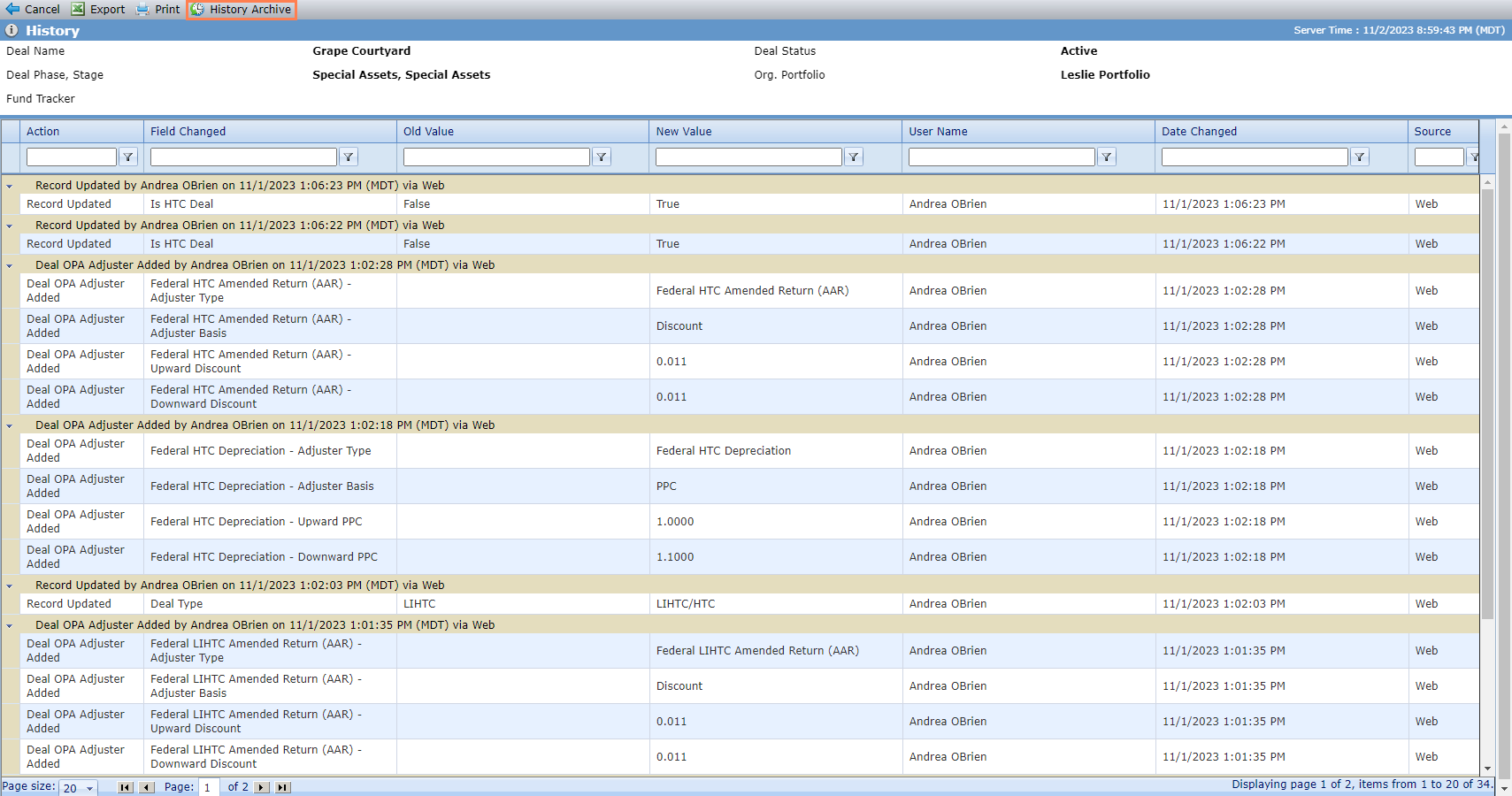
The top toolbar of the History screen includes a new History Archive button. When you click the button, the screen refreshes to show the archived history records. Click Cancel to return to the original record where you accessed History.
Relabel "CIIS" to "AMIS"
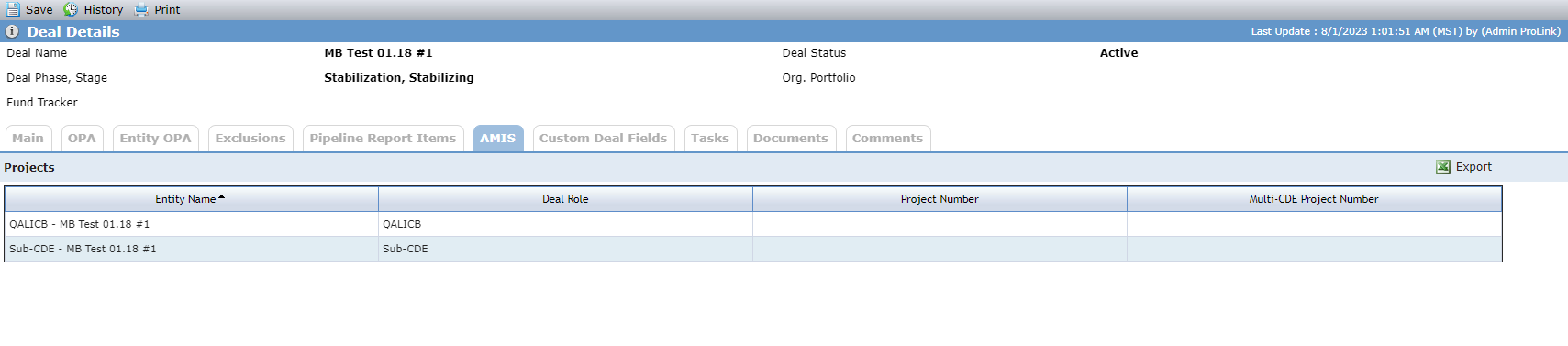
ProLink relabeled "CIIS" to "AMIS" (Awards Management Information System) throughout the system. Below is one example of an updated screen.
Note
Some system objects might still be labeled "CIIS" in Workflow, picklists, and SmartDox.
Tickets Delivered
The release includes the following items.
Ticket Number | Description |
|---|---|
22069 | ProLink fixed an error that sometimes occurred when saving a new Workflow record. |
22070 | ProLink fixed an error that sometimes occurred when saving a new Organizational Portfolio record. |
22071 | ProLink fixed an error that sometimes occurred when saving changes on the Edit Entity screen. |
N/A | ProLink fixed an issue where opening a SmartDox attachment from a Workflow-triggered email showed a blank document instead of populated by the GET. |
N/A | ProLink fixed an error that occurred when opening a Benefits Schedule record when an owner is also the owned entity on the ownership schedule. |
N/A | ProLink fixed an issue where the owner benefit values doubled when the owner is both on the deal and fund ownership schedules. |
N/A | ProLink fixed an error that appeared in the Insurance data view when OPA Per Occurrence Limit and OPA Deductible columns are added to the data view. |
N/A | ProLink fixed a SmartDox error so that Legal Entity To and Legal Entity From fields in the Deal schema use the ID of the Legal Entity database table instead of the Deal Legal Entity table. |